
Buying a mini projector: what really matters for picture quality, streaming and portability
A mini projector can give you a flexible viewing surface in your living room, bedroom or garden, or when you’re camping. However, compact projectors vary considerably in resolution, brightness, streaming options and ease of use. If you focus only on claims such as ‘8K support’ or ‘high lumen output’, you could end up with a device that doesn’t suit the way you use it day to day.
The following criteria will help you assess technical specifications and avoid common buying mistakes.
Common pitfalls when buying a mini projector
1. ‘4K supported’ doesn’t mean native 4K resolution
Many budget models advertise 4K support or ‘8K support’. This usually means they can process a signal in that format. The actual picture may still be displayed at 720p or 1080p.
For example, the MAGCUBIC HY300Pro is advertised as supporting 8K and 1080p, but its technical specifications list a native resolution of 1280 × 720 pixels. That may be enough for basic videos or occasional use. But if you want crisp subtitles, console games or films with clear detail, look specifically for native 1080p.
2. Brightness figures are only comparable when the measurement method is clear
Figures such as ‘9000 lumens’ look impressive, but are difficult to assess without a standardised measurement method. ANSI lumens and ISO lumens are more useful figures. However, you shouldn’t compare them directly, as they’re based on different measurement standards.
A mini projector with 200 to 330 ANSI lumens is generally best suited to darkened rooms. Higher figures are more suitable for a brighter living room or a larger picture. Outdoors, you’ll usually need to wait until evening or find a suitably dark spot.
3. Streaming apps aren’t available on every smart projector
A Wi-Fi projector may be able to mirror content from your mobile phone, but that doesn’t automatically mean it can play Netflix, Prime Video or other protected streaming services. Copyright protection may block wireless playback.
Look for a specific claim such as officially licensed Netflix, a compatible Google TV system, or the option to connect a TV stick via HDMI. A projector with Netflix should also offer regular software updates and an easy-to-use interface. The label ‘Android projector’ alone isn’t proof of this.
The technical specifications that matter in a mini projector
Native resolution and picture size
For TV series, films and games, native 1080p resolution is a useful benchmark. A 4K-supported projector with native 1080p resolution can process 4K signals, but displays them at its actual panel resolution.
Also check the relationship between the projection distance and picture width. A short throw distance is handy in a small bedroom. However, don’t treat the maximum picture size as a promise of quality: the larger the picture, the more noticeable limited brightness and resolution will be.
Brightness and room lighting
For a home projector in a darkened bedroom, lower brightness levels may be enough. In a living room with some ambient light, or when watching sport, a model with a higher ANSI or ISO rating is a better choice.
An outdoor projector doesn’t need to be weather-resistant unless this is explicitly stated. Protect projectors from rain, damp, dust and direct exposure to water. In the garden, use a stable, dry surface and wait until it’s dark enough before switching the projector on.
Autofocus, keystone correction and connections
A projector with autofocus automatically sharpens the image once you’ve set it up. Keystone correction compensates for a trapezoid-shaped picture when the projector isn’t positioned exactly parallel to the projection surface. Automatic adjustments make setup easier, but they’re no substitute for positioning the projector properly.
Also look for:
- HDMI for a laptop, streaming stick, Blu-ray player or PS5
- USB for compatible media and accessories
- Bluetooth for speakers or headphones
- 2.4 GHz and 5 GHz Wi-Fi for different network conditions
- A 3.5 mm audio output if you want to use wired speakers
For a projector for PS5, HDMI compatibility, native resolution and the lowest possible input lag matter more than an especially large maximum picture size. The manufacturer should clearly state the actual latency.
Our picks for different user profiles

MAGCUBIC HY300Pro Mini Projector
Why it suits this profile: Its compact size, 180-degree rotating stand, Android system, Wi-Fi 6 and Bluetooth 5.4 make it handy for occasional film nights and travel.
The native resolution is clearly stated as 720p, so you can assess the advertised 1080p and 8K support realistically.
290 ANSI lumens, automatic vertical keystone correction and a projection distance of 0.6 to 2.5 metres.
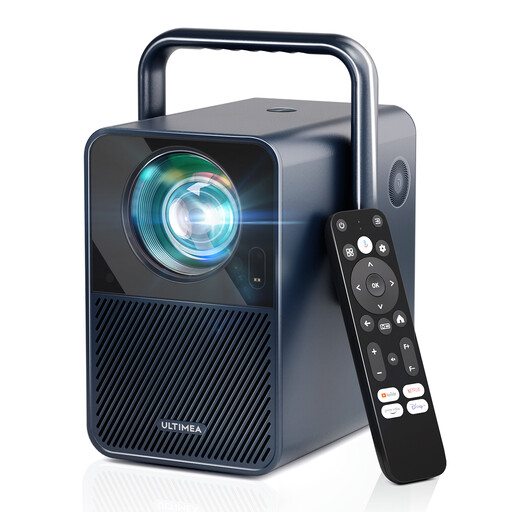
Ultimea Poseidon E40
Why it suits this profile: This home cinema projector combines native 1080p resolution with built-in smart TV features and automatic picture adjustment.
Native 1920 × 1080 pixels are listed separately from 4K decoding. Netflix certification is also specified for the built-in system.
1000 ANSI lumens, 6D keystone correction, autofocus, obstacle detection and Dolby Audio with two 10 W speakers.
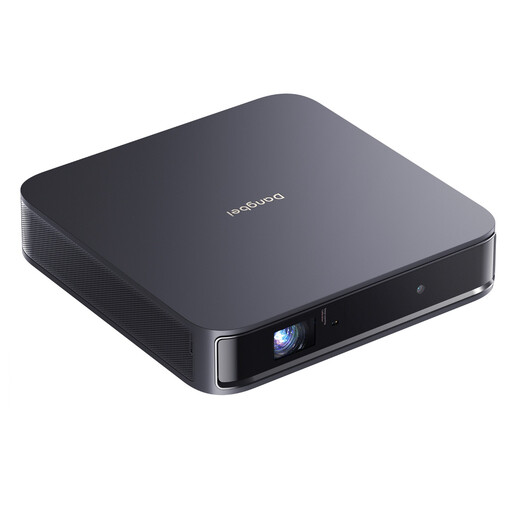
Dangbei Atom Portable Laser Projector
Why it suits this profile: For portable home cinema, frequent film nights and flexible placement, this laser projector offers a compact design and built-in streaming features.
The specifications distinguish between native 1080p resolution, 4K HDR input and 1200 ISO lumens. This makes it easier to assess than vague 4K marketing claims.
Laser light source, Google TV, officially licensed Netflix, automatic focus and keystone correction, plus Bluetooth and HDMI.
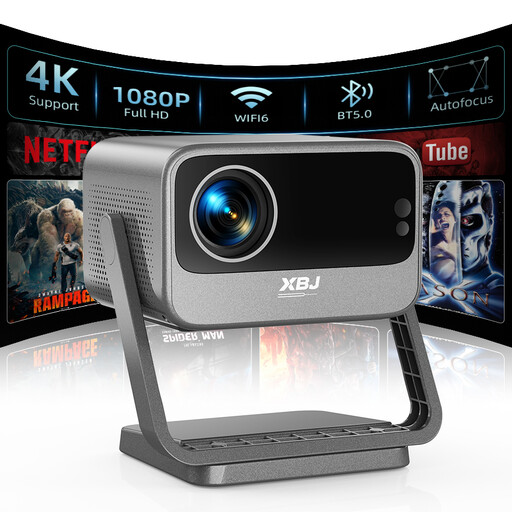
XBJ Portable 4K-Supported Projector
Why it suits this profile: The built-in rotating stand lets you position it flexibly in the bedroom, at parties or for projecting onto the ceiling.
Native 1080p resolution and 4K decoding are listed separately. Autofocus, automatic keystone correction and obstacle detection reduce the need for manual setup.
700 ANSI lumens, HDR10, a 180-degree rotating stand and built-in apps such as Netflix, YouTube and Prime Video, according to the product specifications.
Looking for more options?
We’ve put together a complete, regularly updated list of products that meet these strict selection criteria and the safety regulations in force in the EU.
Practical tips for use and lifespan
A portable projector should be placed on a stable, level surface. Leave plenty of space around the air vents, and don’t place the device on duvets, cushions or carpets. After switching it off, let the fan run its full cool-down cycle before unplugging it.
The lifespan of an LED or laser light source depends on the operating mode, cooling and surrounding conditions. Dusty, damp or very warm rooms can put extra strain on the components. Clean the casing and lens only with a soft, dry cloth, and don’t try to open the device yourself.
Mini projector FAQs
How bright should a mini projector be?
Around 200 to 400 ANSI lumens may be enough for a darkened bedroom. Higher figures are better if there’s ambient light in the living room. For films in the garden, wait until it’s dark before projecting, as ambient light can affect even bright, compact models.
Can a mini projector play Netflix directly?
Only if its operating system and app support explicitly allow it. Direct playback is more likely with an officially licensed Netflix system. Alternatively, you can connect a streaming stick via HDMI. Wireless phone mirroring is often restricted for protected streaming content.
Is a mini projector suitable for PS5?
Generally, yes, as long as it has an HDMI port. For gaming, you should also check the native resolution, refresh rate and input lag. A large screen size alone doesn’t guarantee a suitable gaming experience.