
Buying a microSD card: choose the right capacity, speed and compatibility
A microSD card expands the storage of smartphones, tablets, action cameras, dash cams, security cameras, drones and handheld consoles. The choice may seem straightforward at first: compare capacity, speed rating and price, then order a card. In practice, however, problems are often caused by an incompatible interface, insufficient write speed or a lack of suitability for continuous recording.
This buying guide explains which specifications really matter and which common purchasing mistakes you can avoid.
Common pitfalls when buying a microSD card
1. Maximum read speed is confused with recording performance
A high read speed helps when transferring and opening files. For video recording, however, the write speed is particularly important. A microSD card offering read speeds of up to 150 MB/s may be considerably slower when writing. For Full HD recording, a U1 or V10 card is often sufficient. For 4K video, 5.3K recording or high frame rates, users should also look for U3, V30 or the class specified by the device manufacturer.
2. High capacity does not automatically mean compatibility
A microSDXC memory card with 128 GB, 256 GB, 512 GB or 1 TB generally uses the exFAT file system. The device must support both this capacity and this format. Older smartphones, cameras or dash cams may only accept smaller cards. Before buying, check the maximum supported card capacity in the instruction manual.
3. microSD Express does not deliver full performance everywhere
A microSD Express card uses PCIe and NVMe technology. The advertised peak speeds of several hundred MB/s require a compatible Express device and a suitable card reader. The card may be backwards-compatible when used in a conventional UHS-I slot, but it will not operate at Express speeds. This distinction is particularly important for a Nintendo Switch 2 or another Express-compatible device.
The key technical specifications
Capacity to suit your intended use
- 128GB microSD card: Suitable for photos, apps, music and Full HD videos for everyday use.
- 256GB microSD card: A sensible choice for larger photo archives, game libraries or longer video recordings.
- 512GB microSD card: Provides extra space for 4K and 5.3K files, as well as extensive game installations.
- 1TB microSD card: Practical for many large games, media projects or extensive camera recordings. Device approval must be checked explicitly.
For dash cams and security cameras, capacity is not the only important factor. A large amount of storage does not replace a suitable High-Endurance card when many hours of footage are overwritten every day.
How to read speed classes correctly
Class 10 indicates a guaranteed minimum write speed of 10 MB/s under the relevant classification conditions. U1 also stands for at least 10 MB/s, while U3 targets at least 30 MB/s. V10 and V30 refer to the Video Speed Class. For a 4K memory card, at least V30 is often recommended if the camera requires this standard.
A UHS-I memory card is sufficient for many smartphones, tablets, cameras and action cameras. Actual speed also depends on the device, file system, card reader and the files being used.
A1 and A2 for apps and gaming
The A1 A2 microSD card is classified for random read and write operations, which are important when launching apps or accessing lots of small files. Under suitable device conditions, A2 can provide higher minimum values. However, the classification alone does not guarantee faster loading times if the smartphone or console does not support A2.
For a microSD card for gaming, the combination of capacity, interface and device compatibility is therefore what matters. With microSD Express, the end device must support the Express interface to take advantage of the higher transfer speeds.
Our selection by user profile
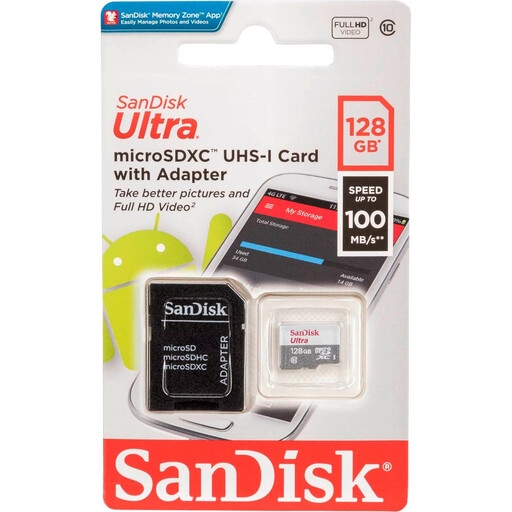
SanDisk Ultra 128GB microSDXC Card
Why this product suits this profile: This 128 GB card is designed for smartphones, tablets, cameras and action cameras with everyday storage needs.
The specifications state not only read speeds of up to 100 MB/s, but also write speeds of up to 10 MB/s, along with Class 10, U1 and V10.
128 GB capacity, a UHS-I interface and A1 classification; according to the product details, an SD adapter is not included.
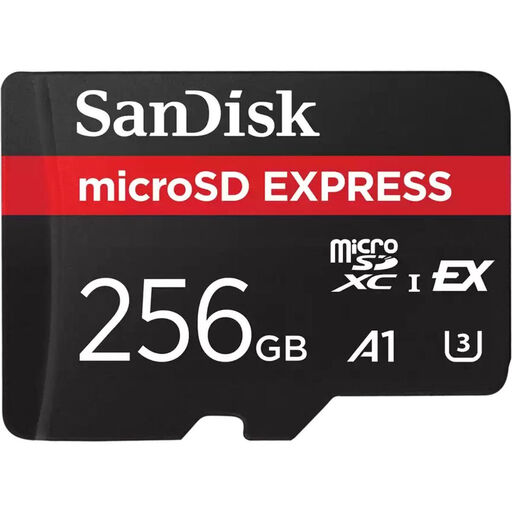
Express microSD card 256GB
Why this product suits this profile: With 256 GB and an Express interface, this card is aimed at compatible devices with demanding file transfer and gaming requirements.
The product details explicitly state that speeds of up to 880 MB/s read and 650 MB/s write require a compatible Express device.
PCIe Gen 3 NVMe technology, U3 classification, stated backwards compatibility with UHS-I and an SD adapter.
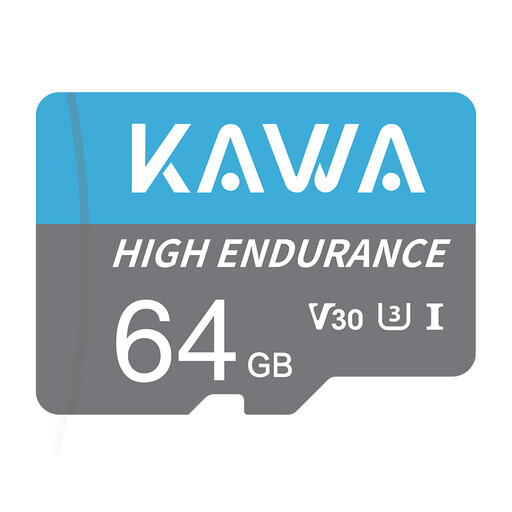
KAWA 64GB High Endurance microSD card
Why this product suits this profile: This card is designed for dash cams, security cameras, baby monitors, drones and other devices that record video regularly.
The High Endurance designation makes its intended use for continuous writing clearer than a maximum read speed specification alone.
64 GB, A1, U3, Class 10 and V30; stated speeds are up to 100 MB/s read and up to 60 MB/s write.
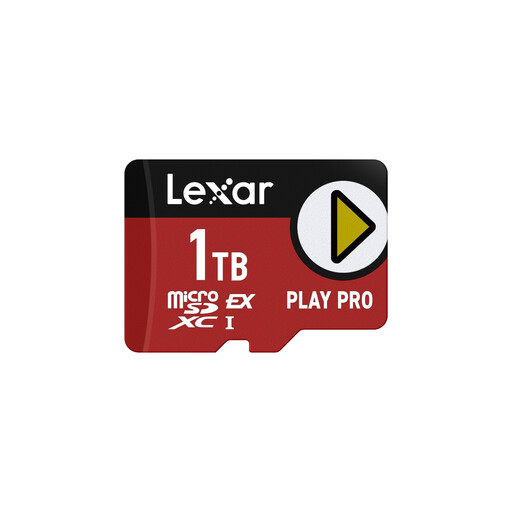
Lexar PLAY PRO microSDXC Express Card 1TB
Why this product suits this profile: 1 TB of storage and A2 classification are designed for handheld gaming devices, consoles and extensive media libraries.
The description qualifies the stated read speed of 900 MB/s and write speed of 600 MB/s for Express-compatible devices; performance is limited in older devices.
PCIe/NVMe interface, A2 classification, stated IPX7 water resistance and backwards compatibility with UHS-I.
Looking for more options?
We have put together a complete, regularly updated list of products that fully meet these strict selection criteria and the safety regulations applicable in the EU.
Checklist before buying
- Check the device manual: Confirm the maximum capacity, file system and supported interface.
- Prioritise write speed: For video recording, look for U3, V30 or the specific manufacturer requirement.
- Consider the intended use: Choose an Endurance card for dash cams and security cameras; check for A1 or A2 for apps and games.
- Consider the card reader: A UHS-I reader can limit the performance of an Express card.
- First use: If possible, format the microSD card in the target device and back up important data separately.
microSD card FAQ
How long does a microSD card last?
Service life depends on memory quality, the amount of data written, temperature, power supply and usage. Cards used in dash cams and security cameras experience more wear from continuous overwriting than cards used for occasional photos. Regular backups and replacing the card when write errors or damaged files occur are advisable.
Which microSD card is suitable for 4K recording?
4K recording often requires a card with U3 and V30. The requirements specified by the individual camera remain the deciding factor. High read speed alone is not enough. For 5.3K recording, greater write-speed reserves and a compatible Express interface may be relevant.
Does a microSD card need to be formatted before use?
Many devices recommend formatting the card in the target device. This adapts the file system and folder structure to the device. Existing data should be backed up beforehand. Do not remove the card while data is being written, as this could damage files.