
SD Card Buyer's Guide 2026: How to Avoid Common Mistakes When Buying Memory Cards
Choosing the right SD card can be a challenge given the myriad of technical labels and speed ratings. Marketing promises often lead to purchasing decisions that later prove unsuitable for the intended purpose. This guide will help you understand the crucial factors and avoid common pitfalls, ensuring your next memory card delivers the exact performance you need for your camera, drone, or console.
Common Pitfalls When Buying a Memory Card
Before we dive into the technical details, it's important to know the most common sources of error that often lead to frustration and unnecessary expense.
- The "Up To" Speed Trap: Many manufacturers advertise maximum read speeds that are only achievable under laboratory conditions with specialised hardware. However, for demanding tasks like burst photography or 4K video recording, the minimum sustained write speed is what truly matters. A card with an advertised read speed of 200 MB/s might have a much lower write speed, leading to buffering issues with your camera.
- Wrong Speed Class for Video Recording: A high MB/s number alone does not guarantee smooth, stutter-free video. For recording high-resolution video footage, the Video Speed Class (V-Class), indicated by a "V" symbol, is the decisive indicator. A card without the appropriate V-Class rating (e.g., V30 for 4K) can cause frame drops or sudden recording failures when capturing SD card 4K video.
- Ignoring Device Compatibility: Not every card works in every device. Older cameras or card readers often only support the SDHC standard (up to 32 GB). Buying a modern SDXC card (64 GB and up) for such a device will result in the card not being recognised. Therefore, always check the specifications of your host device.
What Really Matters When Making Your Selection
To find the right high-speed SD card, focus on these three core parameters. They are the key to performance and reliability.
1. Speed Classes: Understanding U3 and V30
The most important symbols on a modern memory card are the UHS Speed Class and the Video Speed Class.
- UHS Speed Class (U1, U3): This symbol indicates the minimum sequential write speed. U3 guarantees a minimum write speed of 30 MB/s. This is the standard for most 4K video applications and high-speed burst shooting in RAW format. U1 (10 MB/s) is sufficient for Full HD recording and general photography.
- Video Speed Class (V10, V30, V60, V90): This class was specifically developed for high-bitrate video recording. V30 also corresponds to a guaranteed minimum write speed of 30 MB/s and is the recommended minimum for reliable 4K UHD video recording. For professional productions with even higher data rates, V60 (60 MB/s) or V90 (90 MB/s) are required.
2. Capacity and Format: SDHC vs. SDXC
Capacity determines how many photos or how much video footage you can store. The formats define compatibility.
- SDHC (Secure Digital High Capacity): Cards with a capacity from 4 GB to 32 GB. They use the FAT32 file system.
- SDXC (Secure Digital eXtended Capacity): Cards with capacities from 64 GB to 2 TB. They use the exFAT file system. An SD card 128GB or SD card 256GB falls into this category.
Important: A device that is only SDHC-compatible cannot read SDXC cards. Conversely, SDXC-compatible devices are backward-compatible and can also use SDHC cards. Consulting your device's manual is essential here.
3. Form Factor: SD vs. Micro SD
- Standard SD Card: Used primarily in larger devices like DSLR and mirrorless cameras.
- Micro SD Card: The smaller form factor is standard for smartphones, action cams, drones, and handheld gaming consoles. Many micro SD cards come with an adapter, allowing them to be used in standard SD slots as well. For a memory card for a drone or a memory card for an action cam, this is the correct type.
Our Top Picks for Specific Use Cases in 2026
Here are some recommendations tailored to common user profiles that take the above criteria into account.
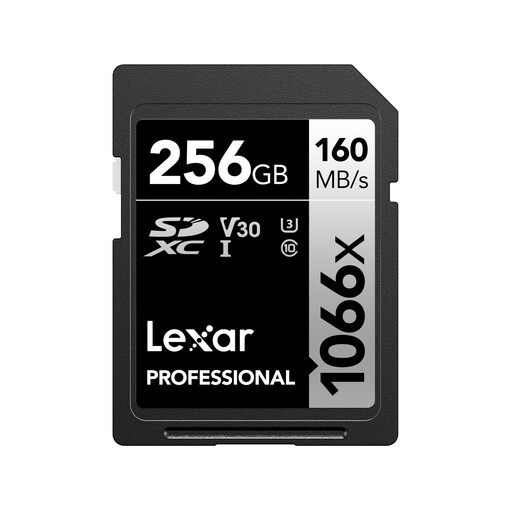
Lexar 256GB Professional 1066x SD Card, UHS-I, C10, U3, V30
Why it's a match: Ideal for videographers who need to shoot long 4K takes without interruption. The large 256 GB capacity reduces the need to swap cards during a shoot, and the high write speed ensures stable performance.
The U3 and V30 certifications guarantee a minimum write speed of 30 MB/s, preventing frame drops during 4K video recording—a common problem with cards lacking this specification.
Offers a high write speed of up to 120 MB/s for quickly clearing the buffer during burst shooting and a read speed of up to 160 MB/s for an accelerated post-production workflow.
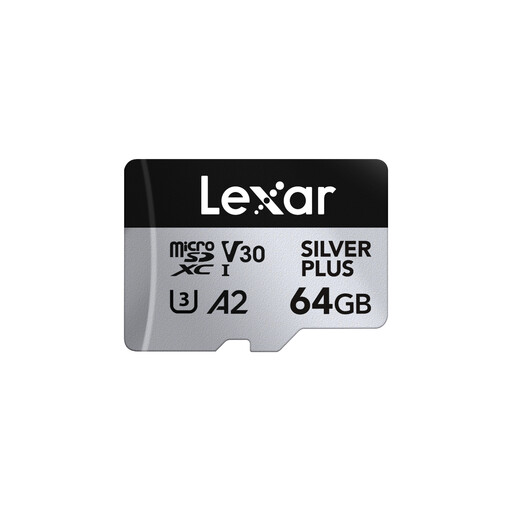
Lexar Silver Plus 64GB Micro SD Card with Adapter, U3, A2, V30
Why it's a match: This Micro SD card is designed for use in harsh conditions. Its durability and A2 rating for fast app performance make it an excellent choice for drones, action cams, and handheld consoles.
The V30 rating secures performance for 4K recording, while its physical resistance (to temperature, shock, X-rays) prevents data loss in demanding environments—an often-overlooked aspect of card selection.
The A2 specification ensures fast app-loading times on compatible devices. The high write speed of up to 100 MB/s (on the 64 GB version) is well-suited for burst shooting with action cams.
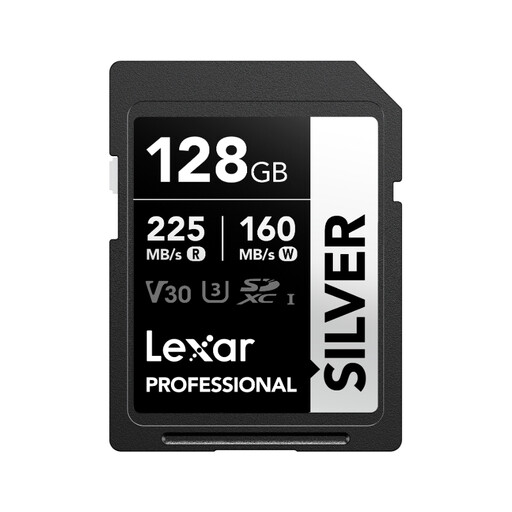
Lexar 128GB SD Card SILVER, U3, V30
Why it's a match: An excellent all-rounder for photographers with DSLR or mirrorless cameras. It offers a balanced combination of high write speed for RAW burst shooting and a very high read speed to accelerate data transfer to a computer.
This card bypasses the "up to" trap by specifying a high maximum write speed of 140 MB/s, which is far above the guaranteed V30 minimum. This ensures consistently high performance during burst shooting.
The read speed of up to 205 MB/s (with a compatible reader) significantly reduces waiting times when transferring large photo files. The V30 rating also ensures compatibility for 4K video recording.
Looking for more options?
We've compiled a complete, up-to-date list of products that fully meet these strict selection criteria and safety regulations.
Frequently Asked Questions (FAQ)
1. How do I properly format a new SD card? It is recommended to always format a new memory card directly in the target device (e.g., in your camera) rather than on a computer. This ensures the card is formatted with the optimal file system for that device, which improves stability and performance and helps prevent potential write errors.
2. What do the symbols V30, U3, and C10 on an SD card mean? These symbols represent different speed classes that guarantee a minimum write speed:
- C10 (Class 10): Guarantees at least 10 MB/s. This is an older standard sufficient for Full HD video.
- U3 (UHS Speed Class 3): Guarantees at least 30 MB/s. Required for most 4K recording and high-speed burst photography.
- V30 (Video Speed Class 30): Also guarantees at least 30 MB/s and is specifically optimised for the demands of high-data-rate video recording.
3. Can I use an SDXC card in a device that only supports SDHC? No, this is not possible. Devices designed only for the SDHC standard (up to 32 GB) cannot recognise the exFAT file system used by SDXC cards (64 GB and up). The device will either not recognise the card or display an error message. Therefore, always check the maximum supported capacity and card type in your device's user manual before purchasing.