
1080p projectors with 4K support: what to look for when buying
A 1080p projector with 4K support often isn’t the same as a true 4K projector. Many models accept 4K video signals or HDR content, but display the image at their native resolution of 1920 × 1080 pixels. Full HD can still deliver great picture quality for films, TV series, sport and gaming – as long as the brightness, placement and smart features suit how you plan to use it.
Three common pitfalls when buying a projector
1. “4K supported” is mistaken for native 4K resolution
The term “4K supported” usually means the projector can decode 4K content or receive it via HDMI. Many models still display the image in 1080p Full HD. So, if you’re looking for true 4K sharpness, check that the native resolution is explicitly listed as 3840 × 2160 pixels.
For many living rooms, however, a Full HD projector with 4K support is more than adequate. It often costs less, and at a typical viewing distance the difference may not be significant.
2. High lumen figures aren’t always comparable
Figures such as “9,000 lumens” or “18,000 lumens” don’t necessarily come from standardised measurement methods. ANSI lumens or ISO lumens are more useful figures when clearly specified by the manufacturer. Even so, ANSI and ISO figures shouldn’t be compared directly.
A mini projector with lower brightness may be enough for a darkened bedroom. In a living room with daylight, or for watching sport in the early evening, a higher brightness is more suitable. A screen with an appropriate surface and as little ambient light as possible will also improve the picture.
3. Streaming apps and screen mirroring are confused
Having Wi-Fi doesn’t necessarily mean you can run Netflix or other platforms directly on the device. Some projectors can’t wirelessly stream certain services because of licensing restrictions. In that case, you’ll need an HDMI player, laptop or TV stick.
Look for specific details such as an official Netflix licence, built-in apps, Android TV or the manufacturer’s own operating system. For example, the iWIMIUS K11 is clearly stated to have no built-in smart apps, so you’ll need a TV stick for streaming.
The key technical specifications
Native resolution and HDR
Native resolution tells you how many pixels the panel actually displays. 1920 × 1080 pixels is Full HD. A specification such as “4K decoding” or “4K supported” is an additional feature, not a replacement for native resolution.
HDR10 can process compatible content with an expanded contrast range. However, what you see also depends on brightness, contrast, the source device and the ambient light in the room. An HDR10 label alone doesn’t guarantee picture quality.
Brightness and room conditions
Check the stated ANSI or ISO lumens and think realistically about how you’ll use the projector:
- Dark room: lower brightness may be enough for films and TV series.
- Living room with some ambient light: a model with around 700 to 1,200 ANSI lumens gives you more headroom.
- Outdoor use: only project outside after dark. The projector also needs a dry, stable and well-ventilated spot.
- Large image areas: the light spreads out more as the image gets bigger, so a smaller projection will usually look brighter.
Placement, autofocus and keystone correction
A projector with autofocus saves time if you move it between locations. Keystone correction compensates for a trapezoid-shaped image when the projector isn’t positioned squarely in front of the screen. Convenience features such as automatic image alignment or obstacle detection are handy, but may slightly reduce the image area or sharpness.
Also check the throw ratio. For example, a ratio of 1.2:1 means you’ll need roughly 1.2 times the distance for a given image width. Models with a shorter throw distance are often better suited to small rooms.
Our picks for different users
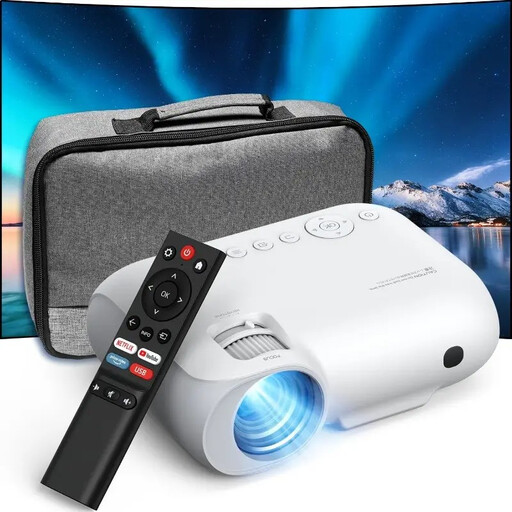
YOTON Y7 Native 1080P 9000 Lumen WiFi Bluetooth 4K Projector
Why it suits this profile: The YOTON Y7 offers native 1080p resolution, dual-band Wi-Fi, Bluetooth, and HDMI, USB and AV connections for a straightforward introduction to home projection.
The product description explicitly states the native 1080p resolution and advises using Netflix via HDMI or a TV stick.
Native 1080p, dual-band Wi-Fi, Bluetooth 5.1 and a carry case for transport and storage.
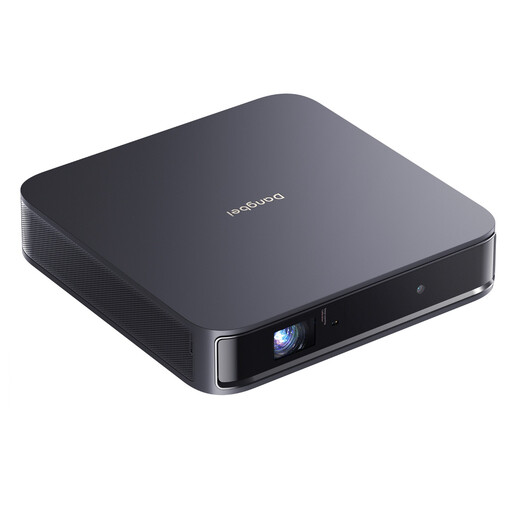
Dangbei Atom Portable Laser Projector
Why it suits this profile: This compact DLP projector combines native 1080p resolution with 4K HDR input, Google TV and officially licensed Netflix.
The specifications distinguish between native 1080p output and 4K HDR input. The Netflix licence is also clearly stated.
1,200 ISO lumens, a laser light source, HDR10/HLG support, autofocus and Google TV.
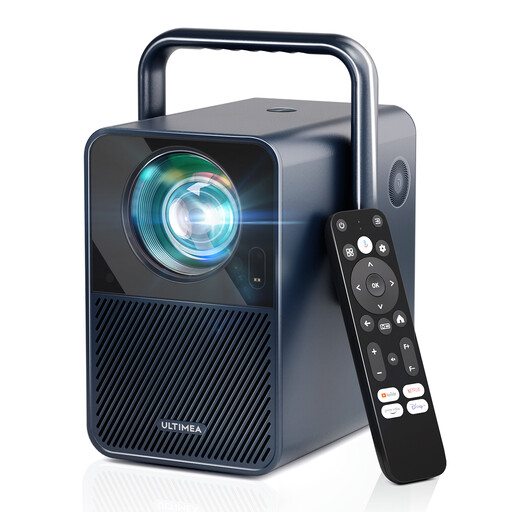
Ultimea Poseidon E40 Projector
Why it suits this profile: Designed as a home cinema projector for families and regular film nights, the E40 combines Android TV 11.0, Netflix, autofocus and 6D keystone correction.
The native resolution is listed as 1920 × 1080 pixels, while 4K is described as decoding support. This makes the distinction between the two specifications clear.
1,000 ANSI lumens, Android TV 11.0, Netflix, Dolby Audio with 2 × 10-W speakers and automatic image adjustment.
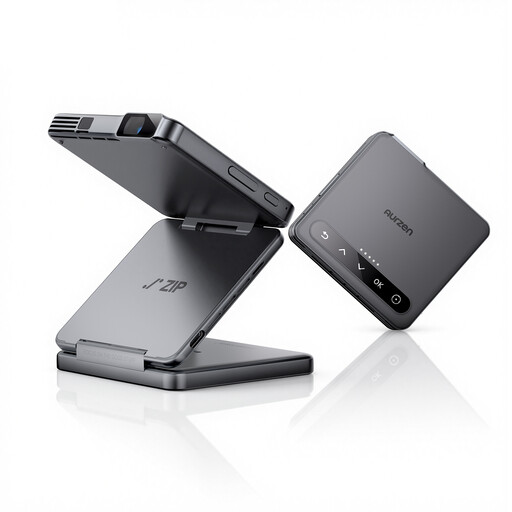
Aurzen Tri-Fold DLP Mini Projector
Why it suits this profile: Its compact design, built-in stand and 5,000-mAh battery make it suitable for travel, impromptu film nights and mobile presentations.
Battery life is stated as up to 1.5 hours. This helps buyers understand that longer screenings will need a power supply or USB-C PD charger.
DLP technology, ToF autofocus, Bluetooth, Wi-Fi, USB-C and a folding body with a built-in stand.
Looking for more options?
We’ve put together a complete, regularly updated list of products that meet these strict selection criteria and fully comply with the safety regulations in force in the EU.
Practical tips on power consumption and lifespan
Power consumption depends mainly on the light source, brightness mode, speakers and how long the projector is running. A lower Eco mode can reduce energy use, but usually dims the image. Where possible, compare power consumption in watts rather than relying only on the advertised image size.
To help your projector last longer, keep the ventilation openings clear. Don’t place it on a bed, sofa or carpet, and let it cool down after switching it off. When using it outdoors, keep it away from moisture, rain and dust. Clean the lens with a soft, dry cloth.
FAQ: Common questions about 1080p projectors with 4K support
Is a 1080p projector with 4K support a true 4K projector?
No, not necessarily. “4K supported” usually refers to processing a 4K signal. The image may still be displayed at the native resolution of 1920 × 1080 pixels. Check the native resolution in the specifications.
Does Netflix work on every smart projector?
No. App licensing and the operating system are key. Some models have Netflix officially integrated; others require a TV stick or an HDMI connection to a compatible device.
How far should the projector be from the screen?
It depends on the throw ratio and the image width you want. For example, a ratio of 1.2:1 requires roughly 1.2 metres of distance for every metre of image width. Check the manufacturer’s guidance and allow extra room for cables and ventilation.