
Buying a smart projector: a guide to home cinema, streaming and evenings outdoors
A smart projector can replace a television, streaming stick and, in some cases, even speakers. In practice, though, how satisfied you are depends less on bold marketing claims than on a few technical details. If you focus only on a stated ‘4K support’ or a high lumen rating, you could end up with a projector that is too dim for your living room, doesn’t support streaming apps reliably or needs a lot of manual adjustment when you set it up.
This buying guide explains what households, families and film fans in Germany should look for when choosing a 1080p projector, a Full HD projector, a 4K projector or a portable model for the garden or camping.
Common pitfalls when buying a smart projector
1. Lumen ratings are not stated consistently
Manufacturers use ratings such as ANSI lumens or ISO lumens. These figures are not directly comparable without qualification. Brightness can also vary depending on the picture mode, distance, screen and ambient light.
A compact mini projector with lower brightness may be enough for a darkened bedroom. In a living room with daylight, a higher brightness rating is useful. For evenings outdoors, bear in mind that the image will only be clearly visible once the light starts to fade and there is as little ambient light as possible.
2. ‘4K supported’ does not automatically mean native 4K resolution
Many devices can process 4K signals but project natively at 1920 × 1080 pixels. This is a Full HD projector and can be a good choice for films, TV series and sport. If you expect true 4K projection, make sure the projector is explicitly described as having native 4K resolution.
3. Streaming apps and operating systems can be confusing
A projector with Wi-Fi does not automatically come with Netflix. Some models need a streaming stick, while others use Google TV, Android TV or their own operating system. Before you buy, check:
- Is Netflix officially built in, or is it only available through screen mirroring?
- Which apps are available in the relevant app store?
- Are software updates planned?
- Does voice control work with Google Assistant or Alexa?
- Does the device support dual-band Wi-Fi?
These details are particularly important if you want to use the smart projector as a television replacement without any additional devices.
The most important technical features
Picture resolution and projection size
For films, TV series and gaming, a native 1080p projector offers a good balance of sharpness and purchase price. A stated screen size of, for example, 40 to 200 inches describes the possible range; it does not necessarily mean the picture will look its best at every size. The larger the image, the more noticeable limited brightness and visible compression artefacts become.
Also check the throw ratio. Put simply, a ratio of 1.2 means the distance from the projector to the screen is roughly 1.2 times the width of the image. Models with a short throw can be more practical in smaller rooms.
Brightness and ambient light
A home cinema projector is ideally used in a darkened room. More brightness is helpful in a living room with the curtains open or when watching sport in the early evening. Consider ISO and ANSI ratings separately; a comparison only makes sense when the same measurement method has been used.
Outdoor projectors have additional limitations: garden lighting, street lamps and twilight all reduce contrast. A suitable projection surface and a sheltered, dry location are therefore more important than having the largest possible screen size.
Set-up, audio and connections
A projector with autofocus saves time when focusing the image. Automatic keystone correction can compensate to some extent if the projector is set up at an angle. However, neither feature is a substitute for positioning the projector as straight as possible. Obstacle detection and automatic image alignment can be useful if you move it between locations.
For sound, check the speakers’ rated output. A projector with Dolby Audio can process compatible audio formats, but actual sound quality also depends on the size of the speakers and the enclosure. For larger rooms or film nights, Bluetooth connectivity to a soundbar or external speaker can be useful.
Important connections include HDMI, USB and, where available, a 3.5 mm audio output. For gaming, input lag matters just as much as resolution. A specific latency figure is therefore more useful than general claims about gaming performance.
Our picks for different users
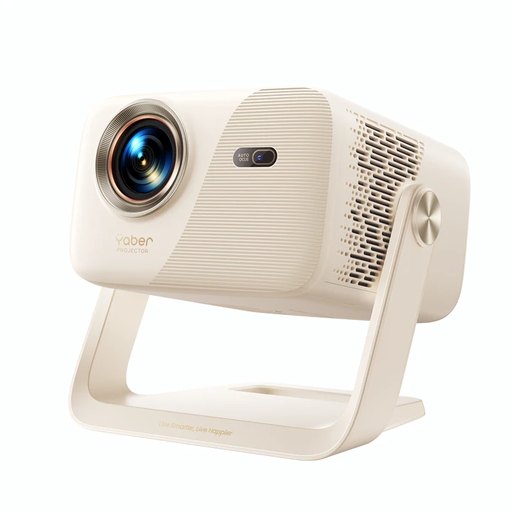
Yaber L2 Projector
Why this product suits this user: This native 1080p projector combines Google TV, HDMI, USB and Bluetooth with a stand that supports 360° positioning. It’s a versatile option for families looking for a projector that can be set up in the living room, bedroom or garden for the occasional outdoor film night.
The native Full HD resolution is clearly stated, so buyers won’t mistake ‘4K support’ for native 4K projection.
Native 1920 × 1080 pixels, Google TV, 500 ANSI lumens according to the product details, and flexible projection from 40 to 150 inches.
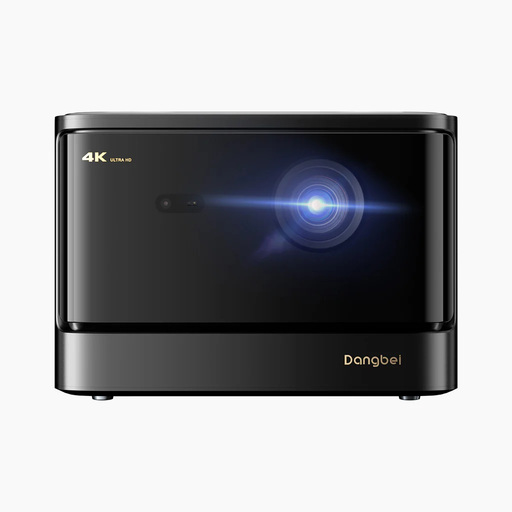
Dangbei DBOX02 Laser Projector 4K
Why this product suits this user: This model is aimed at anyone looking for high brightness, 4K projection, HDR10+ and a large image for a dedicated home cinema.
The product details state 2450 ISO lumens and a 4K resolution, making the brightness measurement and resolution claim easier to assess.
Laser light source, 2450 ISO lumens, HDR10+, up to 200 inches, plus automatic focus and keystone adjustment according to the product description.
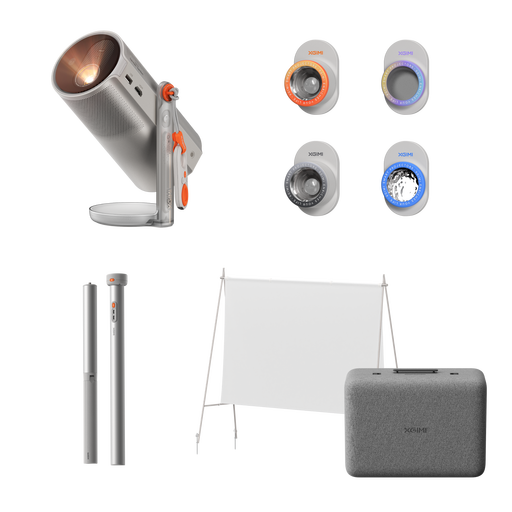
XGIMI MoGo 4 Portable Projector
Why this product suits this user: With Google TV, native 1080p resolution and a built-in battery, this portable projector is designed for flexible use at home, in the garden or on a camping trip.
Battery life is stated as up to 2.5 hours, or up to 5 hours with an additional PowerBase. Bear in mind that these figures depend on the operating mode selected.
450 ISO lumens, Harman Kardon speakers, Bluetooth, Wi-Fi and Google TV with licensed Netflix, according to the product details.
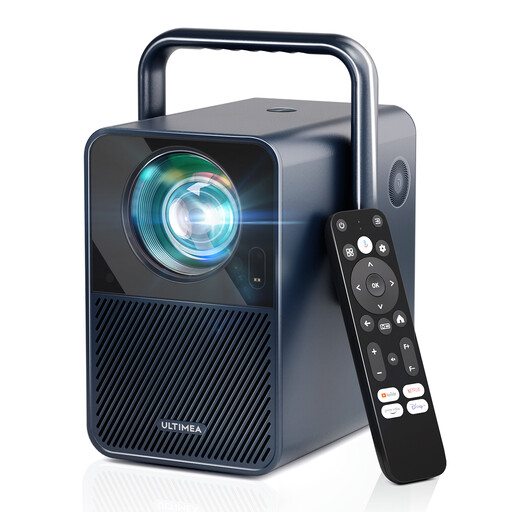
Ultimea Poseidon E40 Projector
Why this product suits this user: Android TV 11.0, Netflix certification, automatic picture adjustment and built-in Dolby Audio make this a good fit for anyone who wants to combine streaming with easy set-up.
Android TV and Netflix certification are clearly specified, giving you more confidence about whether you’ll need an additional streaming stick.
Native 1920 × 1080 pixels, 1000 ANSI lumens, 4K decoding, ToF autofocus, 6D keystone correction and 30 W speakers, according to the product details.
Looking for more options?
We’ve put together a complete, regularly updated list of products that meet these strict selection criteria and fully comply with the safety regulations in force in the EU.
Using your smart projector safely for years to come
Place the projector on a stable, level surface and keep the ventilation openings clear. After switching it off, let the fan run until it stops completely before unplugging it. Do not look directly into the lens while the projector is in use. For outdoor use, choose a dry, sheltered location; a standard projector is not automatically weatherproof.
A projector with Wi-Fi and Bluetooth also needs a stable network. For live sport or streaming, a wired HDMI connection to a games console or laptop may be a better option if wireless transmission causes delays.
Frequently asked questions about smart projectors
Can a smart projector replace a television?
Yes, provided its streaming apps, speakers, connections and brightness are suitable for the room. A television is often more straightforward for daylight viewing and regular news or sport. A smart projector, on the other hand, gives you a flexible image size and can be stored away neatly when you’re not using it.
How long does a projector last?
Its lifespan depends on the light source, operating mode, ventilation and maintenance. LED and laser projectors are often advertised with a long light-source lifespan. This manufacturer figure should not be taken as a guarantee of the lifespan of the entire device. Keeping the ventilation dust-free and handling the projector with care will help it run reliably.
How much does it cost to run a smart projector?
The main cost beyond the purchase price is electricity. Power consumption is listed in the technical specifications and can vary depending on the brightness mode. A built-in battery means you don’t need a power socket while using the projector, but it will need to be recharged regularly. For a realistic estimate, take into account how often you’ll use it, its power consumption and any costs for external speakers or a streaming stick.