
WQHD Gaming Monitor: 2026 Buyer's Guide and Recommendations
Choosing a monitor is a crucial decision for any PC or console setup. A WQHD gaming monitor, with its 2560 x 1440 pixel resolution, represents a significant upgrade from the ubiquitous Full HD standard (1920 x 1080). This higher pixel density results in a sharper, more detailed image, which is beneficial for both gaming and productivity tasks. This article analyses the key technical specifications to consider when choosing a 1440p monitor and presents a selection of models with varying features.
Technical Criteria for Choosing a WQHD Monitor
The decision for a specific model should be based on an analysis of objective technical features. The following parameters are of key importance.
Screen Size and Pixel Density
For the WQHD resolution, two screen sizes have become the standard: 27-inch gaming monitors and 32-inch gaming monitors.
- 27-inch: Offers a high pixel density of approximately 109 pixels per inch (PPI). The result is a very sharp image where individual pixels are barely perceptible. For many users, this size is an ideal balance of immersion and desk space.
- 32-inch: Provides a larger display area for a more immersive experience. The pixel density drops to about 92 PPI, which is still perceived as sharp and is on par with a 24-inch Full HD monitor.
Panel Technology: VA, IPS, and OLED
The panel technology is a key determinant of image characteristics such as colour accuracy, contrast, and response time.
- VA (Vertical Alignment): These panels are known for their high static contrast ratios, which lead to deep blacks. Modern VA panels have also caught up in terms of response time.
- IPS (In-Plane Switching): IPS panels are distinguished by their high colour fidelity and wide viewing angles. They are often the choice for content creation and colour-critical work.
- OLED (Organic Light Emitting Diode): An OLED gaming monitor features self-emissive pixels. This allows for a theoretically infinite contrast ratio, perfect blacks, and extremely fast response times. QD-OLED is an evolution of the technology that uses Quantum Dots to improve brightness and colour gamut.
Refresh Rate and Response Time
For a smooth gaming experience, a fast gaming monitor is essential.
- Refresh Rate (Hz): Indicates how many frames per second the monitor can display. While 144 Hz was the standard for a long time, models with 165Hz, 240Hz, or even higher are now available. A higher frequency results in smoother motion.
- Response Time (ms): Describes the time it takes for a pixel to change its colour (often measured as GtG, Grey-to-Grey). Low values under 5 ms are recommended for gaming to minimise motion blur. OLED panels achieve values below 0.1 ms here.
Form Factor and Connectivity
- Curved vs. Flat: A curved gaming monitor with a curvature like 1500R is designed to better fill your peripheral vision, thereby enhancing immersion. This is a particularly relevant factor for larger screens of 32 inches and above.
- Ports: For modern graphics cards and consoles like the PlayStation 5, a monitor for PS5 with an HDMI 2.1 port is beneficial. This standard supports 4K at 120 Hz, but also WQHD at 120 Hz with VRR (Variable Refresh Rate). DisplayPort 1.4a is the common standard for PC gaming at high refresh rates.
Our Top WQHD Gaming Monitor Picks for 2026
Based on the technical criteria mentioned above, we present three models with different specialisations.
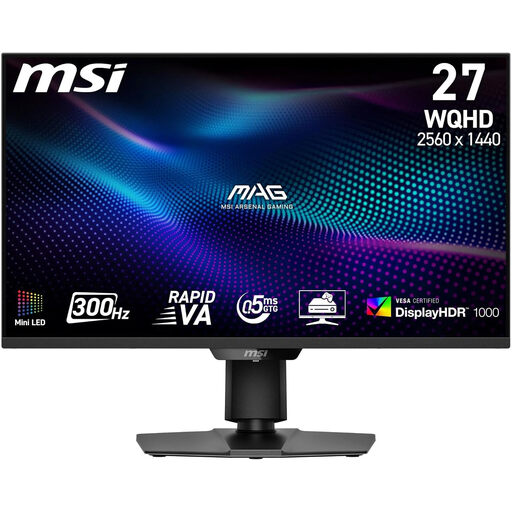
[€10 off with Code: M10] MSI MAG 274QPF X30MV Gaming Monitor 27 Inch WQHD
-
Why we recommend this product: This model combines a Rapid VA panel with a Mini-LED backlight. Its 1,152 local dimming zones enable high contrast and a peak brightness that qualifies it for DisplayHDR 1000 certification. The extremely high 300 Hz refresh rate is aimed at users who demand maximum motion fluidity.
-
Key Features:
- Panel: 27-inch Rapid VA with Mini-LED backlight
- Refresh Rate: 300 Hz
- Response Time: 0.5 ms (GtG)
- Resolution: WQHD (2560 x 1440)
- HDR: DisplayHDR 1000
- Connectivity: HDMI 2.1, DisplayPort 1.4a
-
Best suited for: Competitive gamers and esports enthusiasts for whom maximum refresh rate and minimal response time are a priority. Users looking for a very bright and high-contrast HDR experience will also be well-served.
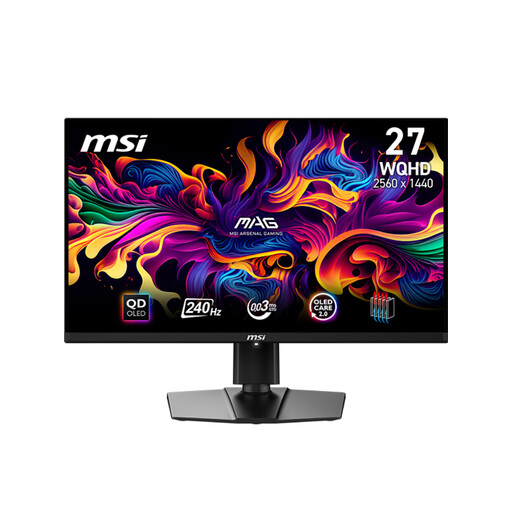
MSI MAG 271QPX QD-OLED E2 Gaming Monitor 26.5 inches WQHD
-
Why we recommend this product: The MSI MAG 271QPXDE E2 utilises a next-generation QD-OLED panel. This technology delivers pixel-level lighting control, resulting in perfect blacks and outstanding contrast. With a response time of 0.03 ms (GtG) and 99% DCI-P3 colour gamut coverage, it is an compelling option for both gaming and professional content creation.
-
Key Features:
- Panel: 26.5-inch QD-OLED
- Refresh Rate: 240Hz
- Response Time: 0.03 ms (GtG)
- Resolution: WQHD (2560 x 1440)
- HDR: DisplayHDR True Black 400
- Colour Accuracy: Delta E ≤ 2, 99% DCI-P3
-
Best suited for: Users who demand the absolute best in image quality. Gamers who will benefit from the extremely fast response times and perfect contrast of OLED, as well as content creators who need a colour-accurate monitor for photo and video editing.
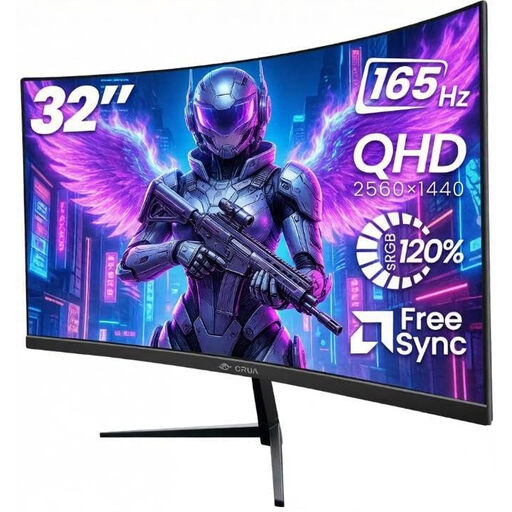
CRUA 32 Inch Bezel-Less 1500R Curved Gaming Monitor
-
Why we recommend this product: This model focuses on delivering an immersive experience through its size and curvature. The 32-inch screen with a 1500R curve pulls the user right into the action. With a 165Hz refresh rate and Adaptive Sync, it provides a smooth display for most gaming scenarios.
-
Key Features:
- Panel: 32-inch VA, 1500R curvature
- Refresh Rate: 165 Hz
- Resolution: WQHD (2560 x 1440)
- Colour Gamut: 120% sRGB
- Contrast: 3000:1 static
- Connectivity: 2x HDMI, 2x DisplayPort
-
Best suited for: Gamers and multimedia users who prefer a large, immersive display. The combination of size, curvature, and a 165 Hz refresh rate is well-suited for single-player titles, racing games, and watching films.
Considering Other Options
The monitor market is dynamic and offers a wide variety of configurations. If the models presented here do not exactly meet your requirements, numerous other alternatives exist. You can find a broader selection of components and peripherals in our category for black computer.
Frequently Asked Questions (FAQ)
1. Is a WQHD monitor suitable for the PS5 or Xbox Series X? Yes, a 1440p monitor is an excellent choice for current-gen consoles. Both the PS5 (following a firmware update) and the Xbox Series X support 1440p resolution natively. Many monitors with HDMI 2.1, or even HDMI 2.0, can process the signal at up to 120 Hz, ensuring a smooth console gaming experience.
2. What graphics card is needed for a WQHD gaming monitor with a high refresh rate? The requirements depend heavily on the game and your desired graphics settings. For current titles at WQHD resolution with over 144 FPS (Frames Per Second), an upper mid-range to high-end graphics card is recommended. Models like an NVIDIA GeForce RTX 4070 or an AMD Radeon RX 7800 XT provide a solid foundation. For less demanding esports titles, mid-range cards are often sufficient.
3. What is the difference between WQHD and 4K? WQHD (2560 x 1440) has a total of about 3.7 million pixels. 4K, or UHD (3840 x 2160), has approximately 8.3 million pixels—more than twice as many. 4K offers an even sharper image but places significantly higher demands on graphics performance to achieve high frame rates. For many, WQHD is considered the "sweet spot" for gaming, as it offers a visible improvement in sharpness over Full HD without being as demanding on hardware as 4K.
Written by: Joybuy Product Recommendation Officer