
Wi-Fi Router Buyer's Guide: How to Avoid Costly Mistakes
A slow or unstable Wi-Fi network is more than just an annoyance—it disrupts your home office, interrupts streaming, and can decide between victory and defeat in online games. However, the Wi-Fi router market is flooded with technical jargon and marketing promises that make choosing the right device difficult. As your Joybuy Product Recommendation Officer, I'm here to help you understand the key factors and avoid common purchasing pitfalls.
The 2 Most Common Pitfalls When Buying a Router
Before we dive into the technical details, let's clear up two common misconceptions that often lead to frustration and unnecessary expense.
Pitfall 1: The Illusion of Maximum Speed Manufacturers advertise with impressive speed ratings like "AX6000" or "BE9300." These numbers are theoretical maximums determined under laboratory conditions. In practice, your actual speed is limited by your internet plan, the number of connected devices, your home's construction (e.g., reinforced concrete walls), and the distance to the router. An expensive router cannot speed up a slow internet connection.
Pitfall 2: Ignoring the Difference Between a Router and a Modem A common mistake is buying a standalone Wi-Fi router when a device with an integrated modem is required. A DSL router (like most FRITZ!Box models) or a cable router contains the necessary technology to process the signal from your provider (e.g., Telekom, Vodafone). A standalone Wi-Fi router needs a separate modem, which is common for fibre optic connections but leads to incompatibility with DSL or cable connections. Therefore, always check what type of connection you have.
What Really Matters: The Decisive Parameters
Focus on three core features to find a future-proof device that fits your needs.
1. Connection Type: DSL, Cable, Fibre, or Mobile?
This is the most critical decision. Your choice depends directly on your internet provider and the technology installed at your location.
- DSL Router: The standard for many households. These devices have an integrated VDSL or ADSL modem and connect directly to the telephone socket. Models with Supervectoring 35b support plans up to 300 Mbps.
- Cable Router: Required for internet via a TV cable connection (DOCSIS standard). These routers connect to the multimedia socket.
- LTE/5G Router: A flexible alternative for locations without a fast fixed-line connection or as a fail-safe backup solution. These devices use a SIM card to establish an internet connection over the mobile network.
- Standalone Wi-Fi Router (without modem): These devices are intended for fibre optic connections where the provider supplies a separate fibre modem (ONT). They are also suitable for extending an existing network behind a provider-supplied router-modem combo.
2. The Wi-Fi Standard: Wi-Fi 6 or Already Wi-Fi 7?
The Wi-Fi standard determines the efficiency and speed of your wireless network.
- Wi-Fi 6 (802.11ax): A Wi-Fi 6 router is the established standard for 2026. It not only offers higher speeds but also significantly improves performance with technologies like OFDMA and MU-MIMO when many devices are online simultaneously. This is ideal for smart homes, families, and the home office.
- Wi-Fi 7 (802.11be): The latest standard, which is becoming relevant for power users and demanding applications like 8K streaming or virtual reality. Key advantages include even lower latencies and Multi-Link Operation (MLO), which allows devices to use multiple frequency bands simultaneously to ensure a more stable connection. A gaming router with Wi-Fi 7 can make a difference for competitive players.
3. Range and Coverage: Single Router, Mesh Wi-Fi, or Extender?
There are several approaches to achieving stable coverage throughout your home.
- Single Router: Sufficient for smaller apartments (up to approx. 80 m?) without many walls.
- Wi-Fi Extender (Repeater): A simple solution to extend the signal to a specific area. However, performance is often halved because the extender has to send and receive simultaneously.
- Mesh Wi-Fi: The most advanced solution for larger apartments and houses. A mesh system consists of multiple nodes that create a single, seamless Wi-Fi network. Your devices automatically connect to the strongest node without dropping the connection as you move through the house.
Recommended Products by User Profile
Here are some models tailored to specific user profiles and their requirements.
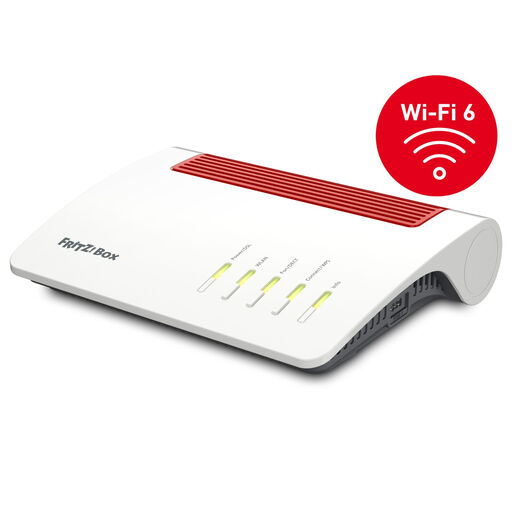
FRITZ!Box 7590 AX Wi-Fi 6 DSL Router
Why This Fits Their Persona: Ideal for the typical household with a VDSL connection seeking a reliable all-in-one solution for fast internet, telephony, and a stable home network. Perfect for the home office and 4K streaming on multiple devices.
The integrated VDSL supervectoring modem makes a separate device unnecessary and prevents compatibility issues on a DSL line. The Wi-Fi 6 standard ensures efficient bandwidth distribution, rather than just advertising theoretical numbers.
Powerful Mesh Wi-Fi capabilities and an integrated DECT base for telephony. AVM is also known for long-term software updates and high security.
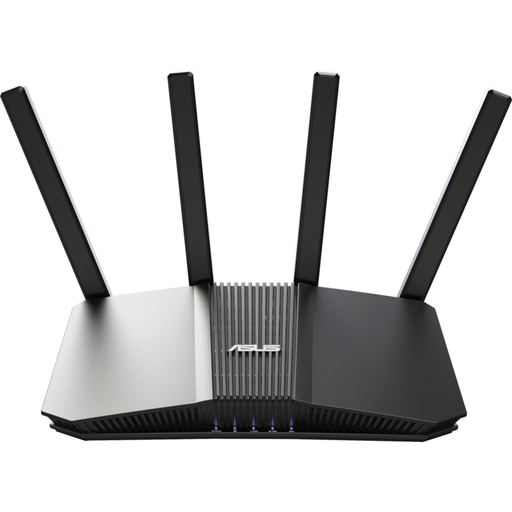
ASUS RT-BE58U WiFi 7 AiMesh Extendable Router
Why This Fits Their Persona: For tech enthusiasts and gamers who already have a fibre connection with an external modem and need maximum performance for the lowest latencies and multi-gigabit speeds on their home network.
This device is a standalone Wi-Fi router, intentionally chosen for connections with a separate modem. Instead of relying on marketing numbers, it delivers the real hardware with Wi-Fi 7 and a 2.5G port to fully utilise multi-gigabit plans.
Future-proof thanks to the latest Wi-Fi 7 standard. The 2.5G WAN/LAN port allows connection to fast fibre modems or a NAS at maximum speed.
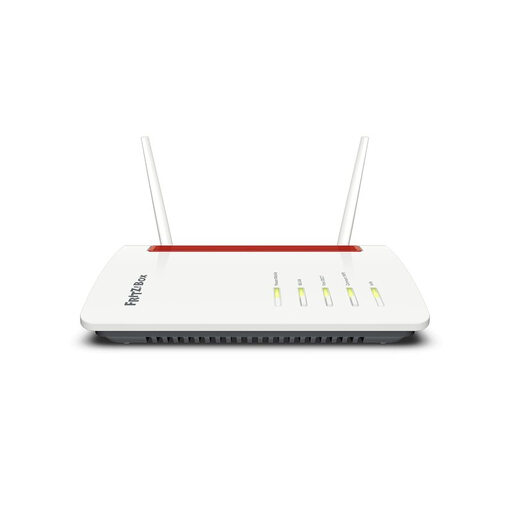
FRITZ!Box 6850 LTE, 4G LTE Router
Why This Fits Their Persona: The solution for anyone living in rural areas or who lacks a fast DSL or cable connection for other reasons. Ideal for holiday homes or as a fail-safe internet connection for the home office.
As an integrated LTE router, it combines the modem and Wi-Fi router in one device. You just insert a SIM card and you're online. This saves you the complicated search for compatible individual components.
Features ports for external LTE antennas to optimise reception. Offers the full range of FRITZ!OS features, including Mesh Wi-Fi, a telephone system, and VPN.
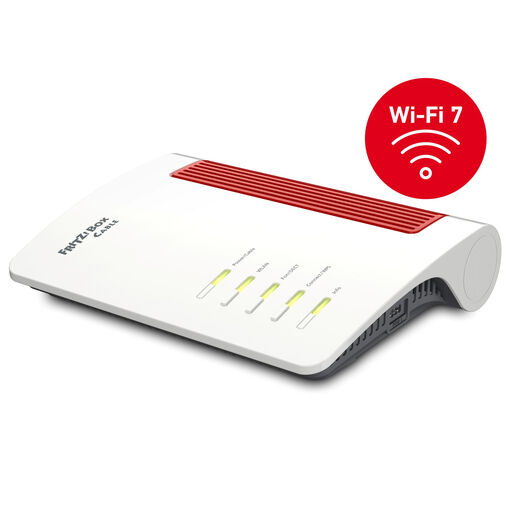
FRITZ!Box 6670 Cable, DOCSIS 3.1 Cable Router with Wi-Fi 7
Why This Fits Their Persona: For households with a fast cable connection that want not only state-of-the-art Wi-Fi but also a central control unit for their smart home, without needing to operate multiple devices.
As a modern cable router with DOCSIS 3.1, it's designed specifically for cable connections, avoiding the modem trap. The integration of Zigbee and DECT ULE prevents the need to buy separate smart home gateways.
Combines a powerful cable router with future-proof Wi-Fi 7 and also acts as a smart home hub. The 2.5-Gigabit LAN port is an added bonus for fast wired devices.
Looking for More Options?
We've compiled a complete, up-to-date list of products that fully meet these strict selection criteria and rigorous safety standards.
Frequently Asked Questions (FAQ)
1. How long does a Wi-Fi router last? The physical lifespan of a router can be many years. However, the crucial factor is the provision of security updates from the manufacturer. For security reasons, a router should be replaced when it no longer receives updates. This is typically the case after about 3 to 5 years. A device becomes technologically obsolete when new Wi-Fi standards (like the jump from Wi-Fi 5 to Wi-Fi 6) offer significant advantages for your new devices.
2. Router with or without a modem: What do I need for my connection? It depends on your internet technology:
- DSL: You need a DSL router with an integrated modem (e.g., a FRITZ!Box 75xx series).
- Cable: You need a cable router with a DOCSIS modem (e.g., a FRITZ!Box 66xx series).
- Fibre: The provider usually supplies a modem (ONT). You will then need a standalone Wi-Fi router that you connect to the modem's LAN port.
- Mobile: You need an LTE router or 5G router with a SIM card slot.
3. Will a new router improve my internet speed? A new router cannot increase the speed delivered by your provider. If you have a 50 Mbps plan, even the fastest router will not receive more than 50 Mbps from the internet. However, a modern router can ensure that this speed is distributed stably and without loss to all your devices in the home. It improves the speed and stability within your home network, reduces loading times with many simultaneous users, and increases the range.