
White Gaming Monitors: Complete Buyer Guide
A thoughtfully designed white gaming setup exudes a clean, modern aesthetic. However, finding a white PC monitor that not only looks great but also meets the high technical demands of gaming can be a challenge. Many models focus on either design or performance.
This article serves as your guide. We'll introduce the key technical features to consider when choosing a gaming monitor and present a selection of models that strike a balance between aesthetics and functionality.
By a Joybuy Product Recommendation Officer
What to Look for When Choosing a White Gaming Monitor
Choosing the right monitor depends on your individual needs. Three main factors are particularly relevant: panel technology, the combination of resolution and refresh rate, and ergonomic features.
Panel Technology: OLED, IPS, or VA?
Panel technology is a key determinant of image quality. A white OLED gaming monitor uses self-emissive pixels to deliver perfect blacks, infinite contrast, and extremely fast response times, making it ideal for intense, cinematic gaming experiences. IPS panels are known for their high colour accuracy and wide viewing angles, making them an excellent choice for gamers and content creators. VA panels typically offer higher contrast ratios than IPS panels, resulting in deeper blacks.
Resolution and Refresh Rate: The Balance for Your Game
Resolution defines image sharpness. While a white Full HD gaming monitor (1920 x 1080 pixels) is sufficient for many esports titles and allows for high frame rates, the white QHD gaming monitor (2560 x 1440 pixels) has established itself as the popular standard. It offers a noticeably sharper image without putting as much strain on the graphics card as a 4K display.
The refresh rate, measured in Hertz (Hz), indicates how many frames the monitor can display per second. A white 144Hz monitor or higher is essential for smooth motion in fast-paced games. Standard 60 Hz monitors can cause motion blur during rapid camera movements.
Size and Ergonomics: Comfort for Long Sessions
A 27-inch white gaming monitor is a popular choice as it provides an immersive display without overwhelming your desk. Also, pay attention to ergonomic adjustment options. A height-adjustable stand, along with tilt, swivel, and pivot (portrait mode) functions, allows you to optimally position the monitor for your seating posture and prevent strain.
Top White Gaming Monitors
Based on the criteria above, we have compiled a selection of monitors suitable for different user profiles.
Gigabyte MO27Q2A ICE 27" QD-OLED Gaming Monitor
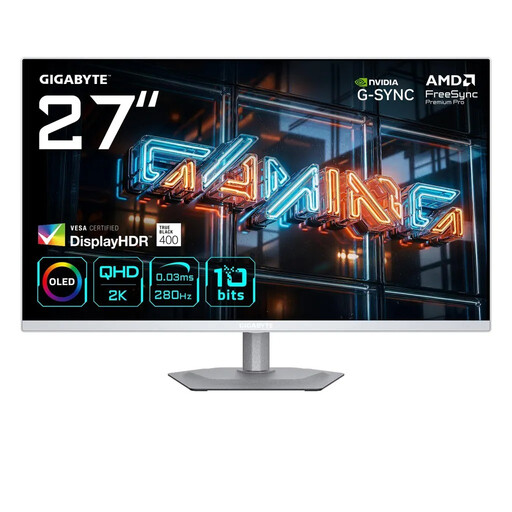
Why it stands out: This model combines the advantages of QD-OLED technology with an extremely high refresh rate. The result is outstanding image quality with deep blacks, vibrant colours, and motion clarity designed for competitive gaming.
Advantages:
- Panel: 27-inch QD-OLED with QHD resolution (2560 x 1440)
- Speed: Extremely fast 0.03 ms (GTG) response time and 280 Hz refresh rate
- Colour Performance: 99% DCI-P3 colour gamut coverage and 10-bit colour depth
- HDR: VESA DisplayHDR True Black 400 for impressive contrast
- Sync Technology: Compatible with NVIDIA G-SYNC and AMD FreeSync Premium Pro
- Ergonomics: Fully adjustable stand (height, tilt, swivel, pivot)
Who is it for? For discerning PC gamers and tech enthusiasts seeking uncompromising performance and image quality in an elegant white design. The combination of OLED, a high refresh rate, and QHD resolution makes it a future-proof choice.
Z-Edge AGEX QHD Gaming Monitor 27 Inch
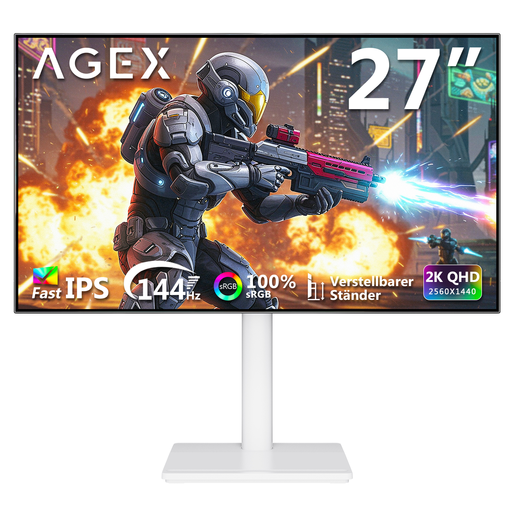
Why it stands out: The Z-Edge AGEX offers a well-balanced package. It combines the popular 27-inch size with a sharp QHD resolution and a smooth 144Hz refresh rate. Its Fast IPS panel ensures vibrant colours and stable viewing angles.
Advantages:
- Panel: 27-inch Fast IPS with QHD resolution (2560 x 1440)
- Speed:144 Hz refresh rate and 1 ms (MPRT) response time
- Sync Technology: FreeSync technology to prevent screen tearing
- Design: Slim, nearly borderless frame and a fully adjustable ergonomic stand
- Connectivity: Equipped with 2x HDMI and 2x DisplayPort
Who is it for? For gamers and content creators looking for a high-performance all-rounder. It represents a significant upgrade over Full HD models and is ideal for anyone who wants high image quality and smooth gameplay across a wide range of games and applications.
ASUS Eye Care VY249HF-W 24-Inch Full HD Monitor
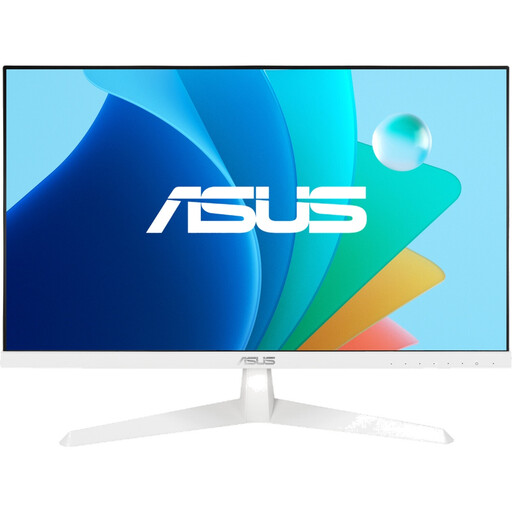
Why it stands out: This model from ASUS is a solid choice for budget-conscious users. At 100 Hz, it offers a noticeably smoother display than conventional 60 Hz or 75 Hz monitors. Additionally, ASUS Eye Care Plus technologies help reduce eye strain during long sessions.
Advantages:
- Panel: 24-inch IPS with Full HD resolution (1920 x 1080)
- Speed:100 Hz refresh rate and 1 ms (MPRT) response time
- Sync Technology: Adaptive-Sync for a stutter-free gaming experience
- Eye Care: Integrated Flicker-Free and Low Blue Light technologies
- Design: Compact and stylish white chassis
Who is it for? For PC gaming newcomers, home office users, or those with limited desk space. It delivers reliable performance for everyday tasks and casual gaming, and it blends seamlessly into a bright setup.
Haven't Found the Right Model?
The selection presented here covers various user profiles. However, if you're looking for different sizes, specific features, or alternative designs, there are more options to explore.
Discover more white monitors on Joybuy.de
Frequently Asked Questions (FAQ)
Does a white monitor fit every gaming setup?
Yes, a white monitor is highly versatile. It can form the foundation of an all-white gaming setup or create an elegant contrast when paired with black peripherals. Its bright colour often makes the workspace or gaming area feel larger and less cluttered.
What's more important for gaming: resolution or refresh rate?
It depends on the types of games you prefer. For fast-paced, competitive titles like shooters or racing games, a high refresh rate (e.g., 144Hz or more) is crucial for a smooth and responsive display. For visually rich single-player or strategy games, a higher resolution (e.g., QHD) can significantly enhance the experience with greater detail and sharpness. A good balance of both is ideal for most users.
Do OLED monitors require special care?
OLED panels can be susceptible to burn-in from static image elements displayed for long periods. However, modern OLED gaming monitors include built-in protective features like pixel shifting, logo detection, or automatic brightness limiters to minimise this risk. It is recommended to keep these features enabled and to put the monitor into standby or turn it off during long periods of inactivity.