
USB Charging Cables: Recommendations and Buyer’s Guide
A broken, lost, or simply too-short USB charging cable can significantly disrupt your day. With a dizzying array of connectors, charging standards, and cable types, choosing a suitable replacement can often be overwhelming. Whether you need a fast charging cable for your new smartphone, a durable data cable for the office, or a universal solution for multiple devices, the right choice depends on your specific needs.
This guide is designed to bring clarity. We'll explain the most important criteria to consider when buying and present a selection of cables for various use cases. Our goal is to provide you with objective information so you can make an informed decision.
What to Look for When Buying a USB Charging Cable
To find the right cable, three factors are crucial: the connector type, the charging power, and the cable's physical characteristics.
1. Connector Type and Compatibility
Choosing the right connector is fundamental. The most common types are:
- USB-C: The modern, reversible standard for most new Android smartphones (e.g., as a charging cable for Samsung), tablets, laptops, and also newer iPhones (from the iPhone 15 onwards). A USB-C cable is versatile and often supports high charging and data transfer rates.
- Lightning: Apple's proprietary connector for iPhones (up to the 14 series), iPads, and accessories. A dedicated iPhone charging cable is required here.
- Micro-USB: The older standard still found on many budget-friendly devices, power banks, or Bluetooth headphones.
Before you buy, double-check which connectors your devices and power adapters use.
2. Charging Power and Speed
The terms "Fast Charging" and "Power Delivery" are key performance features.
- Fast Charging Cable: This general term refers to cables that can handle higher currents (measured in Amps, A) and voltages (measured in Volts, V) than standard cables.
- Power Delivery Cable: This is a specific USB-C standard that enables intelligent communication between the device, cable, and power adapter. A Power Delivery cable can deliver up to 240 watts (W) of power, making it suitable for charging laptops as well. To get the full benefit, ensure that the cable, power adapter, and your device all support the PD standard.
3. Cable Length, Material, and Extra Features
A cable's practical features are just as important in daily use.
- Length: A long charging cable (e.g., 1.8m or 2m) offers more flexibility when the power outlet is far away. Shorter cables, on the other hand, are more compact for on-the-go use.
- Material: Standard cables are usually sheathed in plastic (TPE/PVC). Nylon-braided cables often offer greater resistance to kinks and fraying.
- Special Designs: A retractable charging cable prevents tangled messes and is ideal for travel. A 3-in-1 charging cable combines multiple connectors, which is handy if you own devices from different brands.
Top USB Charging Cable Picks
Based on the criteria above, we've put together a selection of cables for different needs.
Samsung EP-DX510 USB-C to USB-C Cable (1.8m)
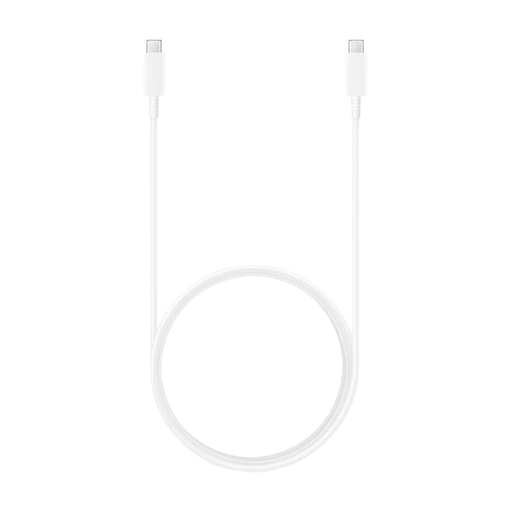
Why it stands out: This cable is designed for high performance. Supporting Power Delivery up to 100 watts, it's suitable not just for smartphones but also for demanding devices like laptops and tablets that use a USB-C port.
Pros:
- High Power Output: Supports Power Delivery up to 100W (20V, 5A), according to the manufacturer.
- Fast Charging Function: Enables Super Fast Charging up to 45W for compatible Samsung devices.
- Generous Length: The 1.8m cable length provides plenty of room at your desk or on the couch.
- Data Transfer: Also functions as a data cable with USB 2.0 speeds.
Who it's for: Users who need a powerful and long USB-C cable for modern devices like laptops (e.g., MacBook, Dell XPS), tablets (e.g., iPad Pro, Samsung Galaxy Tab), and high-end smartphones.
Samsung EP-DG930 USB-A to USB-C Cable (1.5m)
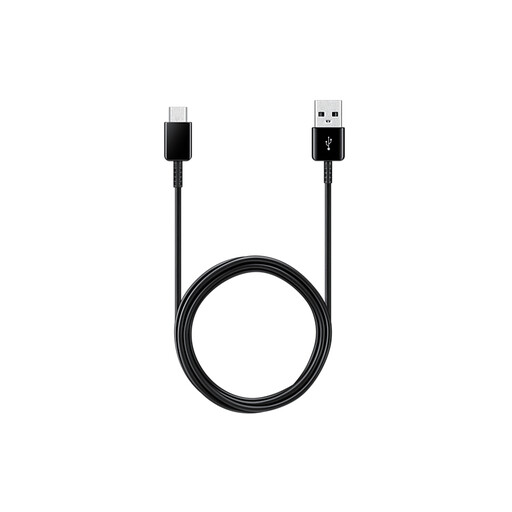
Why it stands out: This cable is a reliable, standard solution for connecting modern USB-C devices to older USB-A power adapters or computer ports. It's a classic phone charging cable for everyday use.
Pros:
- Broad Compatibility: Connects USB-C devices to the ubiquitous USB-A ports.
- Solid Charging Performance: Supports charging currents of up to 3A for swift charging, according to the manufacturer.
- Practical Length: At 1.5m, it's long enough for most daily situations without taking up unnecessary space.
- Flexible Design: The cable is lightweight and flexible, making it a great travel companion.
Who it's for: Users looking for a dependable charging cable for Samsung or other Android smartphones who want to continue using their existing USB-A power adapters or the USB ports in their car and laptop.
JOYROOM Colourful Series S-A40 Retractable 3-in-1 Charging Cable
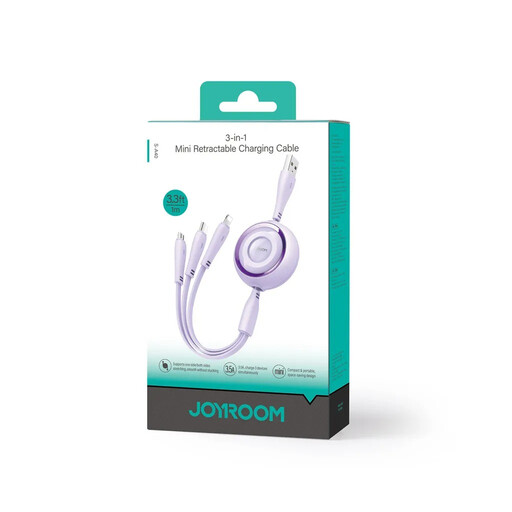
Why it stands out: This 3-in-1 charging cable is the solution to cable clutter. It combines three different connectors in one compact, retractable housing, making it ideal for travel or for households with devices from different brands.
Pros:
- Maximum Versatility: Offers USB-C, Lightning, and Micro-USB connectors in a single cable.
- No More Tangles: The retractable charging cable can be extended up to 1m and retracts neatly for storage.
- Efficient Charging: Supports a total charging current of up to 3.5A (when using a single connector).
- Compact and Lightweight: Perfect for a purse, backpack, or glove compartment.
Who it's for: People who own multiple devices with different connectors (e.g., a work Android phone, a personal iPhone, and a power bank) and are looking for a single, tidy charging solution for on the go.
Looking for More Options?
If the models featured here don't perfectly match your needs, or if you require a wider selection of cables with specific connectors, you can find more options in our categories. Browse our selection to find the perfect cable for your devices.
Discover our range of USB-C to USB-A cables.
Frequently Asked Questions about USB Charging Cables
1. Can I use any USB-C cable for fast charging?
No, not every USB-C cable supports maximum charging speeds. For fast charging, especially via standards like Power Delivery (PD), the cable must be rated for the corresponding power (in watts). Check the manufacturer's specifications to ensure the cable supports the power output of your adapter and device.
2. What's the difference between a charging cable and a data cable?
Most modern USB charging cables also function as data cables, allowing you to transfer files between devices. However, some very basic cables are designed exclusively for charging and do not support data transfer. All models featured in this article support both charging and data exchange.
3. How do I know which cable I need for my iPhone?
It depends on the model. Newer iPhones (from the iPhone 15 series onwards) use a universal USB-C port. Older models (up to the iPhone 14 series) require an iPhone charging cable with the proprietary Lightning connector. A 3-in-1 charging cable, like the model from JOYROOM, offers both plugs, making it a flexible option for users of different iPhone generations.