
USB-C Cable Buyer's Guide for Your Devices
The USB-C port has established itself as the universal standard for a wide range of devices, from smartphones and tablets to laptops and external hard drives. However, the vast selection of USB-C cables can be confusing. Differences in charging power, data transfer rates, and protocols like Power Delivery make the choice more complicated than expected. An incompatible cable can throttle charging speeds or slow down data transfers.
This guide is designed to bring clarity. We'll explain the key technical specifications and present a selection of cables for various use cases, helping you make an informed decision.
What to Look for When Buying a USB-C Cable
To find the right cable, three criteria are crucial: charging power, data transfer speed, and build quality.
1. Charging Power (Watts) and Power Delivery
Not every USB-C charging cable is designed for fast charging. The maximum power output is specified in watts (W). Modern devices, especially laptops, require high power. Look for support for Power Delivery (PD), a standard that enables intelligent and rapid power transmission up to 240W (and even more with PD 3.1). A fast-charging USB-C cable should at least match the power output of your power adapter and device to achieve full charging speed. For example, a 60W cable will bottleneck a 100W laptop power adapter.
2. Data Transfer Speed (Gbps)
If you plan to use the cable for data transfers and not just charging, speed is a key factor. Specifications range from USB 2.0 to the latest USB4 cable.
- USB 2.0 (up to 480 Mbps): Sufficient for syncing music and photos or for charging. Many basic charging cables use this standard.
- USB 3.2 (5 to 20 Gbps): Necessary for quickly transferring large files, such as when working with external SSDs.
- USB4 (up to 40 Gbps): The fastest standard currently available. It's ideal for professional users connecting external GPUs (eGPUs), high-resolution monitors (4K/8K), or high-speed storage. This type of USB-C data cable offers maximum performance and future-proofing.
3. Cable Length and Material
The cable's length should suit your setup. Shorter cables are handy for a desk or power bank, while longer cables (1.8m or more) offer greater flexibility. In terms of material quality, cables with nylon braiding are often more resistant to kinks and frays than basic PVC cables. Reinforced connector housings also increase durability.
Recommended USB-C Cables
Based on these criteria, we've curated a selection of cables for different needs.
UGREEN USB 2.0 Type C M-M Cable White 1.5m
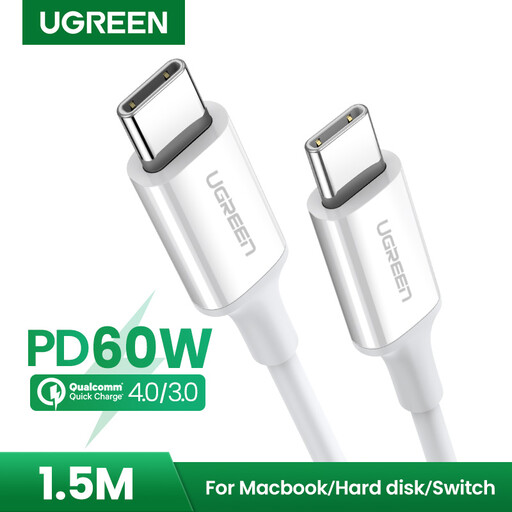
Why It Stands Out The UGREEN US264 is a reliable all-round cable for everyday use. It focuses on solid charging performance with broad compatibility for common fast-charging protocols.
Pros
- Supports Power Delivery (PD) with up to 60W charging power.
- Compatible with Quick Charge (QC) and AFC for fast-charging smartphones.
- Reinforced connectors for enhanced durability.
- Practical 1.5-meter length for flexible use.
Who It's For Users looking for a solid and cost-effective USB-C to USB-C cable for charging smartphones (e.g., Samsung), tablets, or gaming consoles like the Nintendo Switch, who don't require high data transfer rates.
Samsung EP-DX510 USB Type-C to USB Type-C Data and Charging Cable 1.8m 5A White
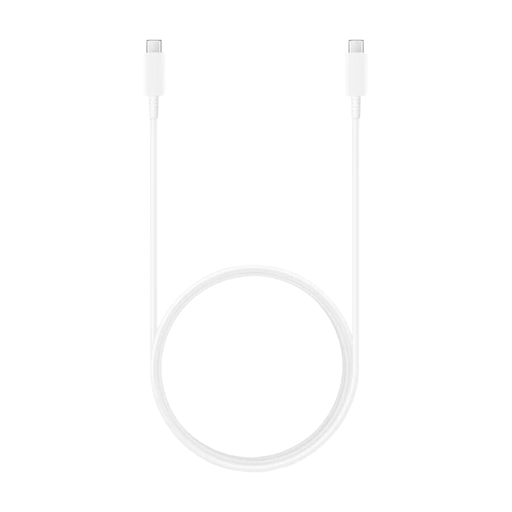
Why It Stands Out This cable from Samsung is designed for high power output, supporting up to 100W. This makes it an excellent choice for demanding devices like laptops, while its generous 1.8-meter length provides added convenience.
Pros
- High charging power with Power Delivery up to 100W (20V/5A).
- Supports Super Fast Charging up to 45W for compatible devices.
- Generous 1.8-meter cable length.
- Data transfer via the USB 2.0 standard.
Who It's For Users who need a powerful Power Delivery cable for their notebook (e.g., MacBook, Samsung Galaxy Book) or a fast-charging smartphone and value greater reach.
ACEFAST C1-09 USB-C / USB-C USB4 PD3.1 Cable 5A 1m - Grey-Black
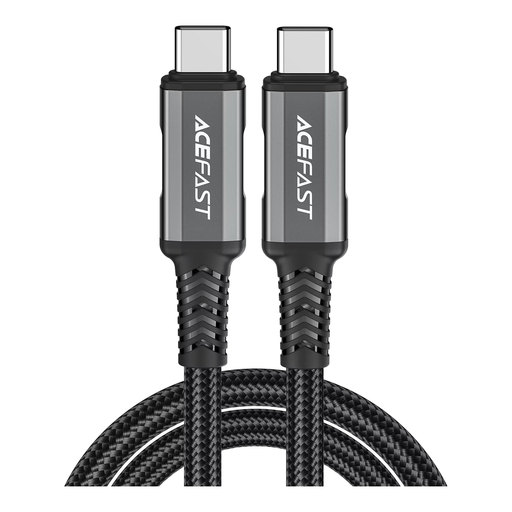
Why It Stands Out The ACEFAST C1-09 is a high-performance cable for professional demands. With USB4 technology, a 40 Gbps data rate, and support for Power Delivery 3.1 up to 280W, it's equipped for the most demanding tasks.
Pros
- Extremely fast data transfer up to 40 Gbps thanks to USB4.
- Very high charging power up to 280W via Power Delivery 3.1 support.
- Enables video signal transmission for 4K displays.
- Durable construction with an aluminum alloy and braided nylon.
Who It's For Professional users and tech enthusiasts who need a future-proof USB4 cable for connecting external high-speed SSDs, docking stations, or 4K/8K monitors and demand maximum charging and data speeds.
Didn't Find the Right Cable?
If the models featured here don't exactly meet your requirements, you're sure to find a suitable solution in our wider selection. Explore more lengths, power levels, and specifications to find the perfect cable for your devices.
Discover all USB-C Cables on Joybuy.de
Frequently Asked Questions About USB-C Cables
What's the difference between a USB-C charging cable and a data cable?
While most cables can perform both functions, the main difference lies in the supported data transfer speed. A basic USB-C charging cable is often limited to the USB 2.0 standard (480 Mbps), which is sufficient for charging but slow for transferring large files. A model explicitly designated as a USB-C data cable supports higher speeds like 10 Gbps (USB 3.2) or even 40 Gbps (USB4).
Can I use any USB-C cable for my laptop?
Not necessarily. The crucial factor is the required charging power (in watts). Laptops often require 65W, 90W, or more. A cable rated for only 60W will either not charge the laptop at all, only charge it when it's turned off, or charge it very slowly. It's important to choose a Power Delivery cable whose specified wattage matches or exceeds that of the laptop's power adapter.
What does the "40 Gbps" rating on a USB4 cable mean?
The abbreviation 'Gbps' stands for Gigabits per second and measures the speed of data transfer. 40 Gbps is the maximum theoretical speed of the USB4 standard. This high rate allows you to transfer very large files (like a full 4K movie) in seconds or drive high-resolution monitors without any loss of quality.