
How to Choose a Compatible USB-C Cable
The USB-C port has established itself as the universal standard for charging and data transfer on smartphones, laptops, and tablets. However, this universality often leads to confusion. Not every USB-C cable is the same, and manufacturers' marketing claims can be misleading. Before you spend money on a cable that doesn't meet your expectations, it's important to understand the most common pitfalls.
This guide will help you understand the technical specifications and find a cable that perfectly matches your needs.
The 3 Most Common Pitfalls When Buying USB-C Cables
Many users buy a cable that either charges too slowly, transfers data at a crawl, or breaks after just a few months. These problems can often be traced back to three common misconceptions.
- The "Fast Charging" Trap: The term "fast charging" isn't standardised. A cable advertised as a fast-charging USB-C cable might charge a smartphone quickly but be completely inadequate for a laptop like a MacBook Pro. The crucial factor is the maximum power output in watts (W) that the cable supports.
- The "Data Bottleneck" Trap: A cable might be able to charge a device at 100 watts but simultaneously only transfer data at the speed of the outdated USB 2.0 standard (480 Mbps). Anyone who regularly transfers large files like videos or backups needs a high-performance USB-C data cable that supports higher speeds.
- The "Durability" Trap: Cheaply made cables often use low-quality materials. The result is brittle sheathing and loose connections at the plugs, often after only a short period of use. The joint between the cable and the connector is a particularly critical weak point.
What Really Matters: The Decisive Parameters
To avoid these traps, you should check three technical specifications before buying. These determine whether a cable is suitable for your use case.
1. Charging Power in Watts (W)
The charging power indicates how much electricity a cable can safely carry. It must be compatible with both the power adapter and the end device.
- Up to 60W: Sufficient for most smartphones (e.g., iPhone 15, Samsung Galaxy), tablets, and smaller devices.
- Up to 100W: The standard for many laptops. A 100W USB-C cable is required to efficiently charge notebooks like the MacBook Pro or Dell XPS under load.
- Over 100W (up to 240W): Necessary for high-performance laptops, workstations, and gaming notebooks that use the new Power Delivery 3.1 standard.
2. Data Transfer Rate (Gbps)
The speed at which data is transferred is another important criterion.
- USB 2.0 (480 Mbps): Sufficient for charging and syncing music or photos. Transferring a 10 GB movie takes about 3–4 minutes here.
- USB 3.2 Gen 1/2 (5–10 Gbps): Significantly faster and suitable for connecting external hard drives. A 10 GB movie is transferred in under 30 seconds.
- USB4 / Thunderbolt 4 (40 Gbps): The highest performance class. A Thunderbolt 4 cable is essential for professional users who use external SSDs at maximum speed, connect multiple 4K monitors, or work with docking stations.
3. Cable Length and Construction
The physical properties are also crucial for performance and longevity.
- Length: Longer cables (e.g., a 2m or 3m USB-C cable) can exhibit a minimal performance drop if they are not constructed to a high standard. For most applications, lengths of 1 to 2 metres are a good compromise.
- Material: A nylon-braided jacket is more resistant to abrasion and tangling than a simple PVC sheath.
- Connectors:Reinforced strain relief at the transition to the connector housing prevents cable breaks, the most common cause of defects.
Our Product Recommendations Today
Based on these criteria, we have put together a selection of cables that offer a suitable solution for specific user groups.
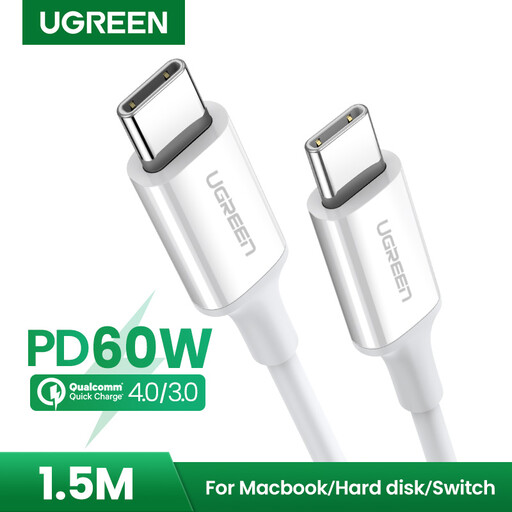
UGREEN USB 2.0 Type C M-M Cable White 1.5m
Why it's a great fit: Ideal for daily charging of smartphones, tablets, or the Nintendo Switch. The 1.5-metre length offers enough flexibility for use at a desk or on the sofa without being excessively long.
This cable bypasses the "fast charging" trap with a clear specification of 60W charging power. It doesn't make unrealistic promises and delivers solid performance for all common mobile devices.
Supports common charging protocols like Power Delivery (PD) and Quick Charge (QC). The reinforced connectors offer greater durability compared to standard cables.
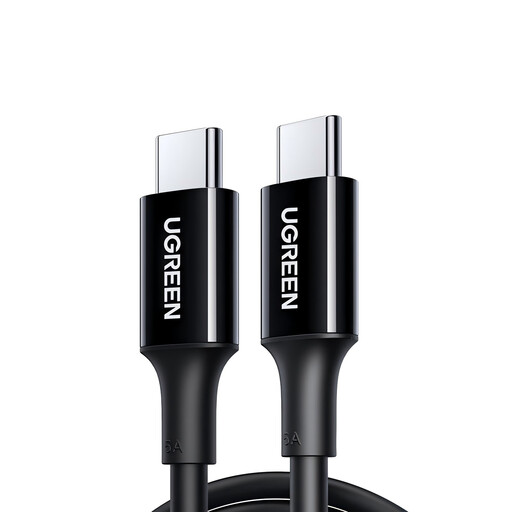
UGREEN US300 USB-C / USB-C 480Mb/s 5A 2m Cable - Black
Why it's a great fit: Perfect for users who need a powerful USB-C to USB-C cable to reliably power their notebook. The 2-metre length provides plenty of flexibility at the workspace.
This 100W USB-C cable directly addresses the needs of laptop users. It delivers the specified 100W (20V/5A) of power, preventing a power-hungry device from charging slowly or not at all.
Supports PD 3.0 and QC 4.0 for broad compatibility. The tinned copper core and multiple internal shields ensure stable and safe power transmission.
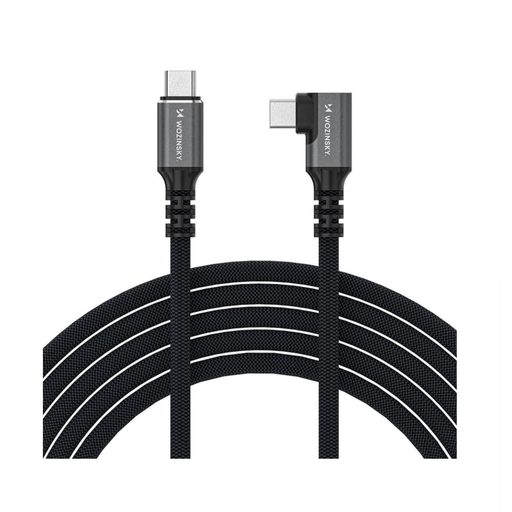
Wozinsky WPS1-UY41S USB-C Thunderbolt 4 240W Angled Cable 1.5m 4K - Black
Why it's a great fit: The top choice for video producers, graphic designers, and gamers. It enables connection to 4K or 8K monitors and the operation of external SSDs with no speed loss.
This Thunderbolt 4 cable completely solves the "data bottleneck" trap. With a guaranteed bandwidth of 40 Gbps, it offers the maximum performance currently possible via the USB-C port.
Combines three functions: ultra-fast data transfer, charging up to 240W, and 8K video output. The 90-degree angled connector is practical in tight spaces.
Looking for More Options?
For users with the highest demands for speed and performance, we have compiled a complete, up-to-date list of products that meet our strict selection criteria and safety regulations.
Frequently Asked Questions (FAQ)
Can any USB-C cable fast charge?
No. The ability to fast charge depends on the supported power output (in watts) of the cable, the charger, and the device. All three components must support the desired charging standard. A cable labelled as a fast-charging USB-C cable should have a clear specification for its maximum wattage, such as 60W for smartphones or 100W for laptops.
What is the difference between a USB-C cable and a Thunderbolt 4 cable?
Although both use the same physical connector, a Thunderbolt 4 cable is a certified, high-performance version of a USB-C to USB-C cable. It guarantees a data transfer rate of 40 Gbps, support for multiple 4K displays, and high-power charging. A standard USB-C cable is often limited to USB 2.0 speeds (480 Mbps) and designed primarily for charging.
How can I identify a durable USB-C cable?
Look at the construction and the materials used. Features like a nylon-braided jacket and reinforced strain relief at the connector ends are good indicators of greater durability. Some manufacturers also specify the number of bend cycles passed in their product data, which can be another clue to its robustness.