
USB-C Cable Buyer's Guide 2026: Finding the Right Cable for Your Devices
One connector, countless standards: USB-C promises simplicity, but choosing the right cable can quickly become complex. Whether for charging, data transfer, or video output, the technical differences are significant and not always apparent at first glance. The wrong cable can slow down charging, limit data transfer, or degrade video quality.
This guide is designed to bring clarity to the various specifications. As your Joybuy Product Recommendation Officer, I'll help you understand the technical requirements and make an informed decision for your specific setup.
What to Look for When Buying a USB-C Cable
To find the right cable, three criteria are crucial: charging power, data transfer speed, and the required connectors.
1. Charging Power and Power Delivery (PD)
Not every USB-C charging cable is suitable for every device. While a basic cable may be enough for a smartphone, laptops or tablets require higher power. The key term here is Power Delivery (PD). This standard enables significantly higher power transmission.
- Up to 60W: Sufficient for most smartphones, tablets, and ultrabooks.
- 60W to 100W: The standard for more powerful laptops and docking stations.
- Up to 240W: With the new PD 3.1 standard, even the most demanding devices like gaming laptops or large monitors can be powered by a single 240W PD cable.
Always check your device's power requirements and ensure that both the cable and the power adapter support them.
2. Data Transfer and Video Output
A USB-C cable can do more than just charge. Its ability to transfer data quickly or send a video signal depends on the protocol it supports.
- USB 2.0 (480 Mbps): Often found in charge-only cables. Sufficient for basic syncing tasks, but too slow for large files.
- USB 3.2 / USB4 (5 Gbps to 40 Gbps): A high-speed data cable with these standards is necessary for connecting external SSDs, performing fast backups, or transferring large media files.
- Thunderbolt 4 (40 Gbps): A Thunderbolt 4 cable currently offers the highest performance over the USB-C connector. It guarantees a data rate of 40 Gbps, supports connecting two 4K monitors, and is the top choice for professional users who need maximum speed and versatility. For playback on high-resolution screens, such a 4K 8K video cable is essential.
3. Connector Types and Versatility
While the USB-C connector is universal, the other end of the cable can vary. For users with multiple devices from different manufacturers, a multi-charging cable can be a practical solution. These cables combine various plugs like USB-C, USB-A, and Lightning into a single product, reducing cable clutter on the go or at your desk. For Apple device owners in particular, a cable with a USB-C to Lightning connector remains relevant.
Our Top Picks for USB-C Cables in 2026
Based on the criteria above, we have compiled a selection of cables that cover various use cases.
Wozinsky WNBCC1 USB-C / USB-C PD Cable 65W 1m
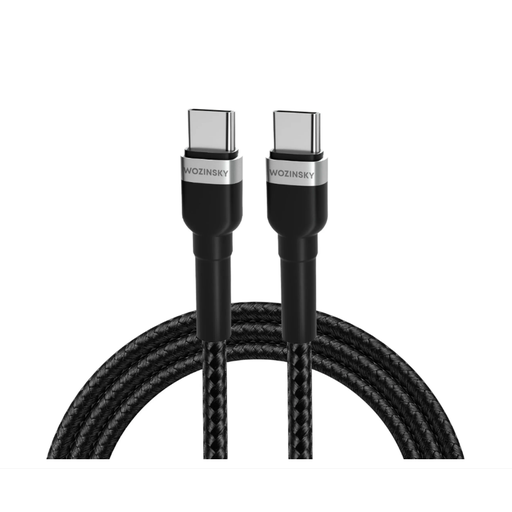
Why it stands out: The Wozinsky WNBCC1 is a functional and reliable basic cable that focuses on its core function: efficient charging.
Pros:
- Power Delivery: Supports charging up to 65W, ideal for many laptops, tablets, and smartphones.
- Standard Length: At 1 metre, it offers a good balance of flexibility and convenience.
- Durable Construction: The build quality is aimed at long-term durability for daily use.
Who is it for? For users looking for a solid and affordable replacement or secondary cable for their USB-C devices, who primarily need a reliable charging function up to 65 watts.
Wozinsky WNBAA 4-in-1 Cable (2x USB-C, 1x USB-A, 1x Lightning) 60W 1m
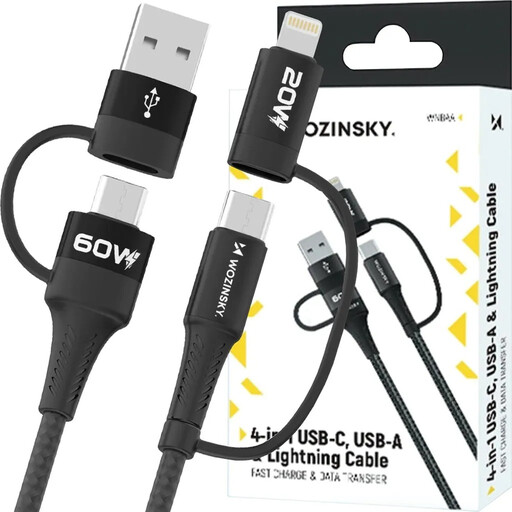
Why it stands out: This multi-charging cable from Wozinsky eliminates the need to carry multiple cables by combining four common connectors into a single, braided cable.
Pros:
- Maximum Compatibility: Combines USB-C, USB-A, and Lightning connectors.
- Versatile Charging Options: Delivers up to 60W for USB-C to USB-C and 20W for USB-C to Lightning.
- Data Transfer: Enables data transfers up to 480 Mbps.
- Durable Design: The braided jacket protects against wear and tangles.
Who is it for? Ideal for travellers, families, or office users who regularly switch between devices with different ports and prefer an all-in-one solution.
Wozinsky WPS1-UY41S USB-C Thunderbolt 4 240W Cable 1.5m
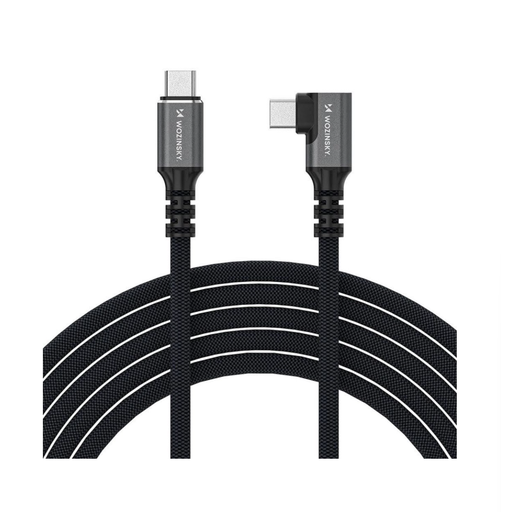
Why it stands out: This high-end cable combines maximum performance across the board: charging, data, and video. The angled connector is a thoughtful design detail for practical use.
Pros:
- Thunderbolt 4 Standard: Guarantees a data transfer rate of up to 40 Gbps.
- Extreme Charging Power: Supports Power Delivery 3.1 with up to 240W to power even the most demanding laptops.
- High-Resolution Video Output: As a 4K 8K video cable, it supports resolutions up to 8K@60Hz or 4K@144Hz.
- Practical Design: The 90-degree angled connector reduces strain on the device port and is ideal for tight spaces.
- Premium Construction: An aluminium housing and a dense nylon jacket ensure a long lifespan.
Who is it for? For creative professionals, gamers, and power users who need a future-proof Wozinsky cable for running external SSDs, high-resolution monitors, or docking stations at maximum speed and performance.
Discover More Options
Looking for a cable specifically for connecting to an external SSD or a docking station? There is a wide variety of high-speed cables optimised for this purpose.
️ Discover more USB-C Cables for External SSDs in our dedicated category.
Frequently Asked Questions (FAQ)
1. What is the difference between a USB-C and a Thunderbolt 4 cable? Although both use the same physical USB-C connector, Thunderbolt 4 is a protocol with stricter minimum requirements. Every Thunderbolt 4 cable is also a fully functional USB4 cable, but not every USB-C cable supports Thunderbolt 4. A Thunderbolt 4 cable guarantees a 40 Gbps data rate, support for two 4K displays, and a charging power of up to 100W (or more with newer standards).
2. Can I use any USB-C cable to fast-charge my laptop? No. To fast-charge a laptop, the cable must support the Power Delivery (PD) standard and be rated for the required wattage (e.g., 65W, 100W, or 240W). A basic smartphone charging cable without PD support will charge a laptop very slowly, if at all.
3. Do I need a special cable for 4K or 8K monitors? Yes. To transmit high-resolution video signals, the USB-C cable must support "DisplayPort Alternate Mode." For 4K at high refresh rates (above 60Hz) or 8K, a cable with high bandwidth is required, such as those compliant with USB 3.2 Gen 2, USB4, or Thunderbolt 4. A simple USB 2.0 charging cable cannot transmit a video signal.