
Tablet with Keyboard and Stylus: A 2026 Buyer's Guide
The combination of a tablet, keyboard, and stylus represents the perfect intersection of portability and productivity. For users seeking a single device for note-taking, document editing, media consumption, and occasional creative tasks, this setup offers a high degree of flexibility. Selecting the right model depends on an analysis of technical specifications tailored to your individual use case. This article highlights the crucial criteria and presents a curated selection of devices.
Buyer's Guide: Technical Selection Criteria
The decision to purchase a tablet with a keyboard and stylus should be based on an objective evaluation of its hardware components and functionality. The following parameters are crucial for performance and overall utility.
Display: Size, Resolution, and Refresh Rate
The display is your primary interaction surface. Its diagonal size, measured in inches, impacts usability for various tasks. A large-screen tablet, such as a 12-inch tablet or larger, provides more display real estate for multitasking, like viewing two apps side-by-side, and enhances the movie-watching experience.
- Resolution: A 2K resolution (e.g., 2160 x 1600 pixels) ensures sharp and detailed rendering of text and images.
- Refresh Rate: A rate of 90 Hz or higher enables smoother motion, which is noticeable when scrolling through websites or using the device as a gaming tablet.
Performance: RAM, Internal Storage, and Processor
System performance determines how smoothly the device operates in daily use.
- Memory (RAM): For smooth multitasking and running demanding applications, 8 GB of RAM or more is a solid foundation. Some models offer virtual RAM expansion, which utilises a portion of the internal storage as additional memory.
- Internal Storage (ROM): A 256GB tablet offers ample space for the operating system, apps, documents, and media files. Check if expansion via a microSD card is possible.
- Processor (CPU): An octa-core processor is standard today, delivering sufficient processing power for most everyday tasks.
Connectivity: Cellular and Wi-Fi
The ability to be online anytime, anywhere is a core criterion for many users.
- Cellular: A tablet with a SIM card (4G LTE) allows for internet access without a Wi-Fi connection. Dual SIM functionality offers additional flexibility in choosing data plans.
- Wi-Fi: Modern standards like Wi-Fi 5 (802.11ac) or Wi-Fi 6 (802.11ax) ensure fast and stable connections on wireless networks.
Productivity: Accessories and Software Features
A tablet as a laptop replacement is only truly realised through the interplay of hardware and software.
- Keyboard and Stylus: Models that include these accessories in the box offer excellent value for money and are ready to use out of the box.
- PC Mode: A special desktop mode, often called "PC Mode," transforms the Android interface into a window-based view that resembles a laptop's, boosting productivity with a keyboard and mouse.
- Widevine L1: This DRM certification is required to stream content from providers like Netflix or Disney+ in high definition (HD).
Our Top Picks for 2026
The following models have been selected based on their technical specifications and included accessories. They are aimed at users looking for a versatile Android tablet with a keyboard.
Blackview Zeno 10 Tablet 11"
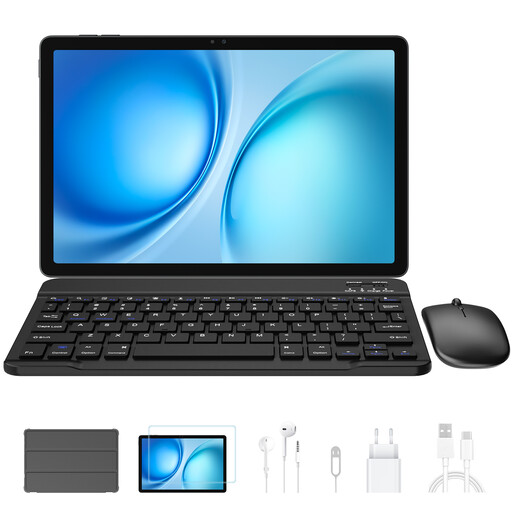
Why We're Featuring This Product The Blackview Zeno 10 is a well-balanced package. With its 11-inch 2K display and 90 Hz refresh rate, it delivers smooth and sharp visuals. The combination of 8 GB of physical RAM (expandable to 24 GB) and 256 GB of ROM provides a solid performance foundation. Connectivity via Dual SIM 4G and 5G Wi-Fi, along with its PC Mode, makes it a flexible tool for both work and leisure.
Technical Specifications at a Glance
- Display: 11-inch, 2K FHD, 90 Hz
- Memory: 24 GB (8+16) RAM, 256 GB ROM
- Battery: 8800 mAh
- Connectivity: Dual SIM 4G, 5G Wi-Fi
- Special Features: PC Mode, Widevine L1, Keyboard and Stylus included
Who is this model for? Users looking for a compact yet powerful all-in-one device for study, work, and media consumption, who value a smooth display and mobile connectivity.
Blackview Mega2 Tablet 12"
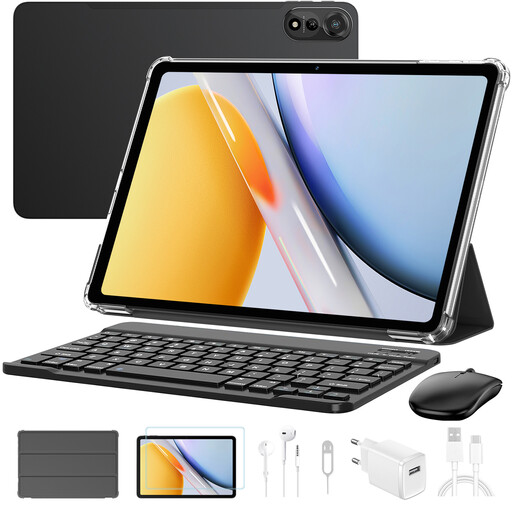
Why We're Featuring This Product With its 12-inch display, the Blackview Mega2 is aimed at users who prioritise a large screen for multitasking and entertainment. Equipped with up to 36 GB of expandable RAM and a 9000 mAh battery, it is designed for demanding use cases and long battery life. Wi-Fi 6 ensures future-proof network speeds. The complete package, including a keyboard, mouse, stylus, and headphones, offers high utility right from day one.
Technical Specifications at a Glance
- Display: 12-inch, 2K FHD
- Memory: 36 GB (12+24) RAM, 256 GB ROM
- Battery: 9000 mAh
- Connectivity: Dual SIM 4G, Wi-Fi 6
- Special Features: Widevine L1, Face ID, Complete package with Keyboard, Mouse, Stylus, and Headphones
Who is this model for? Users who want to use a large-screen tablet as their primary work or media device and require maximum RAM and accessories for demanding multitasking and extended use.
Blackview Link 8 Tablet 12.7"
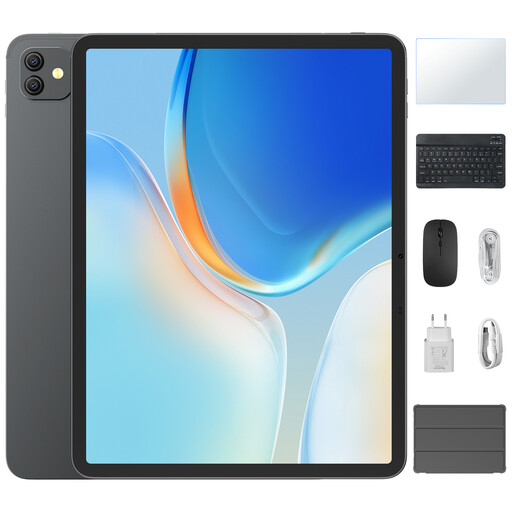
Why We're Featuring This Product At 12.7 inches, the Blackview Link 8 offers the largest display in this selection, combining it with a 90 Hz refresh rate for immersive and fluid visuals. It's an option for users who want maximum screen real estate for presentations, video editing, or as a gaming tablet. The PC Mode and included accessories support its use as a productive tablet as a laptop replacement.
Technical Specifications at a Glance
- Display: 12.7-inch, 2K FHD, 90 Hz
- Memory: 18 GB (6+12) RAM, 256 GB ROM
- Battery: 8400 mAh with 18W Fast Charging
- Connectivity: GPS, Wi-Fi
- Special Features: PC Mode, Widevine L1, Quad-BOX Stereo Speakers, Keyboard and Stylus included
Who is this model for? Users for whom maximum display size is a priority, whether for creative work, intensive media consumption, or as a large-format workstation for documents and spreadsheets.
Considering Other Options
If the featured models don't perfectly match your requirements, the market offers a wide range of devices with different specifications. You can find an overview of more models and configurations in our Computers and Tablets category.
Frequently Asked Questions (FAQ)
1. Can a tablet with a keyboard and stylus truly replace a laptop? For many standard tasks like email, web browsing, word processing, and media consumption, a tablet as a laptop replacement can be highly effective. Models with a dedicated PC mode and a sufficiently large display, in particular, enable a productive workflow that comes close to a laptop experience. However, for specialised software available only on desktop operating systems or for extremely computationally intensive tasks, a traditional laptop often remains the more suitable choice.
2. What should I look for in an Android tablet with a keyboard? Look for a cohesive overall package. The hardware (display size, resolution, RAM, storage) should match your usage habits. Check if the keyboard and stylus are included to avoid additional costs. Software features like a PC Mode and Widevine L1 certification significantly increase the device's utility. Good battery life and flexible connectivity options (e.g., 4G LTE) are also important factors.
3. What does "Widevine L1" mean on a tablet? Widevine is a DRM (Digital Rights Management) system developed by Google used to protect video content. It has different security levels. Widevine L1 is the highest level, meaning that the processing of protected content occurs directly in a secure environment on the device's processor. Only devices with L1 certification can play content from streaming services like Netflix, Amazon Prime Video, or Disney+ in HD or higher quality. Devices with the lower L3 level are limited to standard definition (usually 480p).