
PS5 SSD Buyer's Guide: Choosing 2TB Storage
By: Joybuy Product Recommendation OfficerDate: July 10, 2026
Your PlayStation 5 or gaming PC's storage is full, and the loading times for modern games and applications are getting longer. A storage upgrade is often unavoidable. However, the market for internal SSDs is vast, and the technical specifications can be overwhelming. This guide is designed to help you make an informed decision. We'll outline the objective criteria for choosing a PS5 SSD 2TB and present a selection of models suited for various use cases.
What to Look for When Buying a 2TB M.2 SSD
Before making a purchase, it's important to understand the basic technical requirements. These three points will help you find the right internal SSD for your PC or PS5.
1. Compatibility and Requirements (PS5 & PC)
Not every M.2 SSD is compatible with the PlayStation 5. Sony has defined clear specifications for PS5 storage expansion:
- Interface:PCIe Gen4 x4 M.2 NVMe SSD
- Read Speed: Recommended sequential read speed of 5,500 MB/s or higher
- Form Factor: M.2 Type 2280 (22mm wide, 80mm long)
- Cooling: A heatsink is mandatory to prevent overheating and performance throttling. The total height of the SSD, including the heatsink, must not exceed 11.25 mm.
For PC users, compatibility depends on the motherboard. Modern motherboards typically support PCIe 4.0 or even PCIe 5.0, while older systems may be limited to PCIe 3.0.
2. Speed for Gaming and Applications
The term "fast SSD" is relative. The crucial metrics are the sequential read and write speeds, measured in megabytes per second (MB/s). For a 2TB gaming SSD, a high read speed is essential as it directly impacts the loading times of games and levels. A high write speed is beneficial for content creators who save or move large video files. A PCIe 4.0 SSD offers an excellent standard for most current use cases.
3. The Importance of Cooling
High-performance NVMe SSDs generate heat under load. Without adequate cooling, "thermal throttling" can occur, where the SSD reduces its performance to prevent overheating. This leads to noticeably slower load and transfer times. Especially in the compact chassis of the PS5, an efficient heatsink is essential to ensure consistent performance.
Our Recommended M.2 SSDs
Based on the criteria above, we have compiled a selection of SSDs that cater to different needs and budgets.
Lexar NM790 2TB SSD, PCIe Gen4
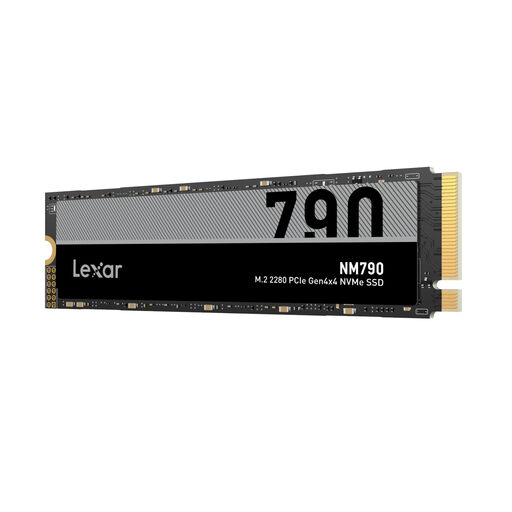
Lexar NM790 2 TB SSD, PCIe Gen4 x4 NVMe 1.4 M.2 2280 SSD
What Makes It Stand Out: The Lexar NM790 2TB is a frequently recommended choice for the PS5 and gaming PCs. It combines high PCIe 4.0 speeds with an attractive price-to-performance ratio. With read speeds of up to 7,400 MB/s, it significantly exceeds Sony's minimum requirements and ensures very short loading times. Its efficient design also results in lower power consumption, which reduces heat generation.
Pros:
- Sequential Read Speed: Up to 7,400 MB/s
- Sequential Write Speed: Up to 6,500 MB/s
- PS5 Compatibility: Meets and exceeds performance requirements (a separate heatsink is recommended for PS5 use)
- Capacity: 2TB for an extensive game library
Who Is It For? This model is ideal for PS5 owners and PC gamers looking for a high-performance and well-priced PS5 storage expansion. It offers enough speed and capacity for demanding games and applications.
SSD MSI 2TB M.2 Spatium M570 FROZR PCIe 5.0
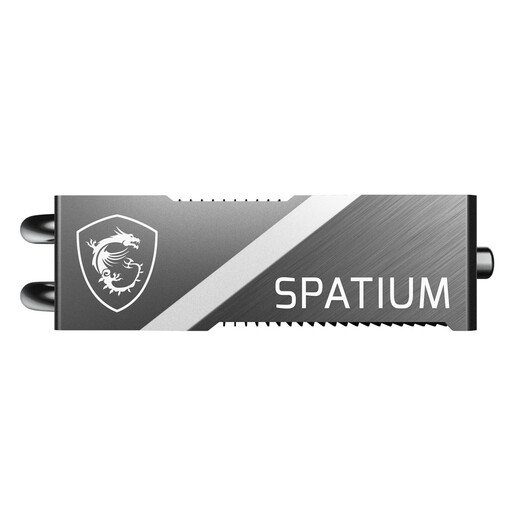
SSD MSI 2TB M.2 Spatium M570 FROZR PCIe 5.0 S78-440Q670-P83 retail
What Makes It Stand Out: The MSI Spatium M570 PRO FROZR represents the next generation of storage technology. With its PCIe 5.0 interface, it achieves speeds of up to 12,400 MB/s, according to the manufacturer. The massive, pre-installed FROZR heatsink with heat pipes ensures effective heat dissipation and enables sustained high performance even under extreme load.
Pros:
- Sequential Read Speed: Up to 12,400 MB/s
- Sequential Write Speed: Up to 11,800 MB/s
- Cooling: Integrated high-performance FROZR heatsink
- Durability: High TBW rating (1400 TBW) for a long lifespan
Who Is It For? This SSD is aimed at PC enthusiasts, content creators, and users with a PCIe 5.0-capable motherboard who need maximum performance for professional workflows or future-proof hardware. It is backward compatible and also works in a PCIe 4.0 slot (e.g., in the PS5), but it will not reach its full speed.
Kingston Technology 500G NV3 M.2 2280 NVMe SSD
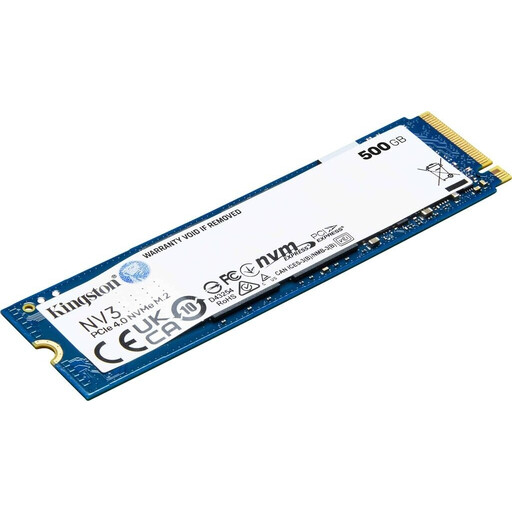
Kingston Technology 500G NV3 M.2 2280 NVMe SSD
What Makes It Stand Out: The Kingston NV3 is a cost-effective storage solution for basic PC upgrades. With its PCIe 3.0 interface, it offers solid performance that is significantly faster than a traditional SATA SSD. Its compact form factor and low power consumption make it a good choice for laptops and older PC systems.
Pros:
- Interface: PCIe 3.0 for broad compatibility with older systems
- Price-to-Performance Ratio: An affordable option for a system upgrade
- Form Factor: Compact M.2 2280 standard
Who Is It For? This model is suitable for users looking for a budget-friendly SSD as a system drive for a PC or laptop to improve boot and load times for the operating system and basic programs.
Important Note: Due to its PCIe 3.0 interface and read speed of up to 3,500 MB/s, this model is not suitable for PlayStation 5 storage expansion.
Looking for More Options?
The models presented here are a selection tailored to common use cases. If you want to compare other capacities, speed classes, or brands, you can find a broader selection in our SSD Components category to find the right product for your individual needs.
Frequently Asked Questions (FAQ)
Does a 2TB PS5 SSD need a heatsink?
Yes, Sony requires the use of an M.2 SSD with a heatsink for internal storage expansion on the PS5. This ensures that the SSD does not overheat and maintains its performance, even during long gaming sessions. Some SSDs have an integrated heatsink, while for others, it must be purchased and installed separately. Be sure to pay attention to the maximum permitted dimensions.
Can I use any M.2 NVMe SSD in my PS5?
No. The SSD must meet specific requirements. These include a PCIe Gen4 x4 interface, a recommended read speed of 5,500 MB/s or faster, and physical dimensions (including the heatsink) that fit into the console's expansion slot. SSDs with a PCIe 3.0 interface are not compatible.