
Portable Monitor Buying Guide and Recommendations
A portable monitor expands the screen real estate of a laptop or other devices, boosting productivity at work and creating a more immersive entertainment experience. Choosing the right model depends on your individual needs for size, resolution, connectivity options, and specific performance features like refresh rate. This article breaks down the key technical criteria and presents a selection of models for various use cases.
What to Look for When Choosing a Portable Monitor
Choosing the right portable monitor should be based on an analysis of its technical specifications. The following parameters are of key importance for most users:
- Screen Size and Resolution: The diagonal, typically between 13 and 22 inches, determines your workspace. A Full HD resolution (1920 x 1080 pixels) is sufficient for general office tasks and most media content. Higher resolutions like QHD (2560 x 1440 pixels) offer a sharper display of text and images, which is beneficial for graphic design or analysing large datasets.
- Panel Technology: IPS (In-Plane Switching) technology is common in high-end portable screens. It delivers excellent colour accuracy and wide viewing angles, ensuring the display remains consistent even when viewed from the side.
- Refresh Rate (Hz): For standard office applications or web browsing, 60 Hz is perfectly adequate. For smooth motion, especially for gaming, models with 144Hz or higher are preferable. A higher rate reduces motion blur and allows for faster response times.
- Connectivity: A USB-C monitor that supports DisplayPort Alternate Mode is especially convenient, as a single cable is all you need for video, audio, and power. An additional Mini-HDMI port increases compatibility with devices like game consoles (monitor for PS5, monitor for Switch) or older laptops.
- Ergonomics and Portability: Weight and form factor are crucial for on-the-go use. An integrated stand that allows for various tilt angles or VESA compatibility for mounting on a monitor arm contributes to a more ergonomic setup.
Portable Monitors We Like
Based on the technical criteria mentioned, we present three models that are well-suited for different use cases.
UPERFECT 22" 2K Portable Monitor
-
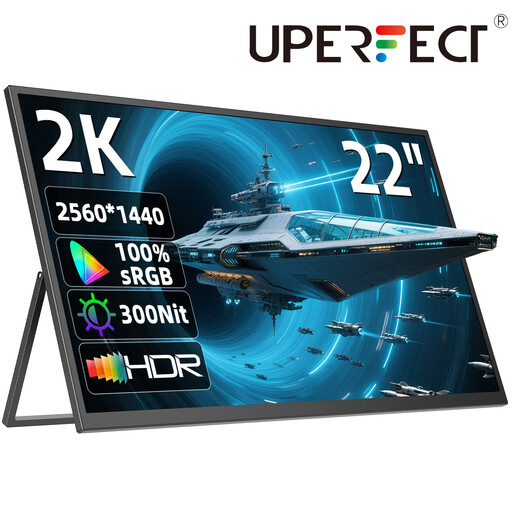
Why We Recommend It: This model stands out for its large 22-inch screen and high QHD (2560 x 1440) resolution. It functions as a full-fledged external monitor for laptops and desktop setups, while still remaining portable. The 180° adjustable stand and VESA compatibility offer maximum flexibility in positioning.
-
Pros:
- Large 22-inch display for maximum productivity.
- Sharp 2K QHD resolution for detailed visuals.
- IPS panel for wide viewing angles and consistent colours.
- Flexible connectivity options via USB-C and Mini-HDMI.
- Integrated stereo speakers.
-
Who It's For: Professionals and creative experts who need a large, high-resolution portable screen for demanding tasks like video editing, programming, or design, and are looking for a flexible alternative to a stationary monitor.
KOORUI 15.6 Inch Portable Monitor
-
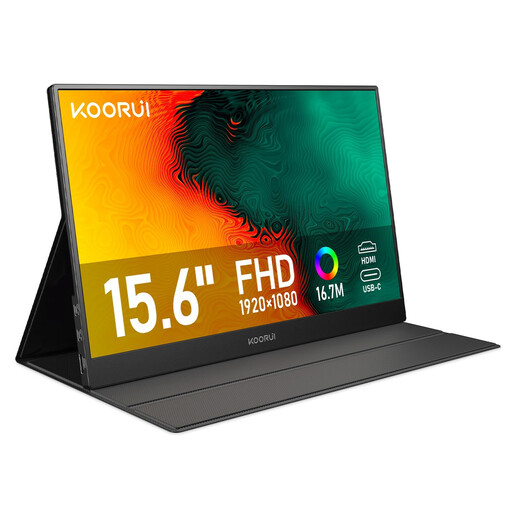
Why We Recommend It: The KOORUI monitor is a classic second screen for on-the-go use. At 15.6 inches with a Full HD resolution, it offers a balanced combination of portability and usable screen space. Its plug-and-play functionality via USB-C and HDMI, along with its light weight, make it a hassle-free companion.
-
Pros:
- Compact 15.6-inch size and lightweight design (1.64 kg).
- Full HD IPS display with a matte, anti-glare surface.
- Easy setup with plug-and-play.
- Eye-care technologies (low blue light, flicker-free).
- Comprehensive accessories included in the box.
-
Who It's For: Students and professionals who frequently change workspaces and need a simple, reliable solution for extending their laptop display for office applications, presentations, or video conferences.
ARZOPA Z1FC 16.1'' 144Hz Portable Gaming Monitor
-
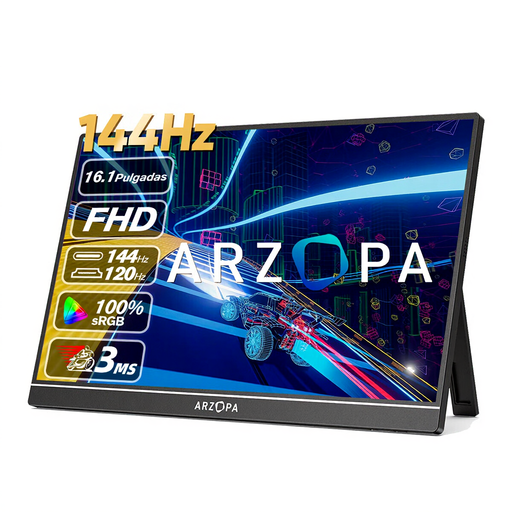
Why We Recommend It: The key feature of the ARZOPA Z1FC is its high 144Hz refresh rate, which makes it a specialised gaming monitor. Combined with a Full HD resolution on a 16.1-inch screen, it delivers an extremely smooth display for fast-paced gaming scenes. The high 106% sRGB colour gamut coverage also ensures vibrant and accurate colours.
-
Pros:
- High 144Hz refresh rate for fluid gameplay.
- Excellent colour reproduction with 106% sRGB coverage and HDR support.
- Ultra-slim and lightweight design (780 g).
- Versatile connectivity for PC, laptop, Mac, and consoles like the PS5 and Xbox.
- Integrated kickstand (with stand).
-
Who It's For: Gamers who don't want to compromise on a high refresh rate, even on the go or in a temporary setup. It's also suitable for creatives who need a colour-accurate yet portable screen for image or video editing.
Other Options and Alternatives
The models featured here cover specific use cases. If you are looking for other sizes, resolutions, or features that are more precisely tailored to your individual needs, you can find a wider selection in our portable PC monitor category.
Frequently Asked Questions (FAQ)
1. How do I connect a portable monitor to my laptop? Most modern portable monitors connect via a single USB-C cable, as long as the laptop's port supports DisplayPort Alternate Mode. This one cable transmits video, audio, and power. Alternatively, you can connect using an HDMI cable, in which case the monitor will typically require a separate power supply via another USB cable.
2. Does a portable monitor need its own power supply? That depends on the connection type and the monitor's power consumption. When connected via a fully functional USB-C port (with Power Delivery), the monitor is powered directly by the laptop. If you use HDMI or a USB-C port without sufficient power output, an external power source is required, usually an AC adapter or a power bank connected to a second USB-C port on the monitor.
3. Can I use a portable monitor for gaming with a PS5 or Switch? Yes, many portable monitors are compatible with game consoles. To connect to a PS5, Xbox, or a docked Nintendo Switch, you will typically use the monitor's HDMI port. Models with high refresh rates (e.g., 144Hz) and low response times are particularly well-suited for this. The monitor's power supply must be provided separately in this case.