
MSI PC Cases: Buyer’s Guide and Recommendations
Choosing the right PC case is a crucial step when building a new system or performing an upgrade. It not only serves as a protective shell for your valuable components but also significantly influences your setup's cooling performance, noise levels, and overall aesthetics. An MSI PC case is often a top choice for PC enthusiasts seeking a combination of thoughtful design, functionality, and performance.
This article serves as a comprehensive guide. We will highlight key criteria to consider in your decision-making process and present a selection of MSI cases designed for different needs and system configurations.
What to Look for When Choosing an MSI PC Case
Before you decide on a model, it's wise to consider a few technical and functional aspects. These will ensure the case is a perfect match for your components and your vision.
1. Form Factor and Compatibility
The case's form factor determines which motherboard sizes are compatible. Common standards include ATX, Micro-ATX, and Mini-ITX. For especially powerful systems with large motherboards, there are also cases like the E-ATX full tower, which offers maximum space for components and expansions. Before purchasing, check the case's specifications to ensure compatibility with your motherboard, graphics card (especially its length), and the height of your CPU cooler.
2. Cooling and Airflow
Efficient cooling is fundamental to the stability and longevity of a high-performance PC. Pay attention to the number and size of pre-installed fans, as well as any additional mounting points. A good ATX gaming case offers flexible options for both air and liquid cooling. Models designed as a case for water cooling feature dedicated mounting points for radiators of various sizes (e.g., 240mm, 280mm, or 360mm) at the front, top, or rear. A dual-chamber case can further optimise airflow by thermally separating the power supply and drives from the main components.
3. Design and Functional Features
Design is about more than just aesthetics. A PC case with a glass window made of tempered glass provides a clear view of your hardware and MSI case RGB lighting. Practical features like tool-free removable side panels, magnetic dust filters, and a well-designed cable management system make assembly and maintenance significantly easier. Also, check the I/O panel connections, such as USB-C, USB 3.0, and audio jacks, to ensure excellent connectivity. A white PC case can also create a modern and clean aesthetic for your setup.
Recommended MSI PC Cases
Here is a curated selection of MSI cases that stand out with specific features for various use cases.
MSI MPG SEKIRA 500G
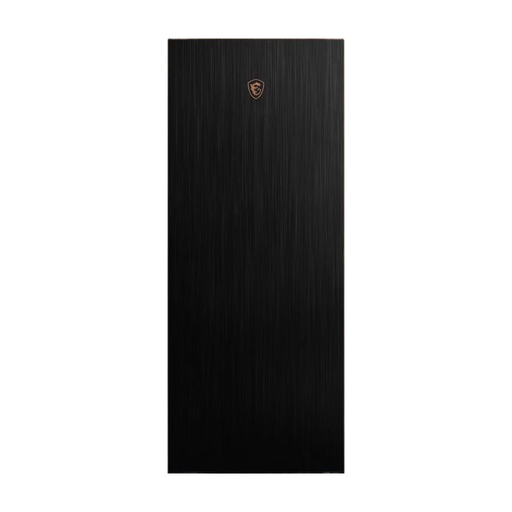
Why It Stands Out The MSI MPG SEKIRA 500G is designed as an E-ATX full tower and is aimed at users looking for a spacious and premium case for demanding builds. The combination of brushed aluminium, gold accents, and two tempered glass side panels gives it a striking look. A standout feature is the extractable radiator bracket, which greatly simplifies the installation of a water cooling system.
Pros
- Extensive Compatibility: Supports motherboards up to the E-ATX form factor.
- Easy Assembly: Tool-free access to side panels and an extractable bracket for radiators.
- Excellent Out-of-the-Box Cooling: Two pre-installed 200mm fans at the front and one 120mm fan at the rear ensure solid airflow.
- Premium Materials: Crafted from aluminium and tempered glass.
Who Is It For? This case is an excellent choice for PC enthusiasts planning a high-end system with large components, such as E-ATX motherboards and extensive liquid cooling solutions, who also value an easy installation process.
View Details for the MSI MPG SEKIRA 500G
MSI MAG PANO 100R PZ – White
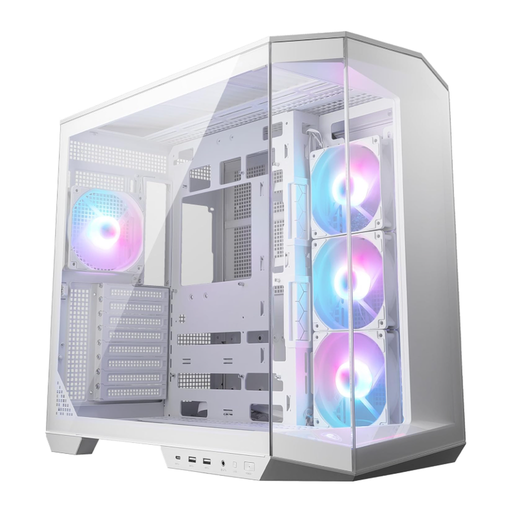
Why It Stands Out The MSI MAG PANO 100R PZ in white is a modern PC case with a glass window that offers a 270-degree panoramic view of the components. Its dual-chamber case layout separates the heat-generating main components from the power supply and drives, which improves both cooling and cable management. It is also ready for compatibility with back-connect motherboards, allowing for an exceptionally clean interior.
Pros
- Panoramic Design: The seamless glass front and side panels offer an unobstructed view of the hardware.
- Optimised Layout: The dual-chamber design and support for back-connect motherboards enable very clean cable management.
- Inclusive Cooling: Four pre-installed 120mm ARGB fans provide effective cooling and customisable MSI case RGB lighting.
- Practical Extras: A vertical GPU bracket to prevent graphics card sag is included in the box.
Who Is It For? Ideal for PC builders who are looking for an aesthetically pleasing white PC case and want to showcase their components prominently. The thoughtful layout appeals to users who value flawless cable management.
View Details for the MSI MAG PANO 100R PZ White
MSI MAG PANO 100R PZ – Black
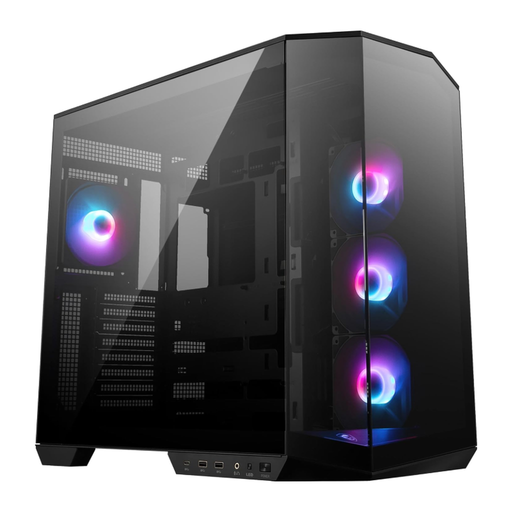
Why It Stands Out The black version of the MSI MAG PANO 100R PZ offers the same functional advantages as the white model but in a classic and subtle colour scheme. The panoramic glass and dual-chamber case design remain the central features, enabling an excellent hardware showcase and efficient thermal separation.
Pros
- Classic Aesthetics: The black finish complements almost any setup and makes the MSI case RGB lighting stand out.
- Functional Design: Also offers the 270-degree panoramic view and the benefits of the dual-chamber layout.
- Complete Package: Four ARGB fans and a vertical GPU bracket are already included.
- Future-Proof: Supports modern back-connect motherboards for an extremely clean build.
Who Is It For? This case is aimed at users who appreciate the innovative functionality and panoramic design of the PANO series but prefer a timeless black aesthetic for their ATX gaming case.
View Details for the MSI MAG PANO 100R PZ Black
Looking for More Options for Your Setup?
Choosing a case is just one part of designing your dream PC. If you want to complete your system with matching lighting and other components, you can find additional inspiration in our broader selection.
Discover Our Full Range of LED PC Setup Components
Frequently Asked Questions (FAQ)
1. What should you look for in an MSI PC case? When choosing, you should primarily focus on three things: compatibility with your components (motherboard form factor, graphics card length), cooling potential (number of fan mounts, radiator support), and functional design features like cable management options, dust filters, and the quality of the materials.
2. Are MSI cases suitable for water cooling? Yes, many MSI cases are explicitly designed as a case for water cooling. Models like the MPG SEKIRA 500G offer special features such as extractable radiator brackets. Check the product specifications for details on the maximum radiator size for the front, top, and rear.
3. What is the advantage of a dual-chamber case? A dual-chamber case separates the system into two thermal zones. The main chamber houses the hottest components like the CPU and GPU, while the second chamber contains the power supply and storage drives. This improves airflow for the main components, isolates heat sources from each other, and significantly simplifies cable management, leading to a cleaner build and potentially lower temperatures.