
Buying a Mini Projector: What Matters for Picture Quality, Streaming and Portable Use
A mini projector can be a flexible alternative to a television in the bedroom, living room, while camping or during a football night. However, small dimensions alone say little about how a projector performs in real-life use. Common disappointing purchases are caused by confusing brightness specifications, unclear streaming support or automatic picture corrections that only work reliably under certain conditions.
This buying guide from the Joybuy Product Recommendation Officer explains the key specifications clearly and shows which portable projector is best suited to each type of user.
Common Pitfalls When Buying a Mini Projector
1. “4K supported” does not mean native 4K resolution
Many models are advertised as 4K-supported projectors. This usually means that they can process or decode 4K signals. The projected image may still have a native resolution of 1,920 × 1,080 pixels or lower.
For films, series, football and gaming, a Full HD projector with native 1080p resolution is often a more sensible choice than a device with a lower native resolution and basic 4K compatibility. Always check these specifications separately:
- the projector’s native resolution,
- supported input signals,
- HDR support,
- recommended image size.
2. Brightness figures are not always directly comparable
ANSI lumens and ISO lumens are based on different measurement methods. A figure of 800 ANSI lumens should therefore not automatically be equated with 800 ISO lumens. Room brightness, wall colour, projection distance and image size also affect how bright the picture appears.
For a mini projector in a darkened bedroom, lower brightness levels are often sufficient. In a living room with ambient light or for watching sport, a higher brightness figure that is clearly specified is more helpful. Outdoors, bear in mind that even a bright projector will generally require dusk or darkness.
3. Streaming apps are not automatically available on every device
A smart Android projector may offer apps and screen mirroring, but not every operating system has official versions of every streaming service. If you are looking for a Netflix projector, check that it has explicitly stated licensing or certification.
Alternatively, you can connect a projector via HDMI to a streaming stick, laptop or games console. This improves compatibility, but adds extra costs and requires an available port.
The Most Important Buying Criteria Explained Clearly
Native Resolution and Image Size
For regular film nights, football or console gaming, a projector with native 1080p resolution is recommended. A 720p device may be sufficient for occasional use, children’s films or smaller screen sizes. An advertised maximum image size of 180 or 200 inches is not automatically the optimum size. Manufacturers often recommend a smaller range in which sharpness and brightness remain better balanced.
Also pay attention to the throw ratio. A ratio of 1:1, for example, means that the distance from the wall is approximately the same as the image width. In small bedrooms, a short-throw model or one that can be positioned flexibly may be more practical.
Autofocus and Keystone Correction
A projector with autofocus automatically adjusts the image sharpness after being set up. Automatic keystone correction compensates for trapezoidal distortion when the device is not positioned exactly square to the projection surface.
These functions save time, but they have their limits. Strongly angled positioning, moving obstacles or uneven walls may still require manual correction. For portable use, automatic image alignment, obstacle detection or a rotating stand can also be useful.
Ports, Wi-Fi and Bluetooth
A projector with Wi-Fi and Bluetooth can stream content and connect wireless speakers or headphones. HDMI remains important for games consoles, Blu-ray players and laptops. Depending on the model, USB can be used for memory sticks or specific media formats.
For gaming, you should also consider the connection between the console and projector. Wi-Fi 6 improves the network connection, but does not automatically guarantee low input lag. For responsive gaming, a direct HDMI connection is usually the more predictable option.
Our Selection by User Profile
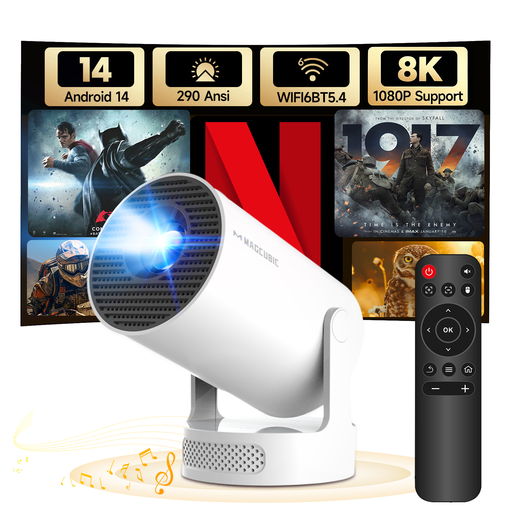
MAGCUBIC HY300Pro+ Mini Projector
Why this product suits the profile: This compact model is designed for occasional film nights in the bedroom or on the go, and features a rotating stand.
The technical specifications state the native resolution separately and specify 290 ANSI lumens together with automatic vertical correction. This makes it easier to assess the product compared with vague 4K claims.
Android 14, Wi-Fi 6, Bluetooth 5.4 and an integrated 5 W speaker.
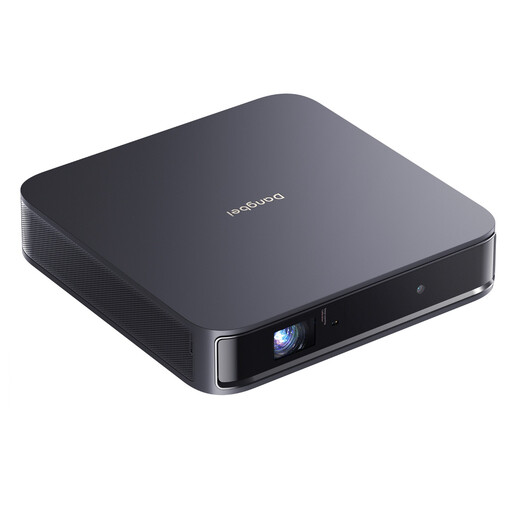
Dangbei Atom Portable Laser Projector
Why this product suits the profile: This compact laser model combines native 1080p resolution with a stated brightness of 1,200 ISO lumens and official Netflix licensing.
The specifications distinguish between native 1080p resolution and 4K HDR input. They also state a recommended image range of 60 to 100 inches.
Laser light source with a stated lifespan of 30,000 hours, HDR10/HLG and Dolby Audio.
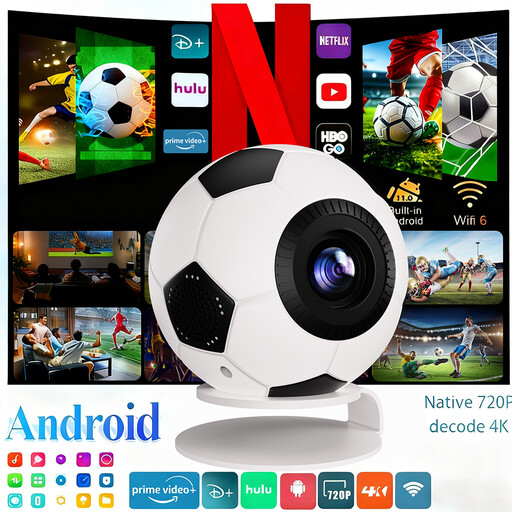
XBJ Football-Shaped 4K-Supported Mini Projector
Why this product suits the profile: The football design is ideal for match days, family evenings and portable use in the garden or while camping.
Native 1080p resolution and 800 ANSI lumens are specified separately from 4K decoding. Autofocus and automatic keystone correction reduce the amount of manual set-up required.
Android 14, Wi-Fi 6, Bluetooth 5.4, HDMI/USB and voice remote control.
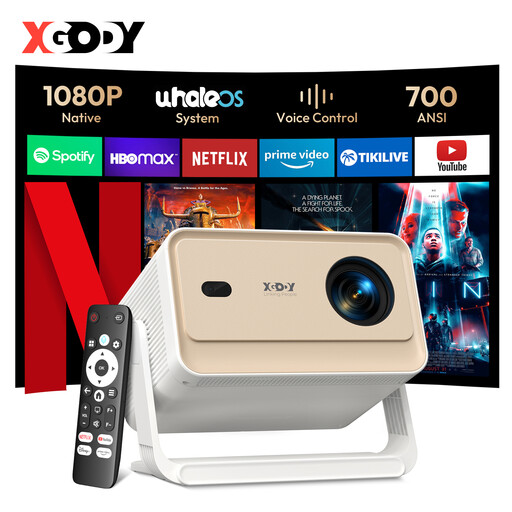
XGODY Gimbal N6 Pro Portable Projector
Why this product suits the profile: This model is designed for home cinema, bedrooms, consoles and changing projection locations, and states that it has official Netflix authorisation.
The native 1080p resolution is listed separately from 4K support. Three brightness levels allow the projector to be adjusted to different room conditions.
700 ANSI lumens, autofocus, automatic keystone correction, obstacle detection and Wi-Fi 6.
Looking for more options?
We have put together a complete, regularly updated list of products that fully meet these strict selection criteria and the safety regulations applicable in the EU.
Practical Tips for Use and Durability
A projector should be placed on a stable, level surface. The ventilation openings must not be blocked by carpets, duvets or walls. After extended use, allow the device to cool down before moving or storing it. Avoid looking directly into the lens while it is switched on; children should only use the device under supervision.
A mini projector is suitable for outdoor use only in dry weather. Protection from rain, moisture and dust is essential. You may need a portable power station when travelling, as many compact models do not have a built-in battery despite their portable design.
Mini Projector FAQ
How bright should a mini projector be for football?
For a football night in a darkened room, native 1080p resolution and a clearly specified brightness figure are more important than an especially large maximum image size. Higher ANSI or ISO values can help in ambient light, but the room should still be darkened as much as possible.
Can a mini projector play Netflix directly?
This depends on the operating system and licensing. Models that explicitly state official Netflix support are designed for this purpose. With other devices, an HDMI streaming stick or laptop may be required. Smartphone screen mirroring is not always suitable for streaming apps because of copyright protection.
How high are the running costs?
LED and laser models do not require a conventional replacement lamp like older projectors. Power consumption depends on the brightness mode, volume and duration of use. For a realistic estimate, check the power consumption in watts and compare it with your personal television usage.