
Logitech MX Master 4 Buyers Guide
For professionals, a high-quality mouse is more than just a pointing device—it's a central tool for productivity and comfort. But the peripheral market is crowded and filled with marketing promises that often don't hold up in practice. Before you make a decision, it's crucial to understand the common pitfalls that can lead to buyer's remorse.
This guide will help you cut through the noise and make an informed choice that genuinely enhances your daily workflow.
Three Common Pitfalls When Buying an Ergonomic Wireless Mouse
Many users invest in a premium mouse only to be disappointed shortly after. This is often due to exaggerated advertising claims or hidden flaws. Pay close attention to these three points:
Pitfall 1: The Empty Promise of "Ergonomics"
The term "ergonomic" is overused. A mouse optimised for one hand size or grip style can be uncomfortable for another user. Models with poorly thought-out designs can lead to fatigue or even repetitive strain injuries, despite the label, rather than preventing them.
Pitfall 2: Unstable Connectivity and Latency Issues
A wireless mouse for Mac and Windows promises a clutter-free desk, but nothing disrupts workflow more than an unstable connection. Budget wireless technologies or poorly implemented Bluetooth can lead to noticeable delays (latency), connection drops, or cursor stuttering—a deal-breaker for precision work.
Pitfall 3: Bloated Software and Limited Compatibility
Some mice only unlock their full potential with proprietary software. If this software is poorly coded, resource-hungry, or unavailable for all operating systems, it severely limits functionality. In the worst-case scenario, the software becomes a burden on your system instead of adding value.
What Really Matters: Crucial Features of a Productivity Mouse
To avoid these pitfalls, you should focus on objective, technical parameters that have a direct impact on your daily work.
Sensor Precision and Surface Tracking (DPI)
DPI (Dots Per Inch) indicates the sensor's sensitivity. A high DPI value isn't universally better, but it allows for more precise control on high-resolution monitors. More critical, however, is the sensor's ability to track reliably on various surfaces. A high-quality sensor, like the one in the Logitech MX Master 4, is stated by the manufacturer to work even on glass (at least 4 mm thick), ensuring maximum flexibility for mobile use or on different desk surfaces.
Connectivity: Stability and Multi-Device Capability
For professionals who switch between multiple devices, a stable multi-device mouse is essential. Pay attention to two aspects:
- Connection Technology: Modern mice often offer a dedicated USB receiver (e.g., Logi Bolt) in addition to Bluetooth. This typically provides a more stable, lower-latency connection, especially in environments with a lot of wireless interference.
- Seamless Switching: The ability to switch between up to three devices (e.g., desktop, laptop, and tablet) at the touch of a button is a key feature of a true productivity mouse.
Functional Design: More Than Just Shape
A good ergonomic wireless mouse is defined by more than just its basic shape. Additional controls can significantly speed up your workflow. A great example is a mouse with a fast scroll wheel. Logitech's MagSpeed wheel, for instance, automatically switches between a precise, ratcheted mode for detail-oriented work and a hyper-fast free-spin mode for flying through long documents or web pages. A thumb wheel for horizontal scrolling is also a major advantage for creatives and developers.
Top Choices by Shopper Type
Based on the criteria above, we have identified several models suitable for specific user profiles.
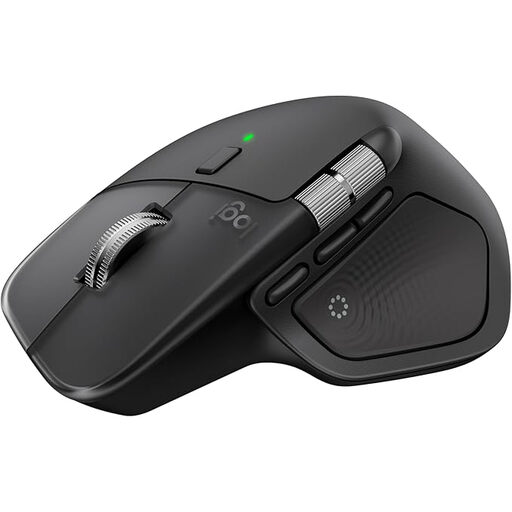
Logitech MX Master 4 Ergonomic Wireless Mouse - Graphite
Why This Fits Their Persona: Ideal for developers, analysts, and creatives who spend many hours at the computer daily and depend on maximum efficiency through customisable buttons, fast navigation, and seamless multi-device control.
Its proven ergonomic shape offers genuine long-term comfort. The dual connectivity via Bluetooth and the Logi Bolt USB-C receiver ensures a stable connection. The Logi Options+ software is powerful but optional, and runs stably on Windows and macOS.
The electromagnetic MagSpeed scroll wheel and the 8K DPI sensor, which works on almost any surface, are clear advantages for demanding workflows.
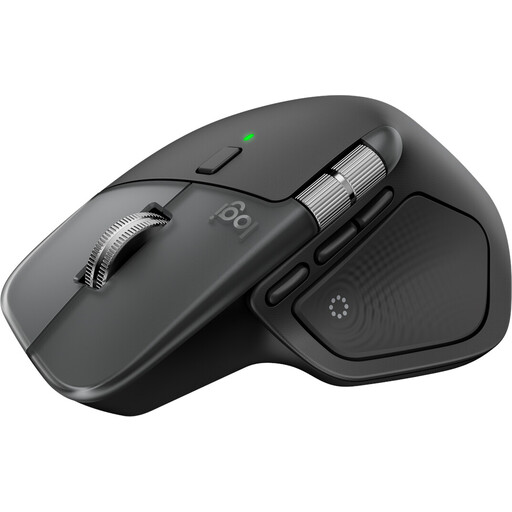
Logitech MX Master 4 for Mac - Space Black
Why This Fits Their Persona: Perfect for creatives and developers who are deeply integrated into the Apple ecosystem. The mouse is optimised for macOS and iPadOS, and its Space Black colour aesthetically matches MacBooks and other Apple accessories.
This model bypasses compatibility issues as it is specifically designed for Apple operating systems. It connects directly via Bluetooth, which saves a USB port and ensures seamless integration without unstable drivers.
It offers all the core features of the standard MX Master 4 but is pre-configured for Mac-specific actions like gesture controls and app profiles. The direct Bluetooth pairing is especially convenient for Mac users.
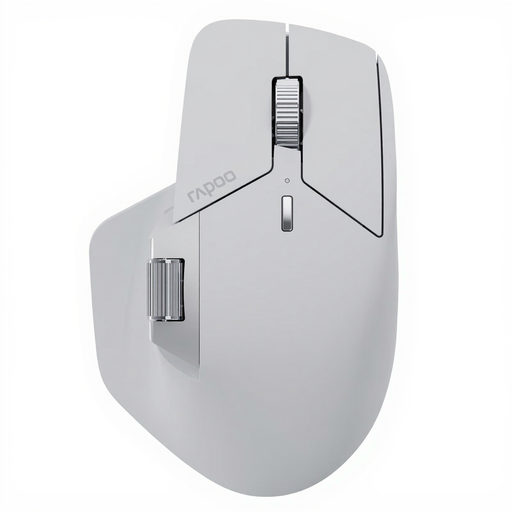
RAPOO MT760 PRO Wireless Mouse
Why This Fits Their Persona: Suitable for home office or office users who need a versatile mouse for multiple computers and operating systems but have a limited budget. This mouse offers many pro-level features at an attractive price point.
This model uses NearLink wireless technology, which the manufacturer claims ensures a stable and energy-efficient connection. With the ability to pair up to seven devices, it bypasses the limitations of many cheaper multi-device mice.
The high number of pairable devices (up to 7) and the M+ Cross-Computer technology for seamless cursor flow between screens are exceptional in this price range. The long battery life of up to 120 days is another major plus.
Looking for More Options?
If you're looking for devices equipped with modern ports like USB-C, we've curated a selection of products that meet strict criteria for connectivity and performance.
Frequently Asked Questions (FAQ)
Is installing the Logi Options+ software mandatory for the Logitech MX Master 4?
No, the mouse's basic functions (clicking, scrolling, forward/back buttons) work out of the box via plug-and-play without the software. However, to unlock its full functionality—such as customising buttons, setting up app-specific profiles, controlling haptic features, or using the Actions Ring—installing the free Logi Options+ software is required.
How long does the MX Master 4's battery last with daily use, and how fast does it charge?
According to Logitech, a full charge lasts up to 70 days. The actual battery life depends on usage intensity. Thanks to its USB-C fast-charging feature, a one-minute charge is said to provide up to three hours of use. A full charging cycle takes about two hours.
Does the Logitech MX Master 4 work on glass surfaces?
Yes, the mouse's 8K DPI sensor is designed to track accurately on most surfaces, including glass with a minimum thickness of 4 mm, according to the manufacturer. This makes it a reliable choice for users who work in various locations with different desk surfaces.