
Home Cinema Projector Buyer’s Guide: Avoid Costly Mistakes
A dedicated home cinema projector can transform your living room into a private movie theatre. However, the market is crowded and filled with technical jargon that often confuses more than it helps. Many buyers invest in devices that look promising on paper but disappoint in practice. This guide will help you identify the crucial features and steer clear of common purchasing traps.
The 3 Most Common Pitfalls in Projector Buying
Before we dive into the important technical specs, you should be aware of the most common marketing traps that often lead to unsatisfactory results.
- Misleading Brightness Specs: Many manufacturers advertise high "lumen" figures measured under non-standardised conditions. The only reliable value is ANSI lumens. A device with "10,000 lumens" can, in reality, be dimmer than a model with 700 ANSI lumens. To avoid a pale and washed-out image, look exclusively for this standardised measurement.
- "Smart" Features Without Certified Apps: A smart projector is only truly smart if it offers direct access to major streaming services. Many budget models advertise an operating system but lack an official license for apps like Netflix. The result: the app doesn't work at all or only in low resolution. You are then forced to connect an external streaming stick.
- Complex Manual Image Setup: The joy of a big screen fades quickly when the setup is complicated. Devices without automatic image adjustment require tedious manual focusing and keystone correction. In contrast, a projector with autofocus and automatic keystone correction aligns the image perfectly on its own in seconds, even if the device isn't placed exactly centred in front of the screen.
What Really Matters: The Decisive Parameters
To make an informed decision, focus on these three objective criteria. They are the primary determinants of image quality and user experience.
1. Native Resolution: The Key to Image Sharpness
Many products advertise "4K supported" but have a low native resolution. This means the device can process a 4K signal but downscales it to a much lower pixel count. For a sharp and detailed picture, the native resolution is what counts. A Full HD 1080p projector (1920 x 1080 pixels) offers true HD quality and is the current standard for a great home cinema experience. Anything less will result in a visibly blurry and pixelated image.
2. Brightness in ANSI Lumens: For Clear Images Day and Night
Brightness, measured in ANSI lumens, determines how well the image is visible in different lighting conditions.
- Up to 500 ANSI Lumens: Suitable for completely darkened rooms.
- 500 - 1000 ANSI Lumens: A great choice for living rooms that cannot be fully blacked out. Ambient light is not a major issue here.
- Over 1000 ANSI Lumens: Delivers a vibrant and high-contrast image even in daylight or brighter environments.
3. Operating System and Connectivity: The All-in-One Solution
A modern home cinema projector should be a straightforward, all-in-one solution. An integrated operating system like Android TV or Google TV with official app store access is the foundation for this. This allows you to use a projector with Netflix, Prime Video, and other services directly, without needing to purchase additional devices. Also, look for dual-band Wi-Fi (2.4/5 GHz) for a stable streaming connection and Bluetooth for connecting external speakers or using the projector itself as a portable projector with sound.
Picks for Every User Profile
Here are a few models that represent a considered choice for different user profiles, based on objective technical features.
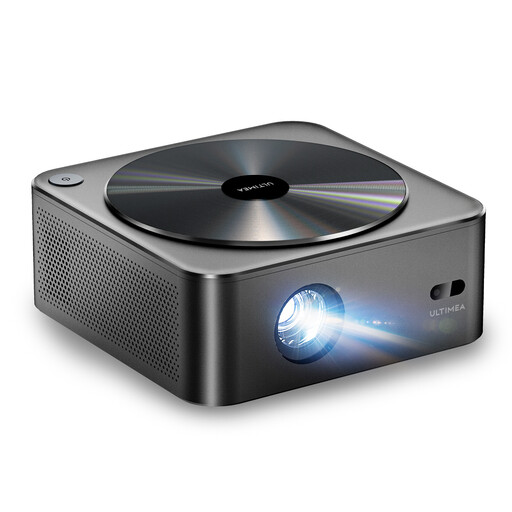
Ultimea Apollo P40 Projector HDR10 1080p
Why This Fits Their Persona: Ideal for those seeking a solid home cinema experience without breaking the bank. It combines the most important core features for straightforward movie nights.
With 700 ANSI lumens, it offers reliable brightness for dark rooms, bypassing the trap of misleading lumen specs. The autofocus and 6D keystone correction save you from a tedious manual setup.
Native Full HD 1080p resolution for a sharp image. Its dust-proof, sealed optical engine ensures a longer lifespan without loss of image quality.
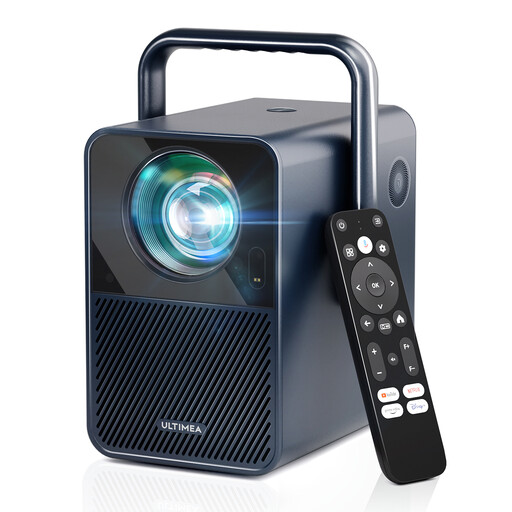
Ultimea Poseidon E40 Projector
Why This Fits Their Persona: Perfect for families and users who want a hassle-free, plug-and-play streaming solution. Unbox, power on, and start watching Netflix instantly.
This Android TV projector features an officially licensed Android TV 11.0 and certified Netflix, completely avoiding the pitfall of non-functional streaming apps.
A powerful 1000 ANSI lumens for bright images even in rooms that aren't completely dark. Integrated 30W speakers with Dolby Audio deliver room-filling sound without external speakers.
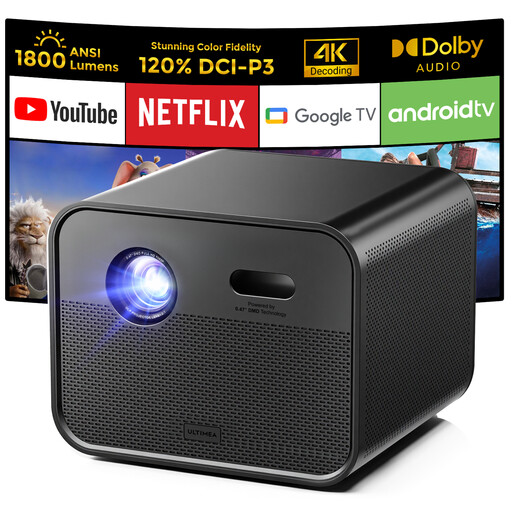
Ultimea Poseidon E100 Projector
Why This Fits Their Persona: For home cinema enthusiasts who prioritise high brightness and colour quality, and don't want to compromise on a brilliant picture, even in daylight.
With 1800 ANSI lumens and DLP technology, this model delivers exceptionally high brightness and contrast that far exceeds the standard. The integrated Google TV ensures a seamless smart TV experience.
The DLP imaging technology provides sharper images and deeper blacks. MEMC technology smooths out fast motion, making it ideal for sports and action movies.
Looking for More Options?
We've compiled a complete, up-to-date list of products that fully meet these strict selection criteria.
Frequently Asked Questions (FAQ)
1. How many ANSI lumens does a home cinema projector really need?
For a good experience in a darkened room, 500 to 700 ANSI lumens is sufficient. If you plan to use the projector in daylight or in a living room that isn't completely dark, models with 1000 ANSI lumens or more are recommended to ensure a vibrant and high-contrast image.
2. Can I watch Netflix directly on any smart projector?
No. Only a projector with Netflix certification and a licensed operating system like Android TV or Google TV is guaranteed to play the app in full quality. On many cheap devices without this license, the app either doesn't work or only functions via workarounds and in poor resolution.
3. What is the difference between native and supported resolution?
The native resolution indicates the projector's actual physical pixel count and determines the image sharpness. A Full HD 1080p projector has a native resolution of 1920x1080 pixels. "Supported resolution" only means the projector can receive a higher-resolution signal (e.g., 4K) and downscale it to its lower native resolution. For true sharpness, only the native value matters.