
The Headphone Buyer’s Guide: How to Avoid Common Pitfalls
The search for the right headphones can quickly become overwhelming. The market is flooded with marketing promises that often conceal more than they reveal. Before you make a purchase, it's crucial to understand the most common pitfalls that lead to disappointment and unnecessary expense. Many users only realise weeks later that their new device is unsuitable for its intended purpose.
Three typical problems that buyers repeatedly encounter:
- The Uncomfortable Fit: A pair of headphones advertised as "ergonomic" starts to press uncomfortably on the ears or head after an hour of use. Especially with
over-ear headphonesor budget-friendlyin-ear headphones, wearing comfort is often overestimated. - The Unusable Microphone: Many
wireless headphonesboast clear call quality. In practice, however, the microphone fails in a light breeze or in busy environments, making the headphones useless for professional calls. - The Optimistic Battery Life: The advertised battery life is often only achieved under laboratory conditions—at low volume and without active features like noise cancellation. In everyday use, the actual runtime is frequently much shorter.
This guide will help you navigate these and other traps by highlighting the key technical features you should look for before buying.
Crucial Buying Criteria: What Really Matters
To avoid a bad purchase, you should base your decision on objective parameters, not advertising slogans. The following three criteria are essential for most use cases.
The Right Form Factor for Your Use Case
The form factor significantly determines comfort and sound isolation. Each type has specific advantages and disadvantages.
- Over-Ear Headphones: These completely enclose the ear, typically offering good passive noise isolation and an immersive soundstage. They are often the most comfortable choice for long listening sessions at home or in the office but can be too large and bulky for on-the-go use.
- In-Ear Headphones: These are inserted directly into the ear canal. They are compact, lightweight, and ideal for commuters and travellers. A good fit is critical here to prevent them from slipping out and to ensure effective noise isolation.
- Open-Ear and Ear-Clip Headphones: These models rest on or in front of the ear without blocking the ear canal. They are an excellent choice for
sports headphonesas they provide a secure fit and allow the wearer to hear ambient sounds like traffic.
Connectivity: Wired vs. Wireless Headphones
The choice between wired and Bluetooth headphones depends on your priorities.
- Wired Headphones: They offer a latency-free and stable connection, making them a great option for
gaming headsetsor professional audio applications. They don't require a battery and are often more affordable. The modern standard here is the USB-C connector. - Wireless Headphones: They provide maximum freedom of movement. Pay attention to the Bluetooth version (e.g., 5.3 for a more stable connection and higher energy efficiency) and supported audio codecs (like AAC or aptX), which affect sound quality. Multipoint connectivity allows for seamless switching between two devices, such as a laptop and a smartphone.
Noise Cancellation: A Double-Edged Sword
Noise-cancelling headphones (ANC) are popular with commuters and in open-plan offices. However, it's important to understand how they work.
- Active Noise Cancellation (ANC): Microphones capture ambient sounds, and the headphones generate an opposing sound wave to neutralise them. This works particularly well for low, monotonous noises like airplane engines or the rumble of a train.
- Passive Noise Isolation: This is achieved through the physical barrier of the earcups (on over-ear models) or eartips (on in-ear models).
While ANC provides tranquility in loud environments, it can be a safety risk in traffic or during sports, as it can block out important warning signals. Some models offer a transparency mode that selectively lets ambient sounds through.
Top Picks for Every User
Based on the criteria above, we have curated a selection of headphones tailored to specific user profiles.
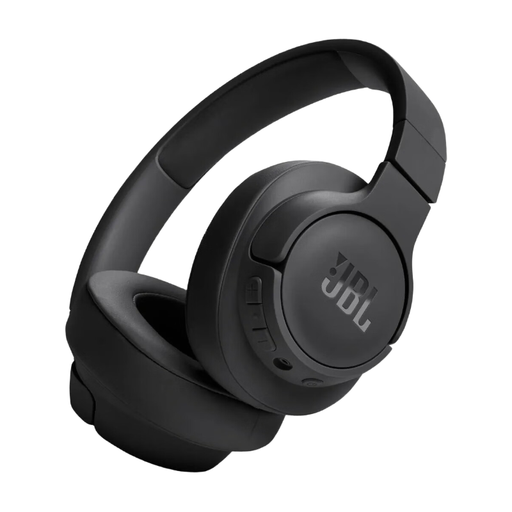
JBL Tune 720 BT Wireless Over-Ear Headphones
Why This Fits Their Persona: Ideal for commuters and home office use. The multipoint connection allows for easy switching between laptop meetings and smartphone calls. Its foldable design makes it travel-friendly.
Avoids the trap of exaggerated battery life claims. The manufacturer's stated runtime of up to 76 hours is realistic in practice and covers an entire work week. The quick-charge function is an added bonus.
Bluetooth 5.3 for a stable connection and multipoint connectivity for seamless switching between two devices.
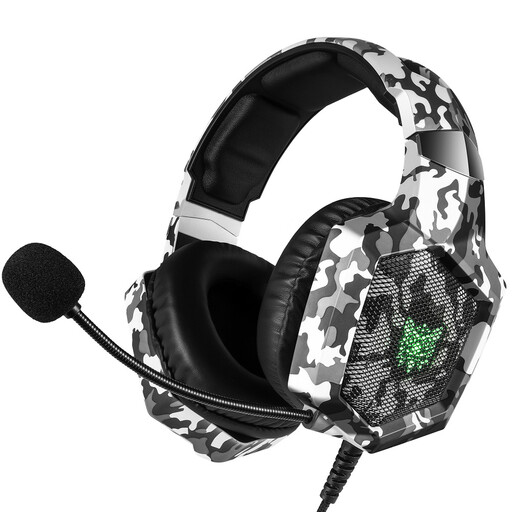
ONIKUMA Gaming Headset K8
Why This Fits Their Persona: Designed for competitive gaming. The wired 3.5mm jack connection eliminates latency, while the 50mm drivers ensure precise audio positioning.
Solves the problem of a weak microphone. The omnidirectional, noise-cancelling mic is specifically designed for clear team communication and effectively filters out background noise.
50mm neodymium drivers for detailed gaming audio and an adjustable noise-cancelling microphone for clear voice transmission.
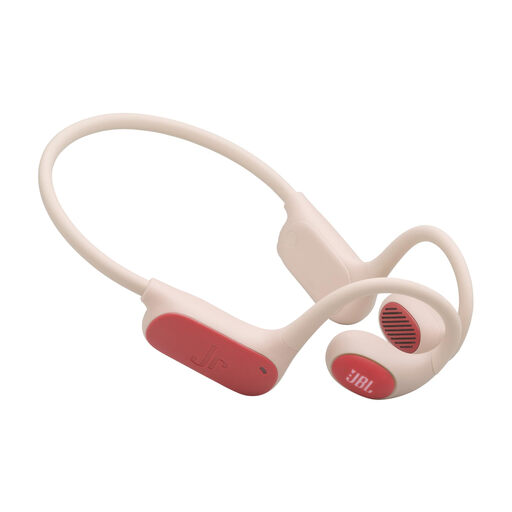
JBL JUNIOR FREE- Neckband Open Sound
Why This Fits Their Persona: Specifically designed for children. The open-ear design ensures kids remain aware of their surroundings, while the volume limit protects their hearing.
Directly addresses the concern of hearing damage in children. The JBL Safe Sound technology reliably limits the volume to under 85 dB. Parents can set additional limits and usage times via an app.
85 dB volume limit to protect hearing and a parental control app to monitor usage.
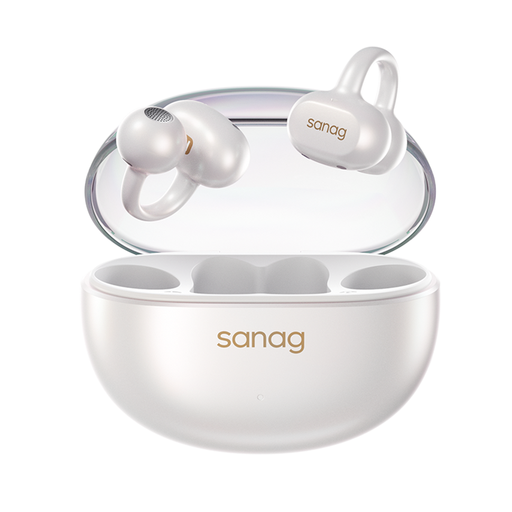
Sanag S6S Nova Ear Clip Wireless Headphones
Why This Fits Their Persona: Perfect for runners and cyclists. The open-ear design doesn't block the ear canal, so ambient sounds remain audible. The ear clip ensures a secure fit even during intense movement.
Solves the problem of an uncomfortable or insecure fit during sports. Unlike in-ears that can fall out or over-ears that get too warm, the ear-clip design provides stability and comfort without pressure in the ear.
Open-back design for situational awareness outdoors and a secure ear-clip mechanism for a stable fit during athletic activities.
Looking for more options?
We've compiled a complete, real-time updated list of products that fully meet these strict selection criteria and UK/EU safety regulations.
Frequently Asked Questions (FAQ)
What should you look for in headphones for children?
When choosing headphones for kids, safety and durability are paramount. Look for a built-in volume limit that caps the maximum sound pressure level at 85 decibels (dB) to protect sensitive hearing. Models with an open-ear design are also beneficial, as they allow children to remain acoustically aware of their surroundings. Sturdy, flexible materials and a lightweight design ensure longevity and comfort.
How important is the Bluetooth version in wireless headphones?
The Bluetooth version is an indicator of the wireless connection's performance. Newer versions like Bluetooth 5.2 or 5.3 offer a more stable connection over longer distances, greater energy efficiency (which extends battery life), and often lower latency compared to older standards. Low latency is especially important when watching videos or playing games to ensure audio and video are in sync.
Does proper charging extend the life of headphone batteries?
Yes, correct charging practices can positively impact the lifespan of the lithium-ion battery in your headphones. Avoid regularly draining the battery completely or leaving it permanently on the charger at 100%. A charge level between 20% and 80% is considered ideal for slowing down the chemical aging of the battery. Many modern devices also have built-in protection mechanisms that prevent overcharging.