
Gaming Monitor 2026: Which Resolution, Refresh Rate and Features Suit Your Setup?
A gaming monitor should display fast-moving scenes cleanly, match your graphics card or console, and offer practical value beyond gaming. The selection ranges from an affordable FHD monitor with 144 Hz to a large OLED gaming monitor with DQHD resolution. What matters is not the longest feature list, but the combination of panel, signal source, ports and viewing distance.
The Joybuy Product Recommendation Officer filters the key criteria and highlights which models suit different usage profiles.
Common Pitfalls When Buying a Gaming Monitor
1. High Refresh Rates Without Suitable Hardware
A 144 Hz monitor, 240 Hz gaming monitor or dual-mode model can only be used to its full potential if the PC, graphics card and cable can deliver the corresponding refresh rate. 4K gaming requires considerably more graphics performance in many games than Full HD. A high maximum figure on the datasheet therefore does not automatically mean that every game will run at that frequency.
For consoles, you should also check whether HDMI 2.1, 120 Hz, variable refresh rate and the desired resolution are supported.
2. Do Not Confuse Response Time with Input Lag
A monitor with a 1 ms response time generally describes pixel switching measured under a specific method, such as GtG or MPRT. This is not the same as total input lag. Figures such as 0.03 ms or 1 ms should therefore be considered alongside refresh rate, overdrive settings and the connection used.
3. HDR Branding Without Sufficient Brightness
HDR can enhance dynamic range, but it requires a panel and brightness level capable of delivering that benefit in practice. An HDR monitor with DisplayHDR 400 is technically positioned differently from an OLED model with DisplayHDR True Black 400. Certification, brightness and contrast should be assessed together when making a purchase decision.
The Most Important Buying Criteria
Resolution and Screen Size
- FHD, 1,920 × 1,080 pixels: Suitable for 23.8- to 27-inch models and less powerful PCs. An FHD gaming monitor with 144 Hz often provides a straightforward entry point.
- QHD, 2,560 × 1,440 pixels: A well-balanced format for many 27-inch monitors. It delivers greater image sharpness than FHD without placing as much demand on the graphics card as 4K.
- 4K UHD, 3,840 × 2,160 pixels: Ideal for detailed single-player games, content creation and current-generation consoles. A 4K gaming monitor with 144 Hz or 160 Hz requires a sufficiently powerful signal source.
- DQHD, 5,120 × 1,440 pixels: On 49-inch 32:9 models, the workspace is roughly equivalent to two 27-inch QHD monitors. This requires a wide desk and sufficient viewing distance.
Panel Technology
An IPS gaming monitor generally offers wide viewing angles and versatile colour reproduction. VA panels can deliver higher static contrast and are often used in a curved gaming monitor. OLED and QD-OLED panels enable pixel-level control of light and exceptionally deep blacks. With OLED, you should consider the integrated protective features, pixel-care guidance and warranty terms.
Adaptive Sync, Ports and Ergonomics
FreeSync monitors synchronise image output with compatible AMD graphics cards. A G-SYNC-compatible monitor can work with supported NVIDIA graphics cards. Compatibility also depends on drivers, the connection and the supported operating range.
For modern setups, HDMI 2.1, DisplayPort and USB-C with DisplayPort Alt Mode are particularly relevant. A monitor with USB-C can transmit a laptop’s display signal and data over a single cable; Power Delivery output should be checked separately. A monitor with a KVM switch makes it easier to switch between two computers using one keyboard and mouse.
Height adjustment, tilt, swivel, pivot functionality and VESA compatibility are practical considerations for gaming and home office use. Energy-efficiency ratings should also be taken into account for extended daily operation.
Our Selection for Different User Profiles
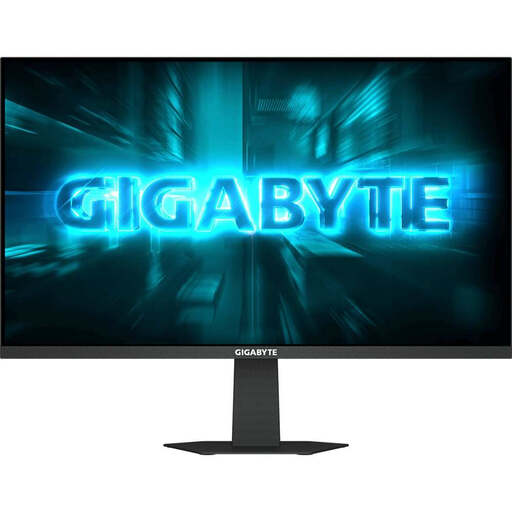
GIGABYTE GS24F14A 23.8-inch FHD IPS gaming monitor
Why does it suit this profile? Its compact size, Full HD resolution and 144 Hz refresh rate make it well suited to smaller desks and games with moderate hardware requirements.
The specifications remain easy to assess: 1 ms MPRT, native 144 Hz and Full HD are more practical for an entry-level PC than 4K at a high refresh rate.
IPS panel, 1,920 × 1,080 pixels, AMD FreeSync Premium and up to 175 Hz via overclocking according to the product specification.
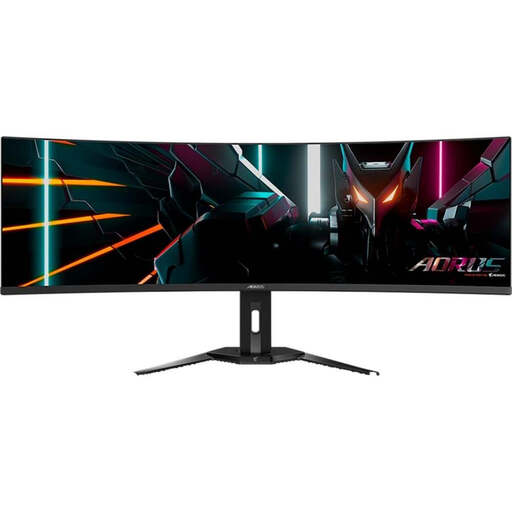
Gigabyte Aorus CO49DQ curved QD-OLED gaming monitor
Why does it suit this profile? The 49-inch format with 5,120 × 1,440 pixels is designed for users who want to combine gaming, multitasking and two work areas on a single screen.
The substantial width is clearly stated. Before buying, check your desk width, viewing distance and available space for the 11.3 kg unit.
QD-OLED panel, 144 Hz, 1800R curvature, KVM switch, USB-C with 18 W Power Delivery and two HDMI 2.1 ports.
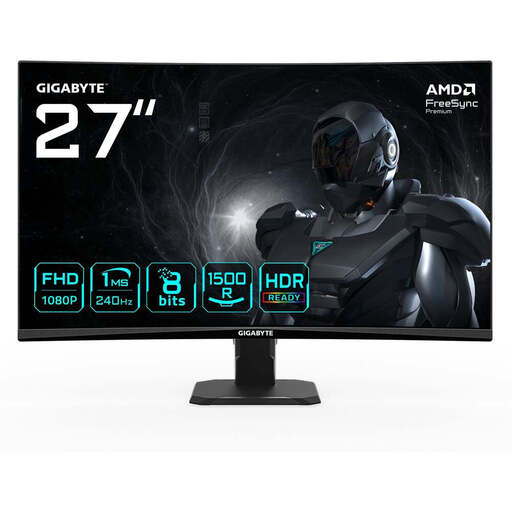
GIGABYTE GS27FC2 27-inch FHD curved VA gaming monitor
Why does it suit this profile? The combination of Full HD, 27 inches, 240 Hz and 1500R curvature is tailored to fast-paced PC games and high refresh rates.
The resolution is clearly geared towards high refresh rates. If you need greater pixel density for office work or image editing, QHD or 4K would be the better choice.
240 Hz, 1 ms GtG, a VA contrast ratio of 3000:1, AMD FreeSync Premium and DisplayPort 1.4 according to the datasheet.
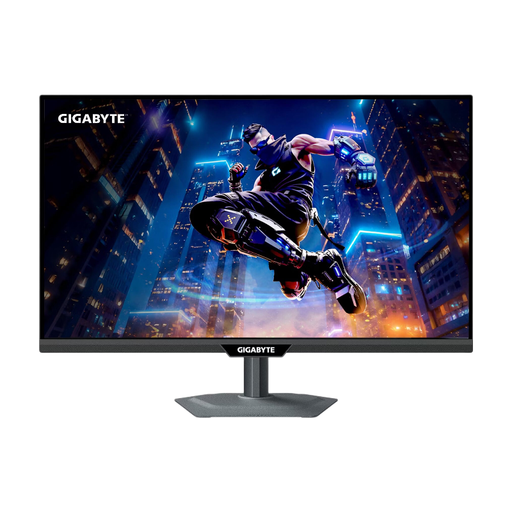
GIGABYTE M27UP 27-inch 4K UHD gaming monitor
Why does it suit this profile? This model combines high resolution with a dual mode that delivers 4K at 160 Hz or FHD at 320 Hz, making it suitable for different types of games.
The maximum refresh rate is specified for each resolution. You should also check whether your PC can actually output the desired combination of 4K and 160 Hz.
27-inch SS IPS panel, 1 ms GtG, HDMI 2.1, USB-C with 18 W Power Delivery, KVM switch, plus FreeSync Premium Pro and G-SYNC compatibility according to the product specification.
Practical Recommendations by Use Case
For a laptop workstation, a portable gaming monitor such as the ARZOPA Z1FC with 16.1 inches, FHD and 144 Hz can be an interesting option. According to the product data, it weighs 780 grams and offers USB-C as well as Mini HDMI. For higher mobile resolution, the 16-inch UPERFECT with 2K resolution and up to 144 Hz is an alternative.
If you are looking for a 27-inch monitor for office work and gaming, QHD is worth considering as a balanced middle ground. An FHD model remains a sensible choice when high refresh rates and lower graphics-card requirements are the priority. For OLED, remember that static user interfaces, prolonged still images and the recommended pixel-care functions should all be factored into the purchase decision.
Explore more options
Our complete, regularly updated selection takes resolution, refresh rate, ports, ergonomics and the technical specifications of each product into account.
Frequently Asked Questions About Gaming Monitors
Is a 144 Hz gaming monitor suitable for consoles?
Yes, provided the console, game and connection support the desired refresh rate. Current consoles often support 120 Hz. HDMI version, resolution and variable refresh rate should be checked before purchase.
How long does a gaming monitor last?
Service life depends on operating hours, environment, care and panel technology. With OLED, you should use the pixel-care functions provided by the manufacturer. The applicable warranty and statutory guarantee terms also vary by model.
Does a gaming monitor use a lot of power?
Power consumption depends, among other factors, on panel size, brightness, HDR operation and refresh rate. The energy-efficiency rating and figures such as kWh per 1,000 hours enable a more objective comparison. A 49-inch OLED model may require more energy in HDR mode than a small FHD monitor.