
Gaming Laptop Buyer’s Guide: How to Avoid Costly Mistakes
Choosing a new high-end gaming laptop in 2026 is a significant investment. The market is saturated with impressive technical specifications and marketing promises. However, behind the high numbers for clock speeds and resolutions, there are often hidden pitfalls that can lead to expensive buyer's remorse. As your Joybuy Product Recommendation Officer, I'll help you identify these hurdles and make an informed decision based on objective criteria.
Common Pitfalls When Buying a High-End Gaming Laptop
Before you decide on a model, you should be aware of three common issues that can severely impact a device's actual performance and usability.
-
The Performance Mirage: Powerful GPU, Insufficient Cooling A laptop can be equipped with the most powerful graphics card, but without an adequate cooling system, that performance will never be achieved. Components like an Intel Core Ultra 9 or an NVIDIA GeForce RTX 5090 generate significant heat under load. If the cooling system is undersized—often a compromise in particularly slim chassis—it leads to what is known as thermal throttling. The system automatically reduces the performance of the components to prevent overheating. The result: you pay for high-end performance but only get a fraction of it.
-
The Display Dilemma: When the Graphics Card is Underutilised A top-tier graphics card, such as an RTX 4070 or an even more powerful laptop with an RTX 5090, is designed for high resolutions and refresh rates. However, if such a powerhouse is paired with a basic Full HD (1920x1080) display with a low refresh rate, the GPU cannot reach its full potential. You are investing in a capability you will never use. The display's resolution and refresh rate must match the graphics card's performance.
-
The Bottleneck Effect: Unbalanced Components A powerful system is only as strong as its weakest link. A common mistake is pairing a high-end GPU with an underpowered processor (CPU). The CPU cannot process the data required by the GPU fast enough, which limits overall performance. A balanced ratio between the CPU, GPU, and memory (RAM) is crucial for a smooth experience in games and demanding applications.
What Really Matters in 2026: The Core Parameters
To avoid the pitfalls mentioned above, focus on these three crucial technical features.
1. Graphics Card (GPU): The Core of Gaming and Creative Performance
The GPU is the most important component for graphics performance. In 2026, two generations are relevant:
- NVIDIA GeForce RTX 50-Series: Models like the RTX 5090, RTX 5080, and RTX 5070 Ti represent the pinnacle of mobile graphics performance. They use new GDDR7 graphics memory and offer high efficiency for ray tracing and AI-powered features like DLSS. They are the choice for demanding 4K or WQHD gaming at maximum settings.
- NVIDIA GeForce RTX 40-Series: An RTX 4070 laptop or a model with an RTX 4060 continues to offer very good performance for WQHD and Full HD gaming. These cards often represent a balanced price-to-performance ratio.
Pay attention to the TGP (Total Graphics Power), specified in watts. A higher TGP generally means more performance for the same GPU.
2. Processor (CPU) and Memory (RAM): The Brain of the System
For a high-end gaming laptop, a powerful CPU is essential to avoid a bottleneck.
- Processors: Current models like the Intel Core Ultra 9 or AMD Ryzen 9 offer a high number of cores and threads, which is crucial not only for gaming but also for multitasking and creative applications like video editing. A laptop for gaming and work benefits enormously from these CPUs.
- Memory:32 GB of DDR5 RAM is establishing itself as the standard for the high-end segment. This capacity ensures that no bottlenecks occur, even with memory-intensive games and simultaneously running applications.
3. Display Technology and Size: Your Window to the Digital World
The display is your interface to the game world. Here are the decisive factors:
- Resolution: For graphics cards from the RTX 4070 upwards, a WQHD gaming laptop (2560x1440) or higher is the logical choice. For an RTX 5090, even a UHD/4K display is appropriate.
- Refresh Rate: A frequency of 144Hz or higher ensures extremely smooth motion rendering, which can provide an advantage in fast-paced games.
- Panel Type:OLED displays offer perfect black levels and brilliant colours, making them ideal for content creators and cinematic games. IPS panels impress with stable viewing angles and good colour reproduction.
- Size: A 17-inch gaming laptop or larger models like 18-inch devices offer a more immersive experience but are less portable than 15- or 16-inch models.
Our Top Picks for Different User Profiles in 2026
Here are some configurations tailored to specific user profiles that purposefully avoid the aforementioned pitfalls.
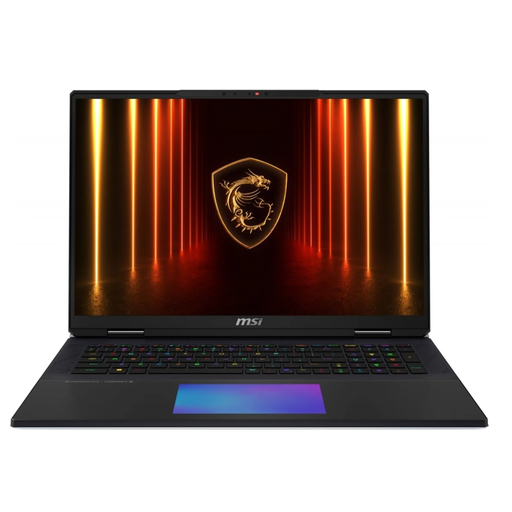
MSI Titan 18 HX AI A2XWJG-656, Laptop, with 18 Inch Display, Intel Core Ultra 9 285HX Processor, 64 GB RAM, 6 TB SSD, NVIDIA GeForce RTX 5090, Black, Windows
Why this model is a perfect fit: For users who demand absolute peak performance for 4K gaming, VR, and intensive 3D applications without compromise. This device is designed as a desktop replacement.
The advanced vapour chamber cooling prevents thermal throttling. The 18-inch UHD+ Mini-LED display with 120Hz is perfectly matched to the performance of the RTX 5090, avoiding the display dilemma.
Delivers desktop-level performance in a mobile form factor, including a mechanical keyboard by Cherry MX and a massive 6 TB SSD storage capacity.
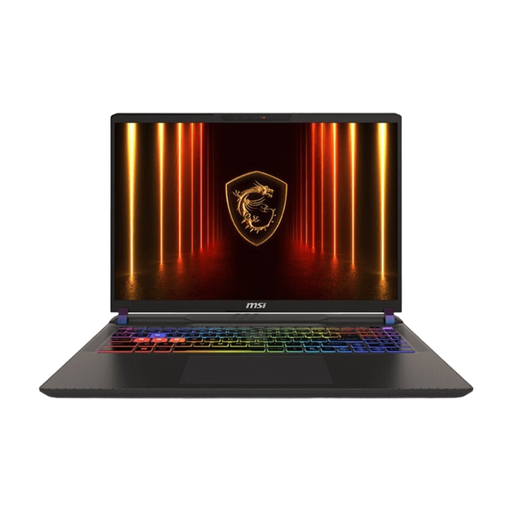
MSI Vector 16 HX AI A2XWHG-264, 16" QHD+, Core Ultra 9 275HX, RTX 5070 Ti, 16GB RAM, 1TB SSD, Win 11
Why this model is a perfect fit: Ideal for gamers and creators who want future-proof performance for WQHD gaming but don't want to pay the premium for the absolute top-of-the-line model.
The combination of an RTX 5070 Ti and a QHD+ Display is perfectly balanced. MSI's cooling solutions are designed for sustained high performance, preventing performance drops due to heat.
Offers an excellent price-to-performance ratio for demanding WQHD gaming and is equipped with a current Intel Core Ultra 9 processor for all tasks.
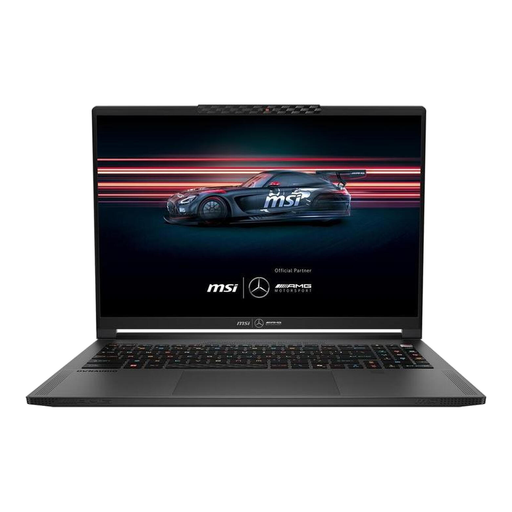
MSI Stealth A16 AI+ Mercedes-AMG Motorsport A3XWGG-052 16"QHD+ Ryzen AI 9 370 32GB/2TB RTX 5070 Win11
Why this model is a perfect fit: For professionals and creatives who need an elegant, lightweight, and portable device for on-the-go use, but one that is also ready for demanding gaming sessions after work.
Despite its slim profile, an advanced cooling system is used. The brilliant QHD+ OLED display with 240Hz is ideal for both colour-critical work and fast-paced gaming, bypassing the display dilemma.
Combines extreme portability (only 2.1 kg) with high performance and an exclusive design. The 99 Wh battery ensures long battery life for mobile use.
Looking for more options?
We have compiled a complete, real-time list of products that fully meet these strict selection criteria and UK safety regulations.
Frequently Asked Questions (FAQ)
Is a laptop with an RTX 5090 a sensible investment in 2026? That depends heavily on the use case. For gaming in 4K resolution with maximum graphics settings, intensive ray tracing, and as a future-proof purchase for the next few years, it can be a worthwhile option. For users who primarily play in WQHD or Full HD, models with an RTX 5070 or RTX 4070 often offer a more balanced price-to-performance ratio.
How critical is cooling in a high-end gaming laptop? It is absolutely critical. Powerful components generate a lot of heat. Without an effective cooling system (e.g., vapour chamber, multiple fans, good air circulation), "thermal throttling" occurs, where performance is automatically reduced to prevent damage. Good cooling is the prerequisite for ensuring that the expensive hardware can deliver its performance consistently.
Is a gaming laptop also suitable as a primary computer for work and study? Yes, many modern ASUS ROG notebooks and MSI laptops are explicitly designed as hybrid devices. Models with a subtle design, good battery life in office applications, and a high-quality keyboard are excellent as a laptop for gaming and work. The high computing power is also an advantage for demanding fields of study or professions such as architecture, video production, or data analysis.