
Choosing Gaming Gear: A Buyer's Guide
The search for the right gaming accessories can quickly feel like a minefield. The market is flooded with products that advertise aggressive designs and long feature lists. But not everything labelled "gaming" actually improves performance or the gameplay experience. Before you buy a new gaming setup, it's important to recognise the most common marketing traps to make an informed decision.
Many buyers invest in expensive peripherals, only to find out after a few months that they don't meet their expectations. Typical mistakes include:
- The Aesthetics Trap: A flashy RGB keyboard with countless lighting effects looks impressive, but it says nothing about the quality of its switches, the stability of the chassis, or the durability of the keycaps. Core functionality is often where corners are cut.
- The Switch Confusion: Manufacturers advertise "mechanical keys" but rarely explain the fundamental differences between switch types. Buying a keyboard with loud, clicky switches (e.g., Blue switches) can be unsuitable for streaming or use in a quiet environment, while linear switches (e.g., Red switches) may not offer the desired tactile feedback for those who do a lot of typing.
- The Myth of Wireless Superiority: Using a wireless gaming mouse promises maximum freedom of movement. However, with budget-friendly models, this can come at the cost of response time (latency) and unreliable battery life, which is a significant disadvantage in competitive games.
What Really Matters in PC Gaming Accessories
To avoid these pitfalls, you should focus on a few crucial technical parameters. These determine the actual performance and longevity of your gear.
Keyboard Parameters: Switches, Layout, and Customisability
The keyboard is the central input device for any PC gamer. Three factors are decisive here:
- Mechanical Switches: This is the heart of any mechanical gaming keyboard. The choice of the right type depends on your preference.
- Linear Switches (e.g., Red): Offer a smooth, resistance-free keystroke. They are quiet and allow for rapid, repeated inputs, making them ideal for fast-paced games (FPS, Action).
- Tactile Switches (e.g., Brown, Blue): Provide tangible feedback upon actuation. Blue switches also produce an audible "click." They are well-suited for typing and for gamers who want clear feedback with every keypress.
- Keyboard Layout (Form Factor): The size of the keyboard affects the available space on your desk.
- Full-Size (100%): Includes all keys, including the number pad.
- TKL (Tenkeyless, 80–87%) Keyboard: Omits the number pad, creating more room for mouse movement.
- 60% Keyboard: An ultra-compact layout that omits function keys, arrow keys, and the number pad. These functions are often accessible via key combinations (FN key).
- Customisability: A hot-swappable keyboard allows you to change the mechanical switches without soldering. This offers the freedom to customise the typing feel later on or easily replace faulty switches, significantly extending the keyboard's lifespan.
Mouse Parameters: Sensor, Weight, and Connectivity
With a gaming mouse, precision and handling are crucial.
- Sensor and DPI: A high-quality optical sensor (e.g., models from the Pixart 33xx series) is essential for precise and flawless tracking. DPI (Dots Per Inch) indicates sensitivity, but higher values aren't automatically better. Most gamers use settings between 800 and 1600 DPI.
- Weight: For fast-paced FPS games in particular, a lightweight gaming mouse (under 70 grams) is advantageous. A lower weight reduces fatigue and allows for faster, more precise movements. A dedicated esports mouse often weighs even less than 60 grams.
- Connectivity: A wired mouse offers the most stable connection. For a wireless gaming mouse, a 2.4 GHz wireless connection is preferable to the Bluetooth standard, as it has significantly lower latency. Also, pay attention to the manufacturer-stated battery life.
Curated Recommendations by User Personality
Based on these objective criteria, we have identified some products that represent a suitable solution for specific user profiles.
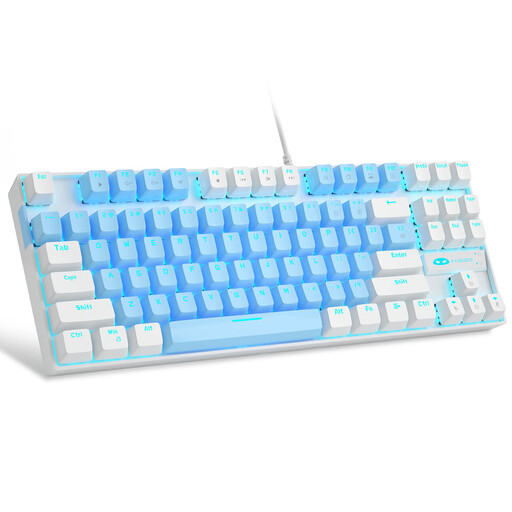
MageGee MK-Star 75% Wired Mechanical Gaming Keyboard
Why This Fits Their Persona: Offers a true mechanical typing experience with tactile Blue switches without breaking the bank. The compact 75% layout (a variant of the TKL keyboard) saves desk space while retaining the essential arrow and function keys.
Focuses on the core function: a solid mechanical base with reliable switches and a stable, wired connection. The lighting is functional, not over-the-top.
Excellent value for money for entering the world of mechanical keyboards; durable double-shot keycaps that won't wear out.
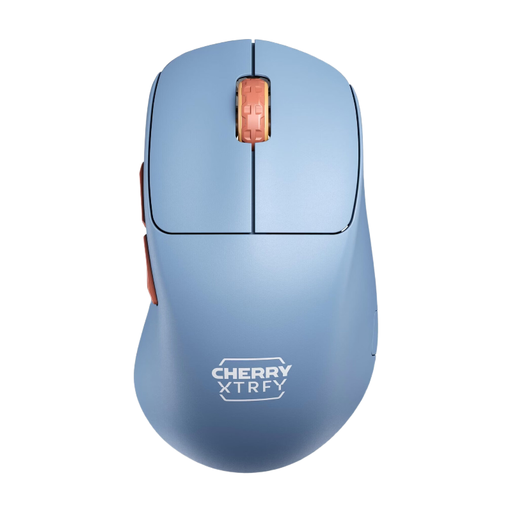
CHERRY XTRFY M64 Wireless Gaming Mouse
Why This Fits Their Persona: This esports mouse is designed for maximum performance. The ultra-lightweight design at just 53 grams and the Pixart 3395 sensor enable extremely fast and precise reactions, which are crucial in competition.
Deliberately avoids heavy gimmicks and focuses on performance-critical features: low weight, a proven top-tier sensor, and a stable 2.4 GHz connection for a latency-free experience.
Ergonomic right-handed design with an ultra-low front for better control; long battery life of up to 90 hours according to the manufacturer.
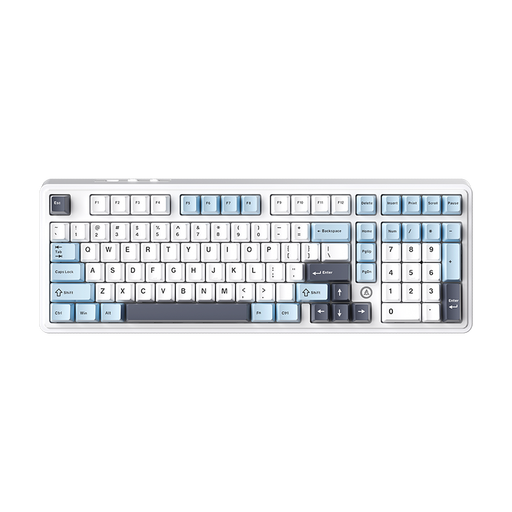
AJAZZ AK980 V2 Wireless Mechanical Keyboard
Why This Fits Their Persona: This keyboard offers premium features for an optimised typing feel and maximum customisability. The gasket-mount structure and five-layer sound dampening provide a soft, quiet keystroke. The hot-swappable keyboard function allows for easy switch replacement.
Delivers real, tangible quality features (gasket-mount, multi-layer dampening) instead of just superficial aesthetics. The hot-swap capability offers long-term value that goes beyond pure marketing.
Flexible connectivity (Wired, Bluetooth, 2.4G); premium typing feel due to the gasket structure; future-proof thanks to the hot-swap PCB.
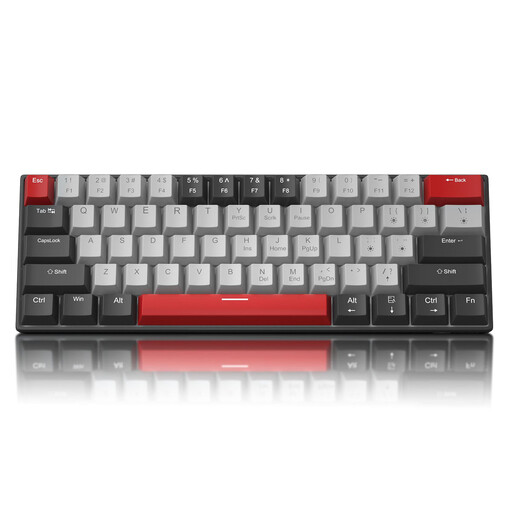
MageGee STAR 61 60% Wired Gaming Keyboard
Why This Fits Their Persona: As a 60% keyboard, it is extremely compact, leaving maximum room for the mouse. Ideal for minimalist setups or for gamers who frequently transport their keyboard. Despite its small size, it offers a full-fledged mechanical experience.
The focus is clearly on the functionality of the form factor. It omits rarely used keys to achieve maximum space-saving without compromising on core typing and gaming performance.
Extremely space-saving and portable thanks to a detachable USB-C cable; full N-key rollover (anti-ghosting) for flawless inputs in fast-paced games.
Looking for More Options?
We have compiled a complete, real-time list of products that fully satisfy these strict selection criteria and UK safety regulations.
Frequently Asked Questions (FAQ)
What's the difference between a mechanical and a membrane keyboard?
The main difference lies in the technology beneath the keycaps. Mechanical keyboards use an individual, physical switch for each key. This results in a more precise actuation point, a longer lifespan, and better tactile feedback. Membrane keyboards use a continuous rubber dome sheet under the keys, which leads to a softer, less precise typing feel and has lower durability.
How important is the weight of a gaming mouse?
Weight is a crucial ergonomic factor. A lightweight gaming mouse (under 70g) requires less force to move, which reduces fatigue during long gaming sessions. In fast-paced games like first-person shooters, a lower weight allows for quicker changes in direction and more precise aim tracking. For slower game genres or office work, weight is less critical.
Is a hot-swappable keyboard a good choice for beginners?
Yes, a hot-swappable keyboard can be a worthwhile investment even for beginners. It offers the ability to try out different switch types without having to buy a completely new keyboard. This allows you to find out whether you prefer linear, tactile, or clicky switches. Furthermore, it simplifies maintenance, as a faulty switch can be replaced easily and affordably.