
Buying a FRITZ!Box: Buyer’s Guide and Model Recommendations
Slow Wi-Fi, constant connection drops while working from home, or inadequate signal coverage in your house—many standard routers from internet service providers (ISPs) struggle to keep up with increasing demands. If you're looking to buy a FRITZ!Box, you're likely searching for a reliable and high-performance alternative. The routers from the Berlin-based manufacturer AVM are renowned in Germany for their extensive features and stability.
This article serves as a practical guide. We'll explain the key criteria for selecting the right model and present specific options for different connection types to help you make an informed purchasing decision.
What to Look for When Buying a FRITZ!Box
Choosing the right model depends on your technical setup and personal needs. The following three points are fundamental to making a well-informed decision.
1. The Right Connection Type: DSL, Cable, or Mobile
The most important prerequisite for a FRITZ!Box to function is compatibility with your internet connection. In Germany, there are three main technologies:
- DSL (Digital Subscriber Line): The most common connection type, delivered over the telephone line. Modern VDSL connections with supervectoring can achieve speeds of up to 300 Mbps. If you have a DSL contract, you will need a FRITZ!Box for DSL with an integrated DSL modem.
- Cable (DOCSIS): Internet via the TV cable connection often offers higher speeds than DSL. This requires a FRITZ!Box Cable router that supports the DOCSIS standard (currently 3.1).
- Mobile (LTE/5G): In locations without a fast fixed-line connection or as a flexible on-the-go solution, an LTE router with a SIM card is an excellent choice. These devices establish an internet connection via the mobile network.
Check your contract or ask your provider which connection type you have before selecting a device.
2. Wi-Fi Performance: Wi-Fi 6/7 and Mesh Networking
The number of connected devices in households is constantly growing. Smartphones, laptops, smart TVs, and smart home gadgets all compete for bandwidth. A modern Wi-Fi standard is crucial here:
- Wi-Fi 6 (802.11ax): Offers higher efficiency and speed compared to older standards, especially when many devices are active simultaneously.
- Wi-Fi 7 (802.11be): The latest standard, enabling even higher data rates and lower latencies—essential for demanding applications like 4K/8K streaming and online gaming.
For seamless coverage in larger apartments or houses, a Wi-Fi router with mesh functionality is recommended. A mesh system connects multiple FRITZ! devices (router, repeaters) into a single, intelligent Wi-Fi network. Your devices will automatically switch to the strongest signal point without any connection interruptions.
3. Additional Features: Telephony and Smart Home
An AVM router is often more than just an internet hub. Many models integrate additional features that can make separate devices redundant:
- DECT base station: Allows you to connect up to six cordless phones directly and use convenience features like an answering machine or call forwarding.
- Smart home hub: Some FRITZ!Box models support wireless standards like DECT ULE or Zigbee, allowing you to control smart radiator thermostats, switchable outlets, or lights directly from the router.
Recommended FRITZ!Box Models
Based on the most common connection types and user profiles, we have compiled a selection of FRITZ!Box models.
FRITZ!Box 7590 AX
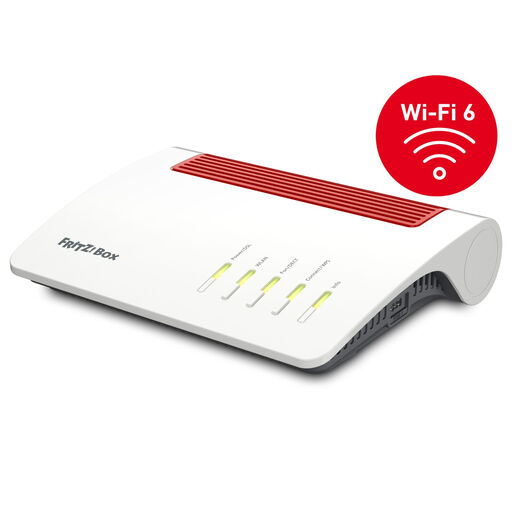
Why we like this model: The FRITZ!Box 7590 AX is a versatile and powerful router for all common DSL connections, including VDSL supervectoring 35b. With Wi-Fi 6, comprehensive telephony features, and mesh master capability, it forms a solid foundation for demanding home networks.
Advantages:
- Connection: For ADSL2+ and VDSL supervectoring 35b up to 300 Mbps.
- Wi-Fi: Wi-Fi 6 (802.11ax) with up to 2,400 Mbps (5 GHz) + 1,200 Mbps (2.4 GHz).
- Mesh: Serves as the central hub for a FRITZ! Mesh network.
- Telephony: Integrated DECT base for up to 6 cordless phones and a VoIP telephone system.
- Ports: 4 x Gigabit LAN, 2 x USB 3.0 for printers or network-attached storage (NAS).
Who it's for: Ideal for households and home office users with a fast DSL connection who use many devices simultaneously, need an integrated telephone system, and value stable Wi-Fi for streaming and other data-intensive applications.
View details for the FRITZ!Box 7590 AX
FRITZ!Box 6670 Cable
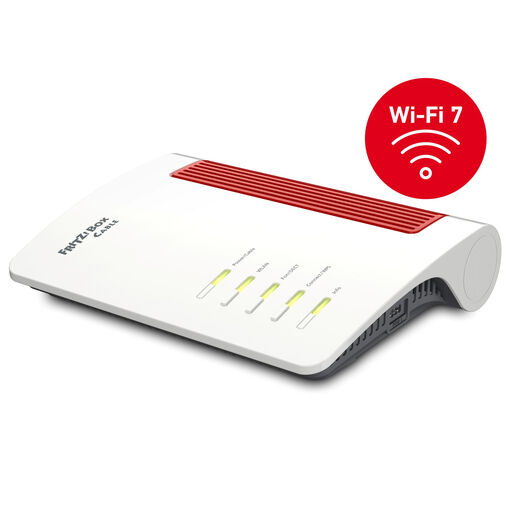
Why we like this model: The FRITZ!Box 6670 Cable is designed for gigabit speeds on cable connections. It combines the fast DOCSIS 3.1 standard with future-proof Wi-Fi 7 and is one of the first models to integrate the Zigbee smart home wireless standard directly into the router.
Advantages:
- Connection: Integrated DOCSIS 3.1 modem for cable internet, backward compatible with DOCSIS 3.0.
- Wi-Fi:Wi-Fi 7 (802.11be) with up to 2,880 Mbps (5 GHz) + 688 Mbps (2.4 GHz).
- Smart Home: Integrated support for Zigbee and DECT ULE.
- Ports: 1 x 2.5 Gigabit LAN port and 4 x Gigabit LAN ports for high-speed wired connections.
- Mesh: Full mesh functionality for seamless Wi-Fi.
Who it's for: Perfect for users with a high-speed cable internet connection who want to benefit from the new Wi-Fi 7 standard and connect their smart home devices directly to the router without needing an additional bridge.
View details for the FRITZ!Box 6670 Cable
FRITZ!Box 6850 LTE
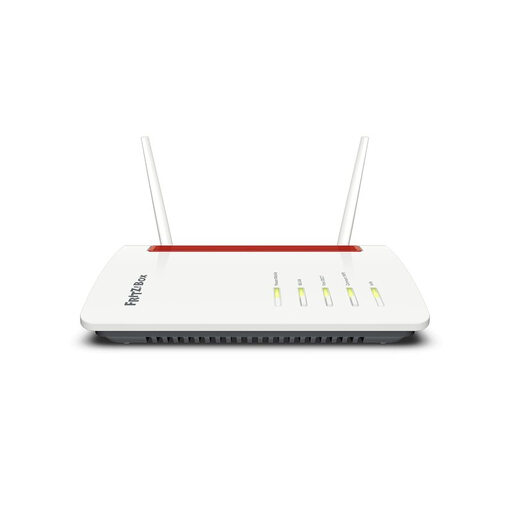
Why we like this model: The FRITZ!Box 6850 LTE provides high-speed internet over the 4G mobile network. It's a flexible solution for locations without DSL or cable availability, or as a fail-safe backup solution. Despite its focus on mobile connectivity, it offers the full range of FRITZ!Box features, including mesh Wi-Fi and DECT telephony.
Advantages:
- Connection: Internet via mobile network with an LTE router with a SIM card (Mini-SIM). Supports LTE (4G) with speeds up to 150 Mbps.
- Flexibility: Works on all European mobile networks.
- Wi-Fi: Dual-band Wi-Fi 5 (AC+N) with mesh support.
- Telephony: Integrated DECT base for up to 6 cordless phones.
- Alignment Aid: A software assistant and LED indicators help you find the optimal position for the best signal reception.
Who it's for: An excellent choice for users in rural areas, holiday home owners, or anyone needing a location-independent and reliable internet connection without sacrificing convenience features like a telephone system and a stable home network.
View details for the FRITZ!Box 6850 LTE
Didn't Find the Right Model? Explore More Options
The models presented here cover the most common use cases. However, AVM's portfolio is extensive and offers solutions for other specific requirements, such as fibre optic connections or even more powerful mesh systems for very large living spaces.
If you need more comprehensive coverage or have different technical requirements, you can find other high-performance routers and mesh components in our Mesh Box category.
Frequently Asked Questions (FAQ)
Can I simply replace my provider's router with a FRITZ!Box? Yes, in Germany, a principle known as 'router freedom' applies. You have the right to use your own router on your connection. Typically, you just need to connect the new device and enter the access credentials provided by your ISP into the FRITZ!Box user interface. For cable connections, a telephone activation with the provider may be necessary.
How long does AVM provide updates for a FRITZ!Box? AVM is known for its long-term product support. The devices receive regular and free feature and security updates via the FRITZ!OS operating system. According to the manufacturer, support for security updates generally extends for at least five years from the product's launch, which complies with EU legal requirements for connected devices.
What is the advantage of FRITZ!Mesh? FRITZ!Mesh combines multiple FRITZ! products (e.g., a router and repeaters) into a single, intelligent Wi-Fi network. Your devices always connect automatically to the access point with the strongest signal. This ensures a stable and seamless Wi-Fi connection throughout your apartment or entire house, without needing to manually switch networks.