
Buyer's Guide to the FRITZ!Box 6670 Cable Router
Choosing the right cable router is crucial to unlocking the full potential of a high-speed internet connection. However, the market is filled with technical promises that don't always deliver. Many users invest in a device only to find that it bottlenecks their network or lacks essential features for a modern home. This guide highlights the most common pitfalls and explains which technical parameters truly matter when making your selection.
The 3 Most Common Mistakes When Buying a Cable Router
Before you make a purchasing decision, it helps to understand the typical issues that lead to dissatisfaction. An informed choice protects you from unnecessary expenses and technical frustration.
- Reliance on the provider's router: Many households continue to use the standard-issue device supplied by their internet service provider. These routers often offer only basic features, receive security updates late, and cannot fully utilize the performance of gigabit plans. In many regions, "modem freedom" laws allow you to choose a more powerful, personal device like a FRITZ!Box for cable connections.
- Focusing on a single metric (Wi-Fi speed): Marketing materials often highlight high total Wi-Fi speeds. However, a high-performance home network depends on more than that. For example, the lack of a 2.5 Gigabit LAN router port can prevent the full speed of your plan from reaching a wired device like a PC or network-attached storage (NAS).
- Ignoring future-proof standards: Buying a router without current transmission standards like DOCSIS 3.1 or a cable router with Wi-Fi 7 can prove to be a short-sighted investment. Future plan upgrades or new devices could quickly necessitate another router replacement.
Crucial Technical Parameters for Your Cable Router
To avoid the pitfalls mentioned above, you should check three core specifications. These form the foundation for a stable, fast, and future-ready home network.
Parameter 1: DOCSIS 3.1 for Gigabit Speed
The DOCSIS 3.1 standard is the technical prerequisite for receiving internet speeds above 1 Gbit/s on a cable network. A DOCSIS 3.1 router ensures that your device is compatible with the networks of all major providers and is prepared for future speed increases. Older DOCSIS 3.0 devices are not designed for this and will limit the maximum possible bandwidth.
Parameter 2: Wi-Fi 7 and Multi-Gigabit LAN
Wi-Fi 7 (WLAN standard 802.11be) is the latest generation of wireless technology. It offers not only higher theoretical speeds but, more importantly, lower latency and improved efficiency in environments with many simultaneously active devices. This is particularly relevant for online gaming, 4K/8K video streaming, and the growing number of smart home devices. In combination with at least one 2.5 Gigabit LAN port, it ensures that the high speed of the cable connection can be passed on to end devices without loss.
Parameter 3: Mesh Capability and Integrated Zigbee
For seamless Wi-Fi coverage in larger apartments or houses, a mesh router for cable internet is an effective solution. Unlike simple repeaters, which often create a separate network and halve the speed, mesh systems generate a single, seamless wireless network. A Wi-Fi router with Zigbee goes a step further: it integrates a smart home hub directly into the device. This allows Zigbee-compatible devices like lamps or sensors to be connected and controlled without an additional, separate bridge from the respective manufacturer.
Top Recommendations by User
Based on the criteria above, we have compiled a selection of products suitable for different user profiles and their requirements.
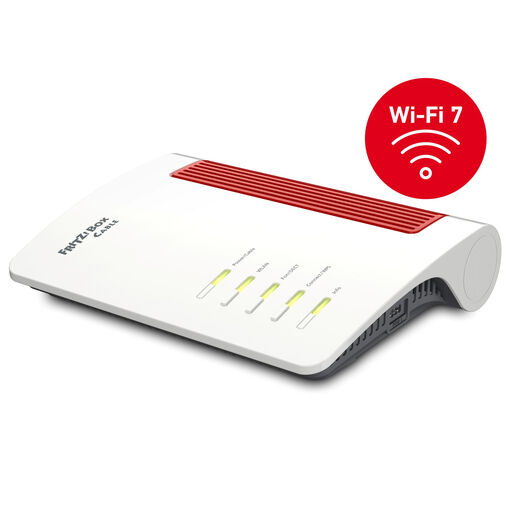
FRITZ!Box 6670 Cable, DOCSIS 3.1 Cable Router with Wi-Fi 7
Why This Fits Their Persona: This user wants to maximize their gigabit cable connection while creating a central control hub for their smart home. The combination of Wi-Fi 7, 2.5G LAN, and integrated Zigbee offers an all-in-one solution for the highest demands.
The device combines all crucial parameters: it's a user-owned router model with DOCSIS 3.1, Wi-Fi 7, a 2.5-Gigabit port, and a Zigbee hub. This allows it to bypass all three common pitfalls and provide a high-performance platform for the long term.
An integrated solution for internet, Wi-Fi, telephony, and smart home in one device; support for FRITZ!Mesh for seamless Wi-Fi coverage.
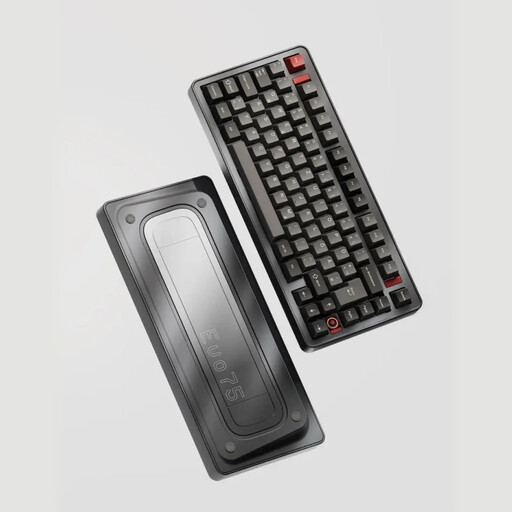
Ticktype EVO75 Custom Tri-Mode Wireless Mechanical Keyboard
Why This Fits Their Persona: Anyone who invests in a high-performance network also values high-quality peripherals. This mechanical keyboard offers a precise typing experience and flexible connectivity options for an optimized workspace.
Avoids the compromise of standard office keyboards. Its hot-swap capability and regional layout (e.g., ISO-DE) provide a customizable solution tailored to the local market that outlasts a simple peripheral.
Robust aluminum case for durability; Tri-Mode connectivity (Bluetooth, 2.4G, USB-C) for maximum flexibility between different devices.
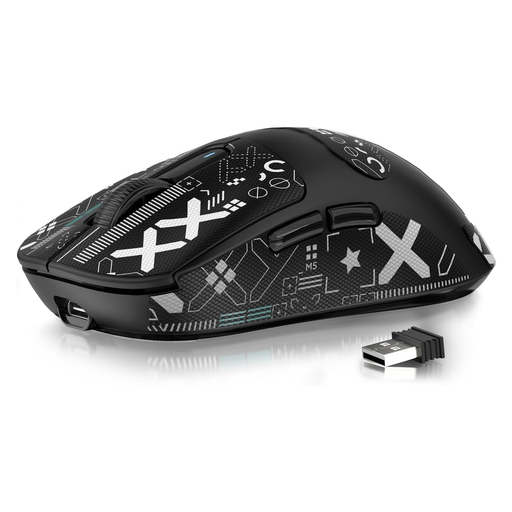
ATTACK SHARK X3 Wireless Gaming Mouse PAW3395 Superlight
Why This Fits Their Persona: For gamers, every millisecond counts. After optimizing the internet connection with a powerful router, a precise and fast mouse is the next logical step to minimize latency in the signal chain.
Avoids the pitfall of pairing a fast internet connection with a slow or imprecise mouse. The PAW3395 sensor and high polling rate are specifically designed for competitive gaming and prevent input lag.
Extremely low weight of 49g for rapid movements; high-precision PAW3395 sensor for accurate tracking.
Looking for more options?
We have compiled a complete, up-to-date list of products that fully meet these strict selection criteria and local regulations.
Frequently Asked Questions (FAQ)
Is the FRITZ!Box 6670 Cable compatible with my cable provider (e.g., Vodafone, PYUR, Xfinity, Spectrum)? Yes, due to legally mandated router freedom in many countries like Germany, you can operate the FRITZ!Box 6670 Cable on any cable connection. The device supports the DOCSIS 3.1 standard and is therefore compatible with all major cable networks. For activation, you typically need to provide the CM-MAC address and serial number of the device to your provider, which can usually be done through their customer portal.
Is it worth upgrading to Wi-Fi 7 in 2026? Even as the adoption of Wi-Fi 7-enabled devices is still growing, purchasing a compatible router is a future-proof decision. You can already benefit from advantages like lower latency and more stable performance in wireless networks with many devices. Your home network will be optimally prepared for upcoming smartphones, laptops, and other devices that will use this standard.
Do I need an additional bridge for the smart home function with Zigbee? No, a key advantage of the FRITZ!Box 6670 Cable is its integrated Zigbee 3.0 base station. You can connect compatible smart home devices, such as Philips Hue or IKEA Home smart light bulbs, directly to the router without needing the manufacturer's bridge. The devices are managed and controlled centrally via the FRITZ!OS user interface.