
Buying Printer Cartridges: A Guide to Avoiding Costly Mistakes
The "Ink almost empty" message always appears at the worst possible moment. The search for a replacement quickly becomes a challenge: countless models, vague compatibility claims, and a vast price range make the decision difficult. Those who aren't careful when buying printer cartridges or toner often pay twice—whether through damaged equipment or unusable prints.
This guide will help you navigate the common pitfalls and make an informed decision based on objective criteria.
The 3 Most Common Traps When Buying Printer Cartridges
Before you buy new ink cartridges or toner, you should be aware of the common marketing traps that lead to frustration and unnecessary costs.
- The "Super-Cheap" Trap: Extremely cheap, unbranded cartridges entice with enormous savings. The disappointment is often significant: the print quality is subpar, the colours deviate wildly, or the cartridge isn't even recognised by the printer. In the worst-case scenario, leaking ink or faulty chips can permanently damage the printhead, resulting in a costly repair.
- The Compatibility Scam: Many suppliers advertise "100% compatible," but the reality is often different. Printer manufacturers regularly update their device firmware, often with the goal of blocking the use of third-party cartridges. A compatible ink cartridge that works today may become useless after the next automatic update.
- The Vague Page Yield: Page count specifications are often misleading. Without a reference to a standardised measurement method (like the ISO/IEC standard with 5% page coverage), comparing the cost per page is impossible. A cartridge may seem budget-friendly, but it might have such a low fill volume that it ends up being more expensive than an XL original cartridge.
The Decisive Criteria: What to Look for When Buying
To avoid a bad purchase, focus on three verifiable parameters. These will help you find the right printer ink or toner for your needs.
Original vs. Compatible: More Than Just a Question of Price
The choice between original manufacturer equipment (OEM) and compatible third-party products is fundamental.
- Original toner and ink cartridges (e.g., Canon printer cartridges, Brother toner) are produced by the printer manufacturer. They guarantee maximum compatibility and are precisely tailored to the specific device. The chips on the cartridge communicate flawlessly with the printer's firmware, ensuring an accurate ink level display and consistent print quality.
- Compatible ink cartridges are produced by third-party manufacturers. High-quality compatible products, such as those available for models like the Brother TN-247 or HP CF540X, can be a cost-effective alternative for printing standard documents. The quality of the integrated chip and the ink composition are crucial here.
Understanding Page Yield and Fill Volume (ISO Standard)
The page yield indicates how many pages a cartridge can print. Ensure that this specification is based on an ISO standard (e.g., ISO/IEC 24711 for inkjet printers). This standard defines a standard page with 5% coverage, which is roughly equivalent to a normal business letter. This is the only way to fairly compare the cost per page. Cartridges marked "XL" or "High Yield" offer a higher fill volume and are often the more economical choice for high-volume users.
Ink or Toner: The Right Technology for Your Needs
The type of consumable depends on your printer technology:
- Printer ink is used in inkjet printers. A distinction is made between dye-based ink for brilliant photo prints and pigment-based ink for sharp, long-lasting text documents.
- Toner is a fine powder used in laser printers. It is ideal for quickly printing large volumes of text documents, as the prints are immediately smudge-proof and precise. So if you primarily buy toner for the office, document permanence is an important factor.
Picks for Different User Profiles
Here are some recommendations tailored to specific user needs that avoid the pitfalls mentioned.
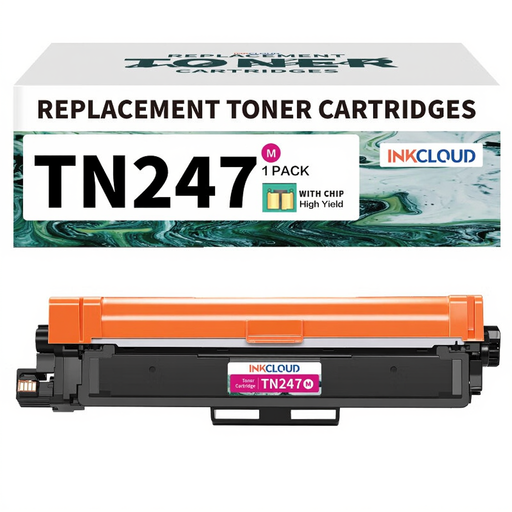
inkcloud TN247 Compatible Toner for Brother TN-243CMYK
Why This Fits Their Persona: Ideal for users who mainly print text documents and want to reduce their running costs without compromising on core reliability. A great choice for a Brother laser printer in a home office.
This toner bypasses the compatibility trap as it was explicitly developed for popular models like the Brother TN-247. This reduces the risk of detection issues common with no-name, low-cost products.
Significant cost savings compared to the original toner, with solid print quality for everyday documents.
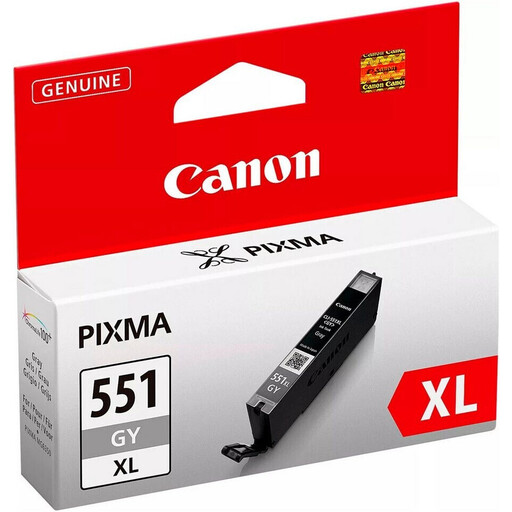
CANON Ink CLI-551XLGY Grey
Why This Fits Their Persona: For users with the highest demands for colour and tonal accuracy, especially for high-quality photo prints where special inks like grey are essential for fine gradations.
As an Original Canon Ink (model Canon CLI-551), it guarantees 100% compatibility and works seamlessly with the ChromaLife100+ system. This prevents the poor colour accuracy and rapid fading common with cheap alternatives.
Produces detailed and long-lasting photo prints with precise grey tones, which are crucial for professional black-and-white photography. The XL size also offers a higher page yield.
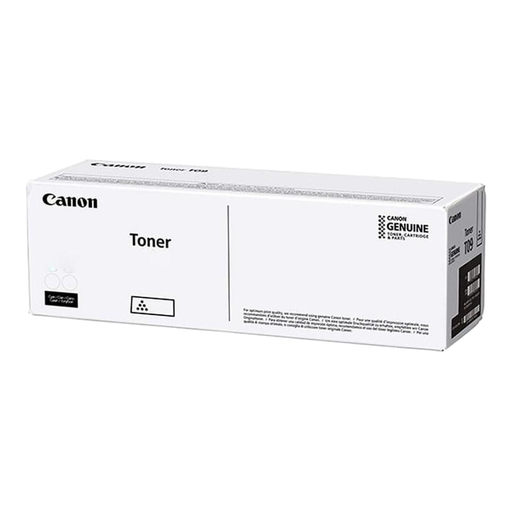
Canon Toner C-EXV64C Cyan 5754C002
Why This Fits Their Persona: Perfect for businesses with high colour printing volumes where minimising downtime and cost-per-page is critical. Suitable for Canon imageRUNNER ADVANCE systems.
This toner avoids the vague page yield trap with a clearly declared, enormous capacity of 25,500 pages (per ISO standard). This allows for reliable calculations and predictable, low operating costs.
The extremely high page yield significantly reduces replacement frequency and total printing costs. As an original product, it also ensures optimal system performance.
Looking for More Options?
We've compiled a complete, up-to-date list of products that fully meet these strict selection criteria.
Frequently Asked Questions (FAQ)
Does using compatible cartridges void the printer warranty?
No. Within the EU, manufacturers cannot void the statutory or manufacturer's warranty solely because third-party consumables were used. The manufacturer would have to prove that the damage to the printer was directly caused by the compatible cartridge. When using high-quality compatible cartridges, this risk is low.
How do I store printer cartridges and toner correctly?
To ensure quality and longevity, you should store consumables correctly:
- Packaging: Keep the cartridges in their original, sealed packaging until you are ready to use them.
- Storage Location: Store them in a cool, dry place away from direct sunlight.
- Orientation: Ink cartridges should generally be stored upright to prevent the printhead from drying out. Toner can be stored horizontally.
What does the page yield specification (e.g., at 5% coverage) mean?
This specification is based on an international ISO standard and is used for comparability. A page coverage of 5% corresponds to a short, unformatted text on an A4 page. A full-page photo or a page with a lot of text and graphics has significantly higher coverage and will reduce the actual number of printable pages accordingly. However, the standard provides an objective basis for comparing the efficiency of different cartridges.