
Complete AM5 Motherboard Purchase Guide
Choosing the right motherboard is the foundation of any high-performance, stable PC build. The market can be especially crowded and confusing with the introduction of new platforms like Socket AM5 for AMD's Ryzen processors. Manufacturers promote a flood of technical specs and marketing buzzwords that make it difficult to make an informed decision. As your Joybuy Product Recommendation Officer, I'm here to help you separate fact from fiction and find an AM5 motherboard that truly fits your needs.
Before we dive into our recommendations, let's highlight two common pitfalls that often lead to buyer's remorse:
- The "Gaming" Marketing Trap: Many models advertised as a "Gaming Motherboard" justify their premium price with elaborate RGB lighting and aggressive aesthetics. However, these visual features have no impact on actual performance. What truly matters are stable power delivery (VRM), effective heatsinks, and future-proof connectivity—factors often buried in the fine print.
- Mismatching Your Chipset and Features: Choosing an over-specced X870E motherboard for a mid-range CPU is just as cost-ineffective as pairing a high-end Ryzen 9000 series processor with an entry-level board that bottlenecks its performance. A realistic assessment of your actual needs for PCIe 5.0 slots, M.2 ports, and networking technologies like WiFi 7 will protect you from unnecessary spending and performance bottlenecks.
What Really Matters in an AM5 Motherboard
To make the right choice, you need to understand three core technical parameters that significantly influence your system's performance and longevity.
1. Power Delivery (VRM) – The Heart of Stability
The Voltage Regulator Modules (VRM) are responsible for supplying the CPU with clean, stable voltage. A high-quality VRM configuration, often described by its phase design (e.g., 14+2+1 phases), is crucial for system stability, especially with demanding processors and when overclocking. A robust VRM with good heatsinks prevents overheating and performance throttling under load. This is far more important than any LED lighting.
2. Connectivity – PCIe 5.0, M.2 Slots, and Networking
The AM5 platform introduced standards like DDR5 memory and PCIe 5.0. Pay attention to the following:
- PCIe 5.0 x16 Slot: This is relevant for future generations of graphics cards. While current models still perform well on PCIe 4.0, a PCIe 5.0 slot offers higher bandwidth and therefore better future-proofing.
- M.2 Slots: Check the number and speed of the M.2 ports. A PCIe 5.0 M.2 slot enables extremely fast SSD speeds, which is especially beneficial for video editing or loading large datasets. However, for most users, fast PCIe 4.0 slots are perfectly sufficient.
- Networking and USB: A motherboard with WiFi 7 and Multi-Gigabit LAN (2.5G or 5G) provides faster, more stable network connections. The number and speed of USB ports, especially the inclusion of USB4 or Thunderbolt, can also be a decisive factor for content creators who use many external devices.
3. Choosing the Right Chipset: X870E vs. B850
For Socket AM5, there are several chipsets that differ in features and price. The two most relevant for 2026 are:
- X870E Motherboard: The enthusiast-grade chipset. It offers the maximum number of PCIe 5.0 lanes for both the graphics card and M.2 SSDs and is designed for extreme overclocking. It's the right choice for users who need the absolute maximum in performance and connectivity.
- B850 Motherboard: The mainstream chipset. It offers a balanced mix of features, including support for CPU overclocking and typically at least one PCIe 5.0 slot for the graphics card. For most gamers and all-around users, a B850 motherboard represents the sweet spot between price and performance.
Our Expert Product Selections
Here are three recommendations tailored to different user profiles and budgets, all of which avoid the pitfalls mentioned earlier.
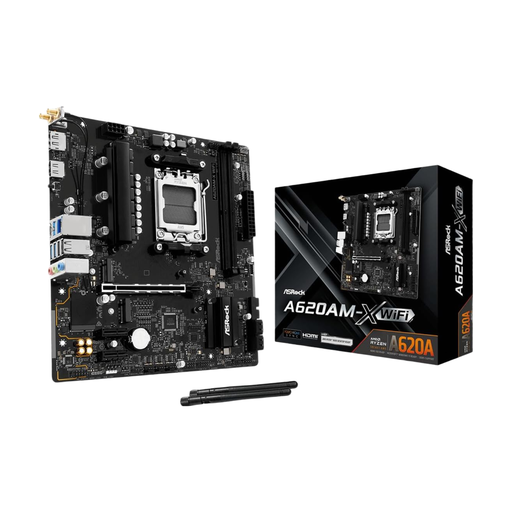
ASRock A620AM-HVS Motherboard AM5 Socket
Why it's a great fit: This board offers a cost-effective entry point into the Socket AM5 platform. It focuses on essential features like DDR5 support and a PCIe 4.0 slot, making it ideal for users looking to build a future-ready system on a tight budget.
It deliberately skips expensive "gaming" features and focuses on a stable foundation. You're not paying for RGB lighting, but for compatibility with modern CPUs and DDR5 memory.
Provides a solid foundation with a PCIe 4.0 x16 slot and an M.2 port, which is perfectly sufficient for most entry-level and mid-range builds.
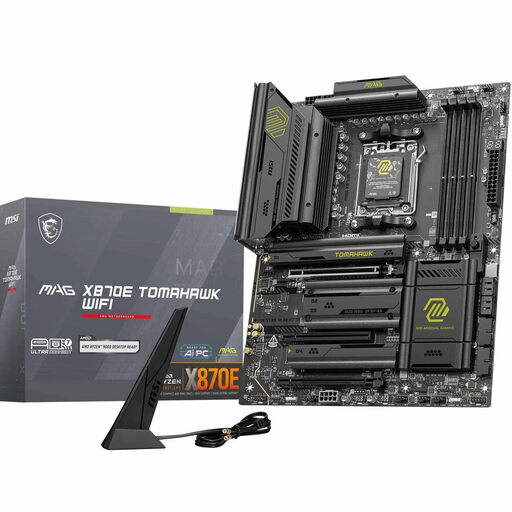
MSI MAG X870E Tomahawk WiFi Mainboard
Why it's a great fit: This ATX motherboard is an excellent choice for demanding users. It combines a powerful 14+2+1 phase VRM for high-end Ryzen 9000 series CPUs with future-proof features like PCIe 5.0 for the GPU and two M.2 SSDs, WiFi 7, and 5G LAN.
It offers high-end features of an X870E motherboard without reaching the price of top-tier models. The focus is clearly on technical substance like power delivery and connectivity, not on aesthetic frills.
An excellent balance of price, performance, and future-proofing. The combination of a strong VRM, dual PCIe 5.0 M.2 slots, and state-of-the-art networking makes it a long-lasting platform.
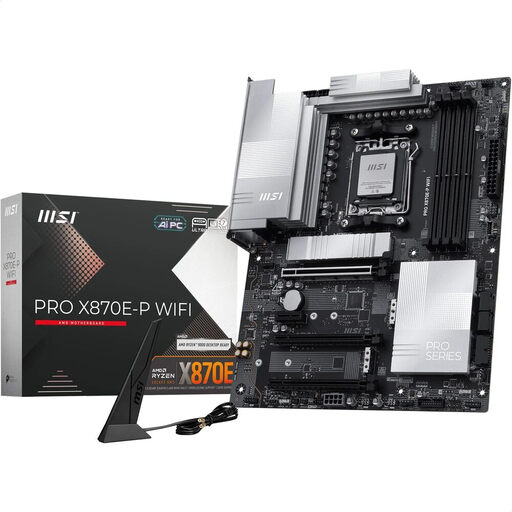
MSI PRO X870E-P WIFI Motherboard
Why it's a great fit: For users who refuse to compromise. This board offers an extremely robust 14+2+1 power delivery system, full PCIe 5.0 support for the GPU and M.2, WiFi 7, 5G LAN, and a USB4 port. It's designed for maximum stability and performance under sustained load.
Its price is justified by tangible technical advantages: superior power delivery, extensive cooling, and maximum connectivity. It's a tool for performance, not just a design piece.
Maximum features for demanding workloads and overclocking. The combination of a strong VRM, comprehensive cooling, and cutting-edge interfaces like USB4 makes it an investment in the future.
Looking for more options?
We've compiled a complete, real-time updated list of products that fully meet these strict selection criteria and industry safety standards.
Frequently Asked Questions (FAQ)
Is an X870E motherboard necessary for gaming?
Not necessarily. For most gaming systems, even those with high-end CPUs, a well-equipped B850 motherboard is often perfectly sufficient. An X870E motherboard makes sense if you plan to use multiple PCIe 5.0 devices (e.g., a graphics card and multiple Gen5 SSDs simultaneously) or want to engage in extreme overclocking. For gaming alone, the added value is often minimal.
How long is Socket AM5 expected to be supported?
Based on public statements from AMD, the company aims to support platforms like Socket AM5 across multiple processor generations, similar to its predecessor, AM4. AMD has committed to support until at least 2025, which indicates good longevity and future upgrade paths for your AM5 motherboard.
Will I need a BIOS update for a Ryzen 9000 processor?
Motherboards with the new X870E and B850 chipsets are generally compatible with Ryzen 9000 series processors out of the box. If you purchase an older AM5 motherboard (e.g., one with an X670 or B650 chipset), a BIOS update will likely be required to ensure compatibility. It is always advisable to check the CPU compatibility list on the motherboard manufacturer's website before buying.