
Buyers Guide for Choosing Business Computers
Choosing a new business computer can quickly become overwhelming. Manufacturers promote a flood of technical specifications and marketing terms that often obscure more than they clarify. For professional users whose productivity depends on the reliability of their hardware, poor decisions can be costly—not just in the initial purchase, but also through lost productivity. Before you invest, you should be aware of the most common pitfalls.
1. The "Pro" Trap: Many devices designed for personal use are marketed with a "Pro" or "Business" label without possessing the essential features of professional hardware. They often lack crucial security functions, a robust build quality, or the software suite necessary for business environments.
2. Hidden Operating Costs: The purchase price is only one part of the equation. Cheaper devices can incur higher long-term costs due to greater energy consumption, a lack of upgradability, and no professional support. A true business computer is designed for longevity and a low Total Cost of Ownership (TCO).
3. Ignored AI Performance: The next generation of software will be heavily based on artificial intelligence. A device without a dedicated AI processing unit (NPU) will perform these tasks more slowly and less efficiently. Buying a computer without this technology could mean you miss out on key productivity advantages in the near future.
What Really Matters When Making Your Selection
To make an informed decision, you should focus on a few crucial technical parameters that distinguish a true business computer from a consumer device.
Processor Architecture: CPU with an NPU
Modern processors, such as the Intel Core Ultra series or AMD's Ryzen AI CPUs, integrate a Neural Processing Unit (NPU). This specialised unit is designed to execute AI tasks like real-time captioning in video conferences, intelligent image editing, or predictive data analysis directly on the device. This is not only faster but also more secure, as sensitive data does not need to be sent to the cloud. An AI PC with an NPU is therefore a future-proof investment for professional users and computers for creatives.
Form Factor: A Fit for Your Workspace
The choice of the right chassis depends entirely on your work environment and requirements:
- Desktop PC for Work: Tower or SFF (Small Form Factor) cases offer the most power, the best cooling options, and the easiest upgradability. They are the first choice for fixed workstations where maximum computing performance is required.
- Business Laptop / Mobile Workstation: For hybrid work or frequent business travel, mobility is key. A business laptop is distinguished by its durable chassis, long battery life, and lightweight design. A mobile workstation adds a dedicated graphics card for demanding visual applications.
- All-in-One Office PC / Mini PC with Windows 11 Pro: These form factors are ideal for workspaces with limited room or for a minimalist aesthetic. An All-in-One PC integrates all components into the monitor, while a Mini PC is so small it can be mounted behind the screen.
Security and Management: TPM 2.0 and Windows 11 Pro
Two features are essential for professional use. A TPM 2.0 (Trusted Platform Module) chip is a security chip integrated directly onto the motherboard that securely stores cryptographic keys, protecting the system from unauthorised access. Windows 11 Pro offers crucial advantages for businesses over the Home version, including BitLocker disk encryption, the ability to join a corporate domain, and advanced remote management features.
Products for Your Priorities
Here are some configurations tailored to specific professional requirements that avoid the pitfalls mentioned.
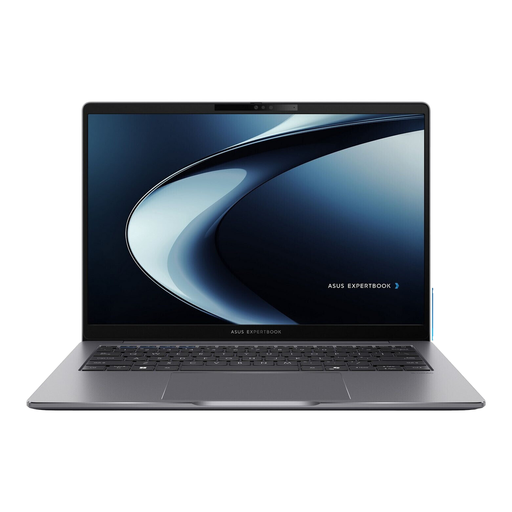
ASUS ExpertBook P3 P3405CVA-NZ0415X
Why it's a good fit: Weighing just 1.4 kg and featuring a durable chassis, this business laptop is ideal for commuters and field staff. The combination of a powerful processor and long battery life ensures productivity on the go.
This device is not a rebadged consumer product. It features Windows 11 Pro, a TPM security chip, and connectivity designed for daily business use, including an RJ45 LAN port.
A balanced combination of high mobility (1.4 kg), professional security features, and a high-resolution WQXGA display.
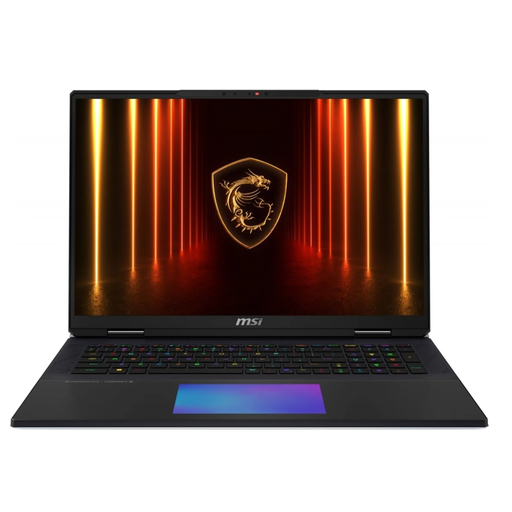
MSI Titan 18 HX AI A2XWJG-656
Why it's a good fit: This mobile workstation is designed for extreme performance demands. It's ideal for 3D rendering, 8K video editing, or complex data simulations that require massive CPU and GPU power.
This device avoids the pitfall of inadequate graphics performance. It combines an Intel Core Ultra 9 processor with an extremely powerful, dedicated NVIDIA GeForce RTX 5090 graphics card and a colour-calibrated Mini-LED display.
Delivers performance on par with a high-end desktop in a portable form factor, including cutting-edge ports like Thunderbolt 5 and Wi-Fi 7.
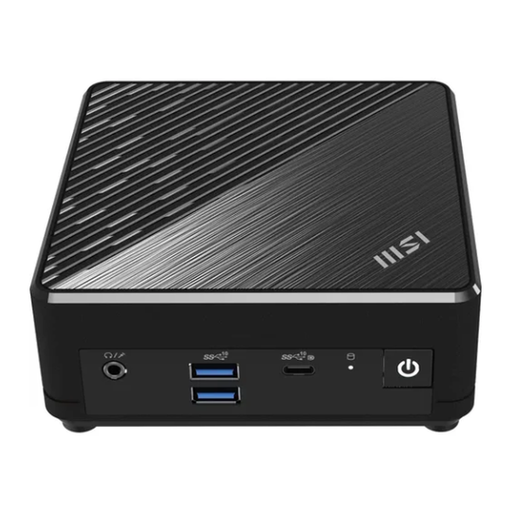
MSI Cubi N ADL S-254AT
Why it's a good fit: This Mini PC with Windows 11 Pro is the solution for clutter-free desks. It's small enough for VESA mounting behind a monitor yet provides all the ports and performance needed for standard office applications.
Unlike basic consumer mini PCs, this model offers professional features crucial for business operational reliability, including Windows 11 Pro and dual LAN ports for network redundancy.
Extremely compact, energy-efficient, and quiet operation, combined with professional connectivity and software.
Looking for more options?
We have compiled a complete, up-to-date list of products that fully meet these strict selection criteria and rigorous security standards.
Frequently Asked Questions
How long does a business computer last on average?
The expected lifespan of a business computer is typically between three and five years. Business-grade models are often built with higher-quality components and manufactured to stricter standards, which increases their durability compared to consumer devices. Regular maintenance and the ability to upgrade components like RAM or the SSD can further extend their useful life.
Is an AI PC with an NPU really necessary for office work?
For everyday tasks like email or word processing, an NPU is not yet essential. However, for future software that relies more heavily on artificial intelligence (e.g., live translations in video conferences, advanced data analysis), an AI PC will offer significant speed and efficiency advantages. Since these computations happen locally on the NPU, the process is faster and more secure. It is therefore a forward-thinking investment.
What is the difference between Windows 11 Home and Pro for a business?
Windows 11 Pro includes crucial features for professional use that are missing from the Home version. These include BitLocker device encryption to protect data in case of theft or loss, Remote Desktop for remote access to your work computer, and centralised management tools for IT departments to efficiently control policies, updates, and devices across the network.