
PC Monitor Buying Guide: How to Avoid Costly Mistakes
The search for the right PC monitor can quickly become overwhelming. Manufacturers advertise a flood of technical specs, but not every specification delivers on its promise. Often, well-intentioned purchases lead to disappointment when the image quality fails to impress in daily use or essential features are missing. Before you make a decision, it's crucial to recognize the most common marketing traps and understand which features truly matter for your specific needs.
This guide will help you cut through the noise. We focus on the critical parameters and show you how to avoid three common pitfalls:
- The Empty HDR Promise: Many monitors advertise "HDR capability" without an official VESA DisplayHDR certification. The result is often a washed-out image instead of vibrant contrasts. True HDR requires high peak brightness and precise local dimming, which only certified devices reliably deliver.
- The Non-Functional USB-C Port: A monitor with USB-C isn't automatically a docking station. Cheaper models often only offer video signal transmission. However, for a clutter-free desk, a high power delivery of at least 65 watts and, ideally, an integrated LAN port are necessary to connect and charge a laptop with just a single cable.
- The Fixation on a Single Millisecond: A 1 ms response time is often promoted as a key gaming feature. However, a clear distinction is rarely made between GtG (Gray-to-Gray) and the less meaningful MPRT (Moving Picture Response Time). A low GtG time, combined with a high refresh rate and the right panel technology, is what's crucial for truly minimizing motion blur (ghosting).
What Really Matters When Making Your Choice
To avoid a bad purchase, you should base your decision on three core areas that directly impact image quality and daily usability.
Resolution and Screen Size: Finding the Right Balance
Pixel density, the ratio of resolution to screen size, determines the sharpness of the display. A 4K monitor (3840 x 2160 pixels) on a 27 to 32-inch screen offers an extremely sharp image, ideal for text, photo editing, and detailed games. For larger formats like a 34-inch monitor or wider, a WQHD monitor resolution (Wide Quad HD, 3440 x 1440 pixels) is a good compromise between sharpness and lower demand on the graphics card. So-called super ultrawide monitor models at 49 inches with a 5120 x 1440 resolution can replace two separate screens, enabling seamless multitasking.
Panel Technology and Refresh Rate: The Heart of the Display
Panel technology is crucial for color reproduction, contrast, and response speed.
- IPS (In-Plane Switching): Offers the highest color fidelity and stable viewing angles. A great choice for creative professionals and anyone who values accurate colors.
- VA (Vertical Alignment): Delivers significantly higher contrast ratios than IPS panels, resulting in deeper blacks. This creates a more immersive experience in dark scenes, especially on a curved monitor.
- OLED Monitor: Represents the current pinnacle of technology. Each pixel illuminates itself, resulting in perfect blacks, infinite contrast, and extremely fast response times.
The refresh rate, measured in Hertz (Hz), indicates how many frames are displayed per second. For a pure office monitor, 60 to 75 Hz is sufficient. For smooth gaming, especially in fast-paced esports titles, a 144Hz monitor or a model with an even higher frequency is a worthwhile investment.
Connectivity and Productivity Features
Modern workflows require flexible connectivity options. A monitor with a KVM switch is an extremely useful feature for users who want to switch between two computers (e.g., a work laptop and a personal PC) without having to unplug their mouse and keyboard. Combined with a powerful USB-C dock with Power Delivery and a LAN port, the monitor becomes the central hub for a minimalist and highly efficient workspace.
Recommended Products for Specific Needs
Instead of presenting a generic list, we've selected models that cater to specific user profiles and purposefully avoid the pitfalls mentioned earlier.
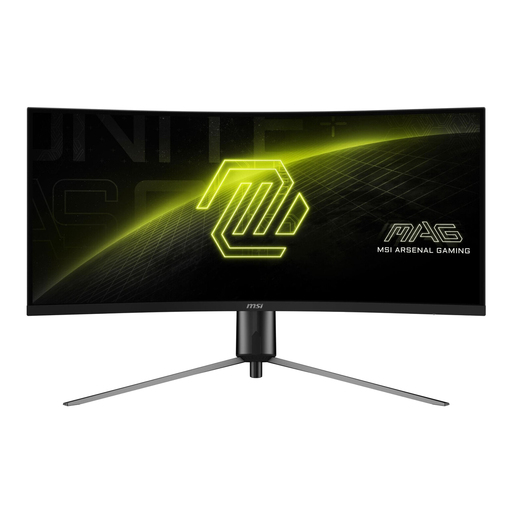
MSI MAG 345CQRDE, gaming monitor (34-inch, UWQHD, 180Hz)
Why This Fits Their Persona: With its 34-inch UWQHD panel and 180Hz refresh rate, this model offers an immersive and responsive gaming experience, equally suited for competitive titles and cinematic adventures.
It combines a high refresh rate with Adaptive Sync, which effectively prevents tearing and ensures a genuinely smooth picture—instead of just relying on a theoretical response time value.
The VA panel delivers a high native contrast ratio of 3000:1 for deep blacks. The combination of the curved monitor design and 180 Hz offers a high degree of immersion.
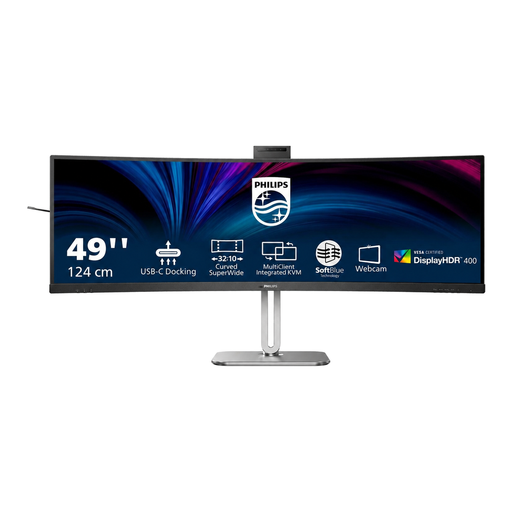
Philips 49B2U6900CH 49" DQHD Monitor
Why This Fits Their Persona: Ideal for financial analysts, developers, and demanding home office users. This 49-inch monitor replaces a dual-monitor setup and integrates a complete docking station, webcam, and KVM switch into one device.
The USB-C port is no gimmick here. It delivers 100W of power, Gigabit LAN, and serves as a full-fledged docking hub, radically reducing desk clutter.
The integrated SmartKVM switch allows control of two PCs with a single keyboard-mouse combo. The pop-up webcam with Windows Hello and a busylight is ideal for video conferences.
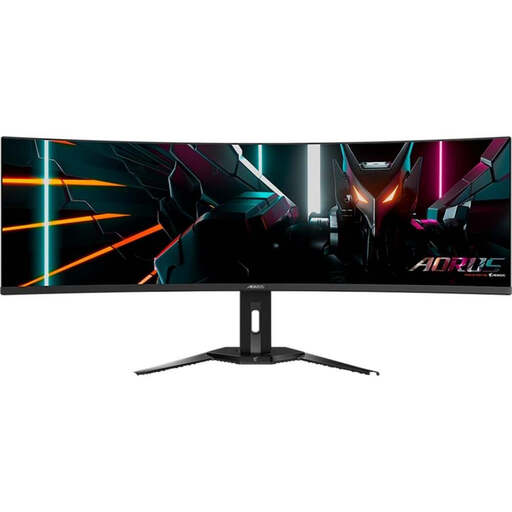
Gigabyte Aorus Curved Gaming Monitor CO49DQ OLED
Why This Fits Their Persona: For users who refuse to compromise. This OLED monitor combines the immersive width of a 49-inch display with the superior image quality and speed of QD-OLED technology.
It delivers true HDR thanks to VESA DisplayHDR True Black 400. Unlike LCDs with "fake HDR," it offers infinite contrast and the deepest blacks through per-pixel light control.
The QD-OLED technology enables an extremely low 0.03 ms (GtG) response time for smear-free gaming and 99% DCI-P3 color gamut coverage for professional-grade work.
Looking for more options?
We have compiled a complete, up-to-date list of products that fully meet these strict selection criteria and German safety regulations.
Frequently Asked Questions (FAQ)
H3: Is a curved monitor better for your eyes?
On wide monitors, especially ultrawide models 34 inches and larger, a curved monitor can reduce eye strain. The curvature matches the natural field of view, keeping the distance from your eyes to all parts of the screen more consistent. This can minimize head and eye movement and is perceived as more comfortable by many users. However, the effect is less pronounced on smaller monitors under 27 inches.
H3: What is a monitor with a KVM switch, and who is it for?
A KVM (Keyboard, Video, Mouse) switch allows you to control two different computers with a single set of a keyboard, mouse, and monitor. This is particularly useful for people who regularly switch between a company laptop and a personal desktop PC. Instead of replugging peripherals, a single button press on the monitor switches control.
H3: What is the difference between IPS, VA, and OLED panels?
The choice of panel technology has a major impact on image quality:
- IPS panels are the top choice for color-critical work like photo and video editing, as they offer the most accurate colors and the most stable viewing angles.
- VA panels are characterized by a high contrast ratio, which results in richer blacks. They are a good all-around solution for gaming and media consumption.
- OLED panels offer superior image quality with perfect blacks, as each pixel illuminates individually and can be turned off completely. They also have the fastest response times, making them ideal for high-end gaming. A potential downside is the risk of burn-in with static image content over long periods.