
Home Cinema Projector Buyer's Guide: Key Selection Tips
The idea of enjoying films, series, or sports events on a giant screen in the comfort of your own home is tantalising. A home cinema projector promises just that—an immersive experience that a standard television can hardly match. But the market is flooded with technical jargon and marketing promises that often confuse more than they clarify. Before you make a decision, it's crucial to understand the most common pitfalls that can lead to a bad purchase.
Many buyers invest in a device only to find that the image is too dim in daylight, the advertised 4K quality is a letdown, or the built-in streaming apps are unusable. This guide helps you avoid these problems by highlighting the critical features you should actually focus on.
The 3 Most Common Traps When Buying a Projector
To make an informed decision, it's essential to distinguish between exaggerated marketing claims and actual performance specs. Here are three typical marketing traps:
- Misleading Brightness Specs: Many manufacturers advertise with extremely high "lumen" figures that mean very little in practice. The only standardised and comparable value is ANSI lumens. A device with "9000 lumens" can actually be dimmer than a model with 500 ANSI lumens.
- The "4K Supported" Trick: A projector that "supports 4K" can receive a 4K signal, but it often projects the image at a much lower native resolution (e.g., 720p). The result is a downscaled, blurry image that is a far cry from true 4K quality. Always pay attention to the native resolution.
- Useless "Smart" Features: A smart projector is only truly intelligent if it has a modern operating system (like Android TV) and officially licensed apps. Devices without certification for apps like Netflix can often only stream content in low quality, or the app may stop working altogether after an update.
What Really Matters: The Crucial Specs
When making your choice, concentrate on a few, but decisive, technical specifications. These are the key determinants of the image quality and user-friendliness of your home cinema experience.
Brightness: ANSI Lumens as the Only True Standard
A projector's brightness determines whether you can use it only in a completely darkened room or also with some ambient light. Ignore marketing terms like "Lux" or "Light Source Lumens" and focus exclusively on the value in ANSI lumens.
- Under 500 ANSI Lumens: Suitable for completely darkened rooms. Ideal for movie nights in the bedroom or a basement cinema. Often found in very compact mini projectors.
- 500 - 1500 ANSI Lumens: A great choice for living rooms with controllable lighting (e.g., with curtains or blinds). These models are versatile enough for films, series, and casual gaming.
- Over 1500 ANSI Lumens: Necessary for bright rooms or for use as an outdoor projector at dusk. These devices can even partially replace a TV during the day.
Resolution: Why "Native" is the Keyword
The native resolution indicates how many physical pixels the projected image actually consists of. Here are the common standards:
- Native 1080p (Full HD): With 1920 x 1080 pixels, a Full HD projector offers a sharp and detailed standard for most applications. A native 1080p projector is the solid foundation for a high-quality home cinema and is often a better choice than a cheap projector that only pretends to support 4K.
- Native 4K: With 3840 x 2160 pixels, a 4K projector delivers four times the detail of Full HD. The result is an extremely sharp and realistic image, especially on large screens.
Setup and Connectivity: Convenience That Makes a Difference
Modern projectors take a lot of the setup work off your hands. Features like autofocus and automatic keystone correction ensure a perfectly aligned, sharp image in seconds, even if the projector is placed at an angle to the wall. A projector with Wi-Fi and Bluetooth also enables wireless streaming from your smartphone and the connection of external speakers or headphones without cable clutter. For a seamless streaming experience, a projector with Netflix certification or a full-fledged operating system like Google TV is crucial.
Find the right fit
Instead of making a one-size-fits-all recommendation, we have selected models that meet specific needs and avoid the pitfalls mentioned earlier.
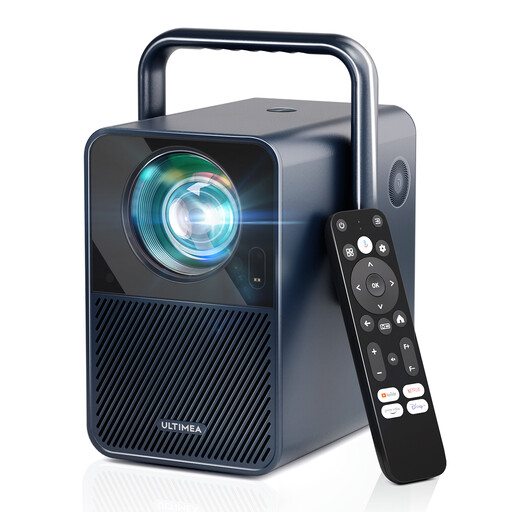
Ultimea Poseidon E40 Projector 1000 ANSI Lumens
Why This Fits Their Persona: This model is an all-in-one solution for hassle-free entertainment. With integrated Android TV 11 and official Netflix certification, there's no need for external streaming sticks. Ideal for families who want to get started right out of the box.
It bypasses the useless "smart" features trap with a full-fledged, licensed operating system. The specified 1000 ANSI lumens is an honest brightness rating suitable for living rooms.
Native 1080P resolution with 4K decoding, fast 6D auto-correction, and Dolby Audio speakers for a complete cinema experience without extra devices.
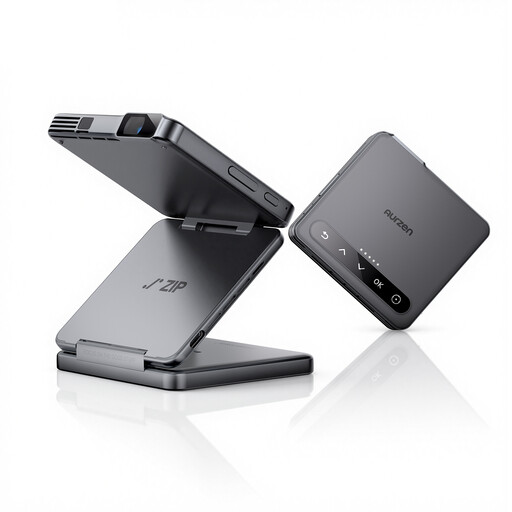
Aurzen Tri-Fold DLP Mini Projector
Why This Fits Their Persona: This portable projector is designed for those who need maximum flexibility. With its unique folding design and built-in 5000mAh battery, it's perfect for travel, backyard movie nights, or presentations on the go.
It solves the problem of cumbersome setup. The integrated stand and lag-free ToF autofocus deliver a sharp image in seconds, with no need for manual adjustments.
Ultra-compact design that fits in any bag. The battery provides up to 1.5 hours of video playback. DLP technology ensures good contrast and colour reproduction.
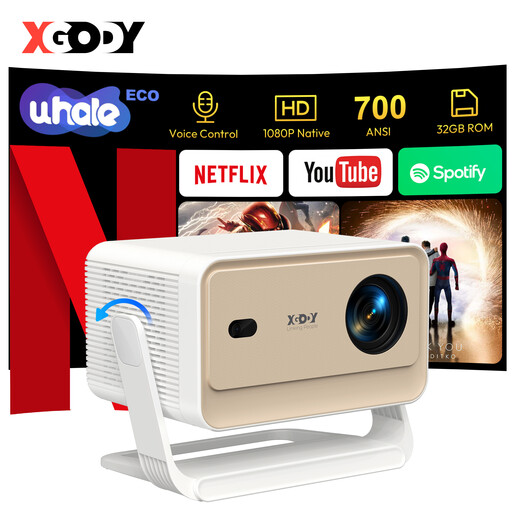
XGODY Gimbal N6 Pro Portable Projector
Why This Fits Their Persona: For anyone looking for excellent value for money without compromising on core features. This model provides a solid technical foundation for a first home cinema setup.
It avoids the "fake 4K" trap with a true native 1080P resolution. The 700 ANSI lumens is a realistic rating for evening use, and the official Netflix license guarantees functional streaming.
Comprehensive automatic features (autofocus, keystone, obstacle avoidance) in this price range. WiFi 6 and Bluetooth 5.4 ensure fast and stable connections.
Looking for More Options?
We've compiled a complete, up-to-date list of products that fully meet these strict selection criteria and safety regulations.
Frequently Asked Questions (FAQ)
1. How many ANSI lumens do I really need for my home?
This depends heavily on your lighting conditions. For a dedicated home cinema that can be completely blacked out, 300-500 ANSI lumens are sufficient. For a typical living room where there is still some ambient light even with the curtains closed, you should aim for at least 700 ANSI lumens. If you also want to use the projector during the day, models with 1500 ANSI lumens or more are recommended.
2. Can a home cinema projector completely replace a TV?
A projector can replace a TV, but there are trade-offs. The biggest advantage is the flexible and enormous picture size. Disadvantages include lower brightness compared to modern TVs, which limits use in very bright rooms, and the lamp life, which can degrade after several thousand hours. For movie nights and special events, a projector is unbeatable; for daily news viewing in daylight, a TV is often more practical.
3. What is the difference between keystone correction and lens shift?
Both features are used for image alignment. Keystone correction is a digital adjustment that straightens the image when the projector is not centered in front of the screen. However, this can lead to a slight loss of image quality. Lens shift is a mechanical feature on higher-end models where the lens is physically moved to position the image without any loss of quality. For most home users, a good automatic keystone correction is perfectly adequate.