
5-Port Network Switch: 2026 Buyer's Guide and Recommendations
A modern household or small office/home office (SOHO) has a growing number of devices that require a stable, wired internet connection: from PCs and gaming consoles to smart TVs and NAS systems. However, the LAN ports on a router are often insufficient. A 5-port network switch is a straightforward and effective solution for expanding your wired network.
This article serves as a guide. It explains the key criteria for selecting a suitable switch and presents several models for different use cases.
What to Look for When Choosing a LAN Switch
The decision for a network switch depends on your individual needs. The following points will help you make an informed choice.
1. Transfer Speed: Fast Ethernet, Gigabit, or 10G?
Speed is a crucial factor and determines how quickly data is transferred within your local network.
- Fast Ethernet (10/100 Mbps): This standard is sufficient for basic internet activities like web browsing or email. However, for data-intensive tasks such as HD streaming or fast downloads, it becomes a bottleneck.
- Gigabit Ethernet (10/100/1000 Mbps): A Gigabit switch is the current standard for most home and office networks. It offers enough bandwidth for 4K streaming, online gaming, and the rapid transfer of large files between devices on a home network switch.
- 10G Ethernet (up to 10 Gbps): A 10G switch is aimed at professional users and tech enthusiasts. It is ideal for connecting high-performance NAS systems, video editing workstations, or for building an ultra-fast home network for the most demanding tasks.
2. Installation and Operation: Plug and Play and Noise Level
For most home users and small offices, ease of use is essential.
- Plug and Play Switch: So-called "unmanaged switches" require no configuration. You simply connect them to the power outlet and the router, and the connected devices are ready to use immediately. All models presented here are based on this principle.
- Fanless Design: A desktop switch should ideally operate silently, especially if placed in a living or work area. Fanless models are the right choice here, as they are passively cooled and therefore generate no noise.
- Housing Material: Plastic housings are lightweight and cost-effective, while metal housings offer greater durability and better heat dissipation, which is particularly advantageous for more powerful models like a 10G switch.
Our Top 5-Port Network Switches for 2026
Based on the criteria mentioned, we have compiled a selection of TP-Link switches for various requirement profiles.
For All-Round Use: TP-LINK TL-SG1005D Gigabit Switch
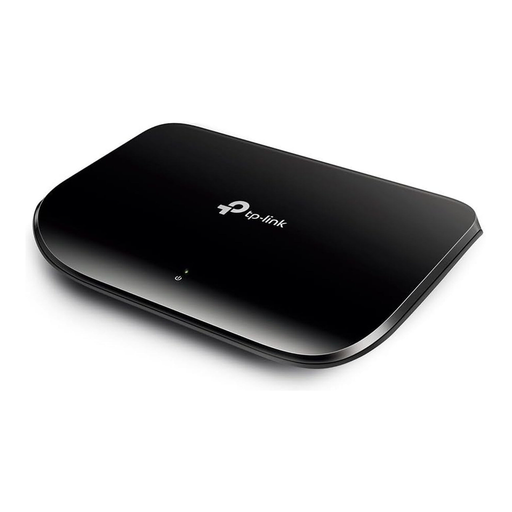
Why it stands out: The TP-Link TL-SG1005D is a well-balanced solution for most users. It combines the Gigabit speed necessary for modern networks with energy-efficient operation and simple handling.
Pros:
- Speed: 5 x 10/100/1000 Mbps RJ45 ports for fast data transfer.
- Energy Efficiency: Equipped with Green IT technology that, according to the manufacturer, can reduce power consumption by up to 70% by detecting inactive ports.
- Easy Installation: As a Plug and Play switch, no configuration is required.
- Silent Operation: The fanless design ensures quiet operation in the office or living room.
Who is it for? This model is recommended for home and SOHO users who need a reliable and fast network expansion for streaming, gaming, or working from home without breaking the bank.
For Budget-Conscious Users: TP-LINK TL-SF1005D Fast Ethernet Switch
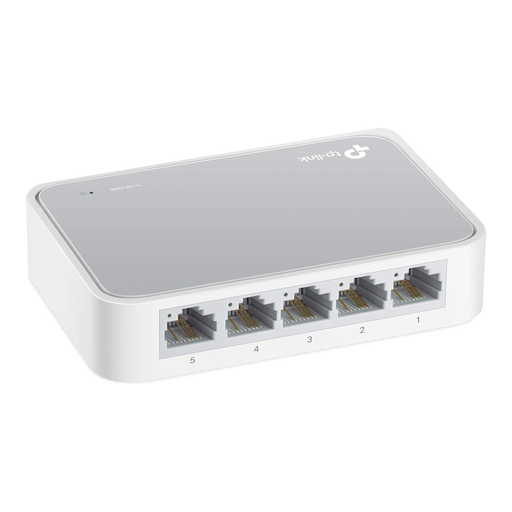
Why it stands out: The TP-Link TL-SF1005D focuses on the core function: expanding LAN ports at a very affordable price. It is a simple and functional solution for basic network requirements.
Pros:
- Cost-Effectiveness: A very inexpensive way to connect more devices via cable.
- Simplicity: 5 x 10/100 Mbps RJ45 ports with auto-negotiation and auto-MDI/MDIX.
- Compact Design: The small plastic housing fits on any desk.
- Low Power Consumption: This model also features Green IT technology to reduce energy consumption.
Who is it for? Users whose main goal is to add extra LAN ports for devices with low data traffic (e.g., printers, older consoles, or for simple web browsing) while staying on a tight budget.
For High-Performance Needs: TP-Link TL-SX105 10G Switch
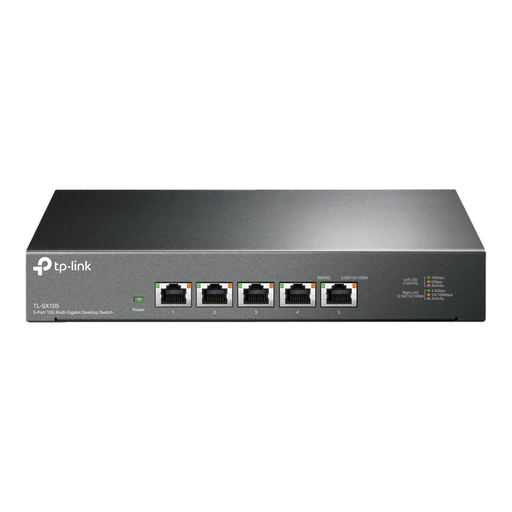
Why it stands out: The TP-Link TL-SX105 is designed for users who don't want to compromise on speed. With five 10-Gigabit ports, it offers tremendous performance for data-intensive environments, making it a future-proof investment.
Pros:
- Maximum Speed: 5 x 10 Gbps ports with a switching capacity of up to 100 Gbps.
- Flexible Connectivity: Supports 5 speed levels (100 Mbps, 1G, 2.5G, 5G, 10G) through auto-negotiation for optimal compatibility.
- Robust Construction: The sturdy metal housing ensures effective heat dissipation and longevity.
- Quiet Operation: Despite its high performance, the switch operates silently thanks to its fanless design.
Who is it for? This 10G switch is aimed at content creators, NAS system owners, gamers, and small businesses that regularly move very large amounts of data and want to fully leverage the performance of modern hardware and fast internet connections.
Need a Different Configuration?
The models presented here are a selection of common 5-port solutions. If you need more ports or are looking for switches with specific features like Power over Ethernet (PoE), you can find more options in our main category.
Discover our entire range of network switches and find the right solution for your needs.
Frequently Asked Questions (FAQ)
What is the difference between a hub, a switch, and a router?
A hub is an outdated technology that sends data packets to all connected devices, which slows down the network. A switch is more intelligent and forwards data specifically to the intended recipient device, significantly increasing efficiency. A router connects different networks (e.g., your home network to the internet) and is responsible for assigning IP addresses. A switch operates within an existing network created by a router.
Does a network switch slow down internet speed?
A switch does not slow down the speed provided by your internet service provider. It distributes the connection among the connected devices. The maximum speed within your local network is determined by the switch. A Gigabit switch can transfer data between your devices at up to 1 Gbps. However, if you connect a Fast Ethernet switch (100 Mbps) to a Gigabit internet connection (e.g., 500 Mbps), the switch will become a bottleneck and limit the throughput for the devices connected to it to 100 Mbps.
How do I install a network switch?
Installing an unmanaged switch is very simple and follows the plug-and-play principle:
- Connect the switch to a power outlet using the included power adapter.
- Connect one of the switch's ports to a free LAN port on your router using an Ethernet cable.
- Connect your end devices (PC, game console, printer, etc.) to the remaining ports on the switch. No software installation or further configuration is necessary.