
27-Inch WQHD Mini LED Gaming Monitor Buying Guide
Choosing a new gaming monitor can be a daunting task given the sheer number of technologies and specifications. A solid basis for your decision is crucial, especially in the high-end segment, where terms like Mini-LED, WQHD, high refresh rates, and HDR certifications dominate. This article serves as your guide. It explains the key features of a modern 27-inch WQHD Mini LED gaming monitor and presents a selection of models tailored to specific user profiles.
What to Look for When Choosing a Gaming Monitor
Before we dive into specific models, let's clarify some technical fundamentals. These parameters are critical for the performance and image quality of your future monitor.
1. Resolution and Refresh Rate: The Gaming Sweet Spot
The combination of screen size, resolution, and refresh rate is what primarily defines the gaming experience. A 27-inch PC monitor with WQHD (2560 x 1440 pixels) resolution offers a high pixel density of approximately 109 PPI (Pixels Per Inch). This ensures a sharp and detailed image without putting as much strain on the graphics card as a 4K resolution.
At the same time, modern graphics cards can achieve high frame rates in WQHD. A WQHD monitor with 170Hz or more renders fast motion more smoothly and clearly than a standard 60Hz monitor. For competitive titles and monitors for fast-paced games, a refresh rate of at least 144Hz combined with a low response time is highly recommended.
2. Panel Technology: The Advantages of Mini-LED and HDR
Mini-LED backlighting is an evolution of conventional LED technology. Thousands of tiny LEDs are grouped into zones that can be dimmed independently (Local Dimming). The results are deeper blacks, significantly higher contrast, and more precise brightness control.
This is the foundation for a high-performance HDR gaming monitor. HDR (High Dynamic Range) expands the displayable range of colours and brightness. Look for certifications like VESA DisplayHDR 600 or higher to ensure that bright highlights and dark shadows are rendered with rich detail and without information loss.
3. Synchronisation and Response Time: For a Smooth Image
Screen tearing, the visual artefact where the image appears to split during fast camera pans, disrupts immersion. Adaptive-Sync technologies synchronise the monitor's refresh rate with the graphics card's frame output. The most common standards are AMD FreeSync Premium and NVIDIA G-Sync. Many monitors are officially G-Sync Compatible, which means they also work seamlessly with NVIDIA graphics cards.
Response time, measured in milliseconds (ms), indicates how quickly a pixel can change its colour. A value of 1ms (GTG - Grey-to-Grey) is the standard for gaming monitors to minimise motion blur and ghosting.
Top Gaming Monitor Picks
Based on the criteria above, we have compiled a selection of monitors that cover different needs.
TCL 27G64 27-Inch QD Mini LED Gaming Monitor
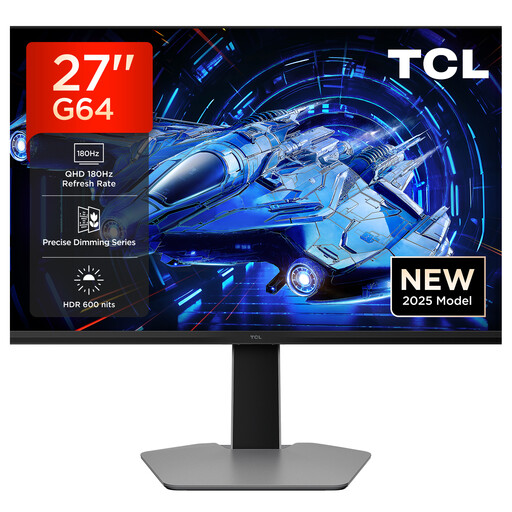
Why this model stands out: The TCL gaming monitor 27G64 combines the core features that demanding PC gamers look for: a 27-inch diagonal with a sharp WQHD resolution, a very fast refresh rate, and advanced QD-Mini-LED technology for outstanding image quality.
Advantages:
- Display: 27-inch QD Mini-LED panel
- Resolution: QHD (2560 x 1440 pixels)
- Refresh Rate:180Hz
- Response Time:1ms (GTG)
- Brightness & HDR: HDR 600 with 600 nits peak brightness
- Synchronisation: AMD FreeSync, G-Sync Compatible
Who is this model for? This model is an excellent choice for PC gamers seeking a high-performance all-rounder for fast-paced esports titles and graphically rich single-player games. The combination of WQHD resolution and 180Hz offers a smooth yet detailed gaming experience.
AOC Gaming U27G4XM 27" 4K UHD MiniLED Monitor
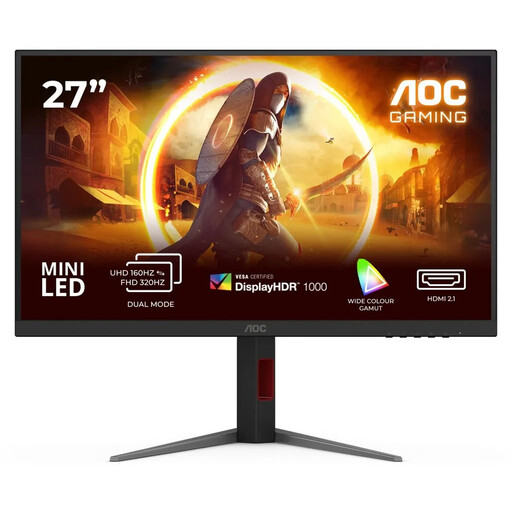
Why this model stands out: The AOC U27G4XM is aimed at users who want maximum image sharpness and an extremely high refresh rate. With its 4K UHD resolution and a 320Hz refresh rate, it sets a new standard for detail and fluidity, provided your hardware can deliver that performance. The Mini-LED backlight with 1,152 zones and DisplayHDR 1000 ensures an impressive HDR presentation.
Advantages:
- Display: 27-inch Fast IPS with Mini-LED backlight (1,152 zones)
- Resolution: 4K UHD (3840 x 2160 pixels)
- Refresh Rate:320Hz
- Response Time:1ms (GTG)
- Brightness & HDR: VESA DisplayHDR 1000
- Synchronisation: AMD FreeSync & G-Sync Compatible
Who is this model for? Ideal for esports enthusiasts and owners of high-end PCs who don't want to compromise on image sharpness and speed. This model is also worth considering for content creators who need a colour-accurate monitor for 4K video editing and demanding gaming.
TCL 34R83Q 34-Inch WQHD Curved Gaming Monitor
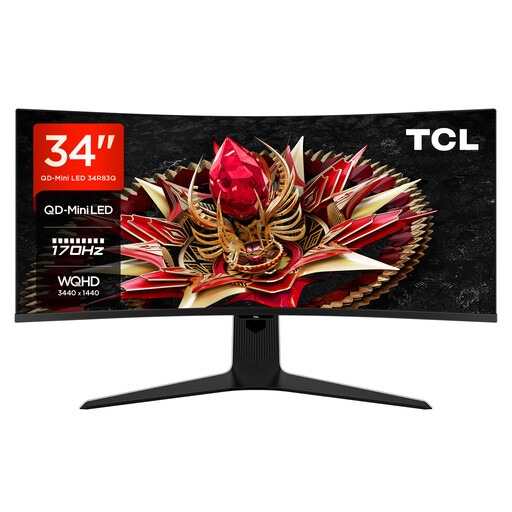
Why this model stands out: The TCL 34R83Q offers an immersive experience with its 34-inch, curved (1500R) ultrawide panel in a 21:9 aspect ratio. The Mini-LED technology with 1,152 dimming zones and a peak brightness of 1600 nits (DisplayHDR 1400) enables one of the most impressive HDR displays on the market.
Advantages:
- Display: 34-inch Curved Gaming Monitor (1500R) with QD-Mini-LED
- Resolution: Ultrawide QHD (3440 x 1440 pixels)
- Refresh Rate:170Hz
- Response Time:1ms (GTG)
- Brightness & HDR: VESA DisplayHDR 1400 with 1600 nits peak brightness
- Synchronisation:FreeSync Premium
Who is this model for? Perfect for players of racing simulations, role-playing games, and strategy games who benefit from the wider field of view. Thanks to its 21:9 aspect ratio and high brightness, the monitor is also excellent for productivity tasks and watching movies in a cinematic format.
Looking for More Options?
The selection presented here covers specific use cases. If you haven't found the right model for your needs yet, you can find a wide variety of other monitors with different specifications in our broader category.
Discover more LED Computer Monitors here.
Frequently Asked Questions (FAQ)
Is a Mini LED Gaming Monitor Worth the Extra Cost?
A Mini-LED monitor offers objective advantages in image quality over a conventional LED-LCD monitor. Through precise local dimming, it achieves significantly higher contrast, deeper blacks, and higher peak brightness. This leads to a visibly better HDR performance. For users who place maximum value on visual quality in games and movies, this technology is a worthwhile investment.
Is WQHD Enough for a 27-Inch Monitor?
Yes, a WQHD resolution (2560 x 1440) on a 27-inch display is considered the ideal compromise for many. The pixel density is high enough to deliver a very sharp image with no visible pixels from a normal viewing distance. At the same time, the performance demand on the graphics card is lower than with 4K, making it easier to consistently achieve high frame rates for a smooth gaming experience.
What's the Difference Between G-Sync Compatible and FreeSync Premium?
Both are variable refresh rate technologies that prevent screen tearing. FreeSync is an open standard from AMD, while G-Sync is a proprietary technology from NVIDIA. A monitor certified as "G-Sync Compatible" is a FreeSync monitor that has been tested by NVIDIA to ensure smooth operation with their graphics cards. FreeSync Premium imposes additional requirements on a monitor, such as a refresh rate of at least 120Hz at FHD resolution and support for Low Framerate Compensation (LFC), which ensures a smooth picture even at low frame rates.