
27-Inch WQHD Gaming Monitors: 2026 Recommendations
Selecting a monitor for competitive gaming and demanding multimedia applications requires a careful analysis of its technical specifications. The combination of a 27-inch screen size and a WQHD (2560 x 1440 pixels) resolution has become the established standard, offering a perfect balance between image sharpness and GPU performance demands. This article breaks down the critical parameters and presents a selection of models that meet specific technical criteria.
Buyer's Guide: Technical Selection Criteria for a 27-Inch Gaming Monitor
A gaming monitor's performance is defined by the interplay of its panel technology, refresh rate, response time, and color reproduction.
Panel Technology: OLED vs. Fast IPS
The choice of panel technology is fundamental to both image quality and responsiveness.
- QD-OLED (Quantum Dot Organic Light Emitting Diode): This technology combines the advantages of OLED and Quantum Dots. Each pixel is self-illuminating, enabling perfect blacks and a theoretically infinite contrast ratio. Response times are extremely low, with values under 0.1 ms (GtG), which virtually eliminates motion blur. An OLED Gaming Monitor is therefore often the choice for users seeking maximum image quality and responsiveness.
- Fast IPS (In-Plane Switching): Modern Fast IPS panels represent a compelling compromise. Compared to older IPS variants, they offer significantly reduced response times of around 1 ms (GtG) while retaining the high color fidelity and wide viewing angles typical of IPS. They are often a more cost-effective alternative to OLED models.
Refresh Rate and Response Time (Hz & ms)
For competitive gaming, a high-speed gaming monitor is essential.
- Refresh Rate (Hz): This value indicates how many frames the monitor can display per second. A 240Hz Gaming Monitor has become the standard for serious gamers. 360Hz models provide even smoother motion, which can offer an edge in target tracking in extremely fast-paced games.
- Response Time (GtG): The "Grey-to-Grey" response time measures how quickly a pixel can change its color. Values under 1 ms are crucial for minimizing ghosting and motion blur. OLED panels achieve the physical optimum here, with values around 0.03 ms.
Resolution and Synchronisation
- WQHD / 1440p: A 1440p monitor at 27 inches offers a pixel density of about 109 PPI (Pixels Per Inch). This results in a sharp image without the need for UI scaling, while also being less demanding on the GPU than a 4K resolution.
- Adaptive Synchronisation: Technologies like AMD FreeSync or VESA AdaptiveSync synchronise the monitor's refresh rate with the graphics card's framerate. This prevents screen tearing and ensures a smoother gaming experience.
Color Gamut and HDR
- Color Gamut: High coverage of color gamuts like DCI-P3 (the standard for digital cinema) is important for vibrant and accurate color reproduction. Values over 95% DCI-P3 are an indicator of high color quality.
- HDR (High Dynamic Range): An HDR monitor can display a wider range of brightness and color. Certifications like VESA DisplayHDR True Black 400 (specifically for OLED) guarantee defined peak brightness levels and deep blacks, resulting in a more contrast-rich and realistic image.
Our Top Picks for 27-Inch WQHD Gaming Monitors in 2026
Based on the technical parameters above, we have compiled a selection of monitors that stand out for their specific specifications.
Dell Alienware 27-Inch QD-OLED Gaming Monitor - AW2725DF
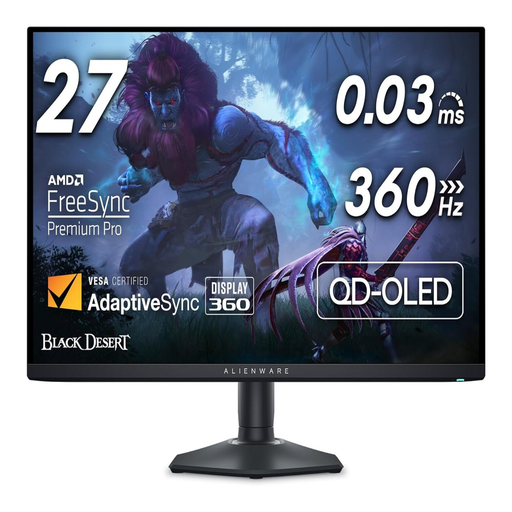
Why We Recommend It: The Alienware AW2725DF combines an extremely high 360Hz refresh rate with the superior image quality of QD-OLED technology. Its 0.03 ms response time and VESA AdaptiveSync certification make it a device engineered for maximum performance in esports.
Key Features:
- Panel: 27-inch QD-OLED with WQHD (2560x1440) resolution
- Speed: 360Hz refresh rate and 0.03 ms (GtG) response time
- Image Quality: VESA DisplayHDR True Black 400, 99.3% DCI-P3 color gamut
- Sync: AMD FreeSync Premium Pro and VESA AdaptiveSync
Best For: This model is aimed at esports enthusiasts and competitive gamers for whom every millisecond and maximum motion clarity are critical.
TITAN ARMY P2710S 27-Inch Gaming Monitor
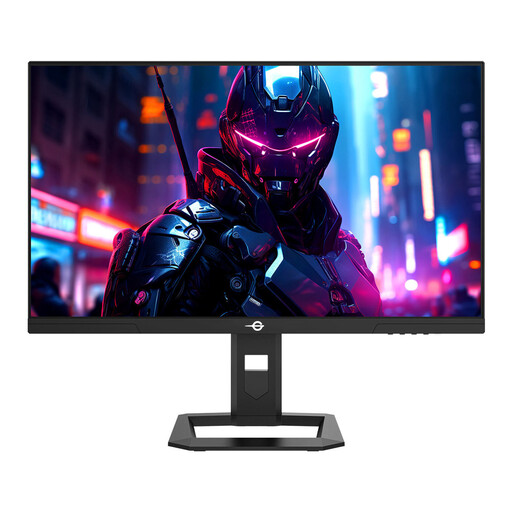
Why We Recommend It: The TITAN ARMY P2710S delivers high performance with its Fast IPS panel, offering an accessible price-to-performance ratio. With a 240Hz refresh rate and 1ms response time, it meets the demands for fluid gameplay without requiring an investment in more expensive OLED technology.
Key Features:
- Panel: 27-inch Fast IPS with WQHD (2560x1440) resolution
- Speed: 240Hz refresh rate and 1 ms (GtG) response time
- Image Quality: HDR400 support, 95% DCI-P3 color gamut
- Ergonomics: Fully adjustable stand (height, tilt, swivel, pivot)
Best For: Ideal for discerning PC gamers looking for a high-performance, all-round monitor for various game genres who value a strong price-to-performance ratio.
MSI MAG 271QPX QD-OLED E2 Gaming Monitor
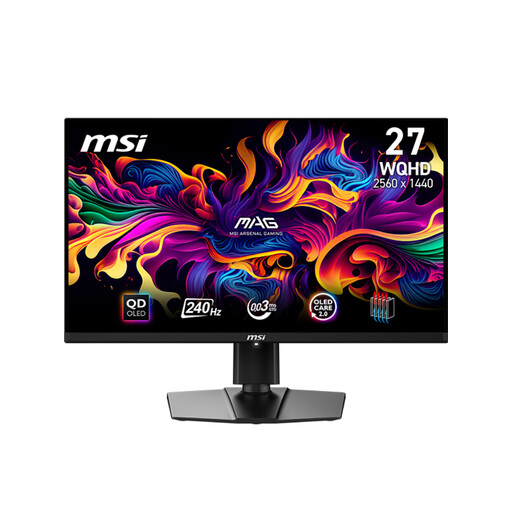
Why We Recommend It: The MSI MAG 271QPX E2 also utilizes a latest-generation QD-OLED panel, combining it with a 240Hz refresh rate. Its strength lies in its versatility, particularly with its HDMI 2.1 ports that offer full support for current-gen consoles like the PS5 and Xbox Series X (120Hz, VRR, ALLM).
Key Features:
- Panel: 26.5-inch QD-OLED with WQHD (2560x1440) resolution
- Speed: 240Hz refresh rate and 0.03 ms (GtG) response time
- Image Quality: DisplayHDR True Black 400, 99% DCI-P3, color accuracy Delta E ≤ 2
- Connectivity: 2x HDMI 2.1, 1x DisplayPort 1.4a, USB-C
Best For: This PC gaming monitor is an excellent choice for users who play on both PC and high-end consoles and want to make no compromises on image quality.
Other Options and Alternatives
The models presented here cover specific user profiles. If your requirements differ or you are looking for other configurations, you can find a broader selection in our main category.
️ Discover more 240Hz Gaming Monitor models
Frequently Asked Questions (FAQ)
Is a 27-inch WQHD monitor the right choice for gaming? Yes, this combination is considered the ideal sweet spot. It offers a significantly sharper image than Full HD without taxing the graphics card as much as a 4K resolution. This allows for high frame rates while maintaining excellent visual quality.
OLED or IPS – which panel technology is better for me? The decision depends on your primary use case and budget. For maximum responsiveness and unparalleled contrast, OLED is the more technologically advanced choice. Fast IPS offers excellent all-round performance with very good color reproduction and fast response times at a more affordable price point.
Do I need a specific graphics card for a 240Hz WQHD monitor? To consistently achieve the high refresh rates of a 240Hz or 360Hz monitor at WQHD resolution in modern games, a high-performance graphics card is required. Models such as the NVIDIA GeForce RTX 4070 Super / RX 7800 XT or higher are recommended to fully leverage the monitor's potential.