
Buying a 1080p Projector: What Matters for Picture Quality, Streaming and Setup
A 1080p projector can display films, series, games and presentations at a much larger size than a television. However, projectors vary considerably when it comes to brightness, streaming support and automatic setup. If you only look at details such as “4K supported” or high lumen figures, you could end up buying a device that does not deliver the picture quality you expect in your own living room.
As Joybuy Product Recommendation Officers, we have therefore focused our selection on clear technical specifications and typical usage scenarios in UK households.
Common Buying Traps When Choosing a 1080p Projector
1. Supported 4K resolution is not native 4K resolution
Many models are advertised as 4K projectors, even though their actual panel resolution is 1920 × 1080 pixels. “4K supported” or “4K decoding” generally means that the device can process the corresponding video signals. The image is still displayed on a native 1080p panel.
This is not necessarily a disadvantage. A Full HD projector with native 1080p resolution can provide enough detail for films, series and consoles. The key is understanding the difference between native resolution and the supported input signal.
2. Lumen figures are difficult to compare without a measurement standard
Figures such as “9000 lumens” or “12000 lumens” are sometimes based on manufacturers’ own measurements for budget projectors. Values given in ANSI lumens are more meaningful because they are measured using a standardised procedure.
In practice:
- A darkened bedroom needs less brightness than a living room with daylight.
- A large image appears darker than a smaller projection.
- If you are using an outdoor projector, plan to use it after sunset.
- Light-coloured walls or a suitable projection screen can also affect the perceived image quality.
3. “Projector with Netflix” does not automatically mean official support
With a smart projector, check whether Netflix is available directly through a licensed app or whether you need a streaming stick, laptop or HDMI source device. Wireless screen casting may be restricted for protected content. This is stated explicitly for the YOTON Y7, for example.
A Google TV projector or Android TV projector may also offer different app versions and certifications depending on the model. Before buying, it is therefore worth checking the exact operating system and the streaming apps listed.
The Most Important Technical Specifications Explained Clearly
Native resolution and image size
For a 1080p projector, the native resolution should be listed as 1920 × 1080 pixels. The recommended image size depends on the distance from the wall, the throw ratio and the size of the room. A device that supports a 200- or 300-inch image will not necessarily produce an evenly bright picture at its maximum size.
For living rooms and bedrooms, flexible size ranges of around 40 to 150 inches are often more practical. For presentations, it is also important that small text and tables are displayed clearly.
Brightness in ANSI lumens
Brightness should suit the surroundings. Models with around 180 to 500 ANSI lumens are more suitable for heavily darkened rooms. Devices with 700 to 1000 ANSI lumens offer more flexibility for evening use with some ambient light. Higher figures can be useful in living rooms, for watching sport or for more flexible use, but they cannot replace a completely dark environment.
Important: A higher brightness figure alone says nothing about colour accuracy, contrast or actual image sharpness.
Focus, keystone correction and positioning
A projector with autofocus reduces the amount of manual setup required. Automatic keystone correction compensates for trapezoidal distortion when the device is not positioned exactly straight towards the projection surface. These functions are convenient, although substantial correction can affect the usable image area and the level of detail.
For locations that change regularly – such as the bedroom, living room or garden – an integrated stand, a rotating mount and compact dimensions are also useful.
Recommendations for Different User Profiles
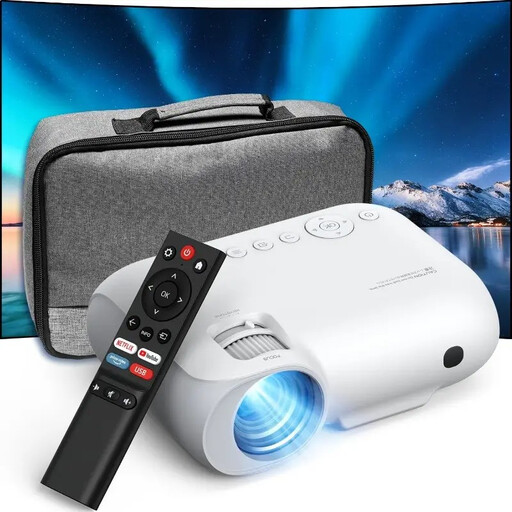
YOTON Y7 Native 1080P 9000 Lumen WiFi Bluetooth 4K Projector
Why this product suits this profile: The Y7 is aimed at users looking for a Full HD projector for film nights, occasional gaming or presentations, with the option to connect existing devices via HDMI, USB or AV. A carry case makes it suitable for use on the move.
The native resolution is listed as 1920 × 1080 pixels. For Netflix and comparable services, the restrictions on wireless casting are highlighted; HDMI connection to a laptop or streaming stick is intended instead.
Native 1080p resolution, dual-band Wi-Fi, Bluetooth 5.1, HDMI/USB/AV connections and 50% image reduction without changing the projector’s position.
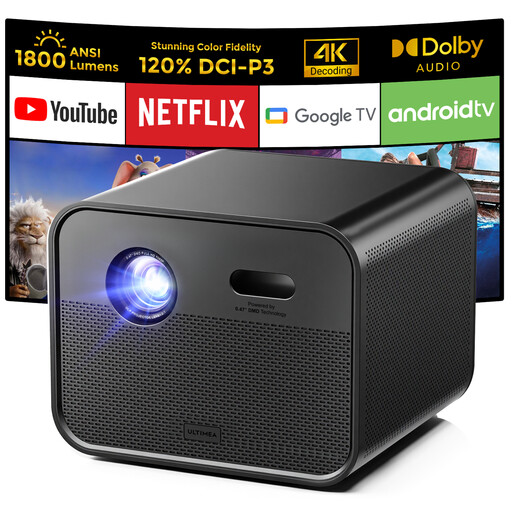
Ultimea Poseidon E100 Native Full HD 1080P Projector
Why this product suits this profile: This home cinema projector combines native 1080p resolution with Google TV, automatic picture setup and several connection options. It is ideal for film and series fans who prefer streaming without an additional device.
The specifications distinguish between native 1080p resolution and 4K decoding. Google TV, OTA updates, autofocus and 6D keystone correction are also explicitly listed.
1800 ANSI lumens, HDR10/HLG support, Google TV, Bluetooth 5.3, MEMC and integrated 2 × 10 W speakers.
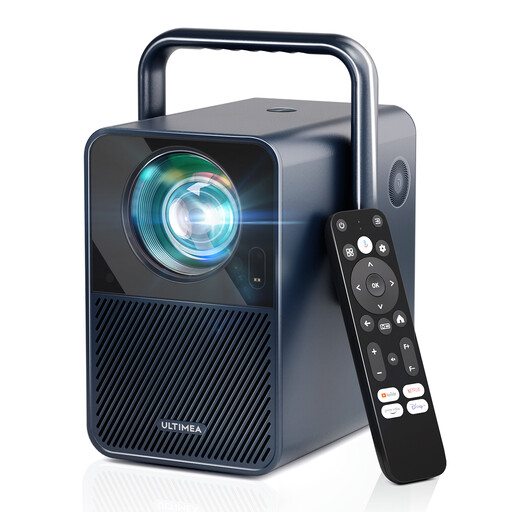
Ultimea Poseidon E40 Native 1080P Projector
Why this product suits this profile: The E40 is designed for users looking for a versatile smart projector with a more powerful integrated audio system and automatic setup for the living room or home cinema.
Brightness is specified in ANSI lumens. Netflix certification, Android TV 11.0, autofocus and 6D correction are listed as specific features.
1000 ANSI lumens, native 1080p resolution, Android TV 11.0, Netflix certification, Dolby Audio and 2 × 10 W speakers.
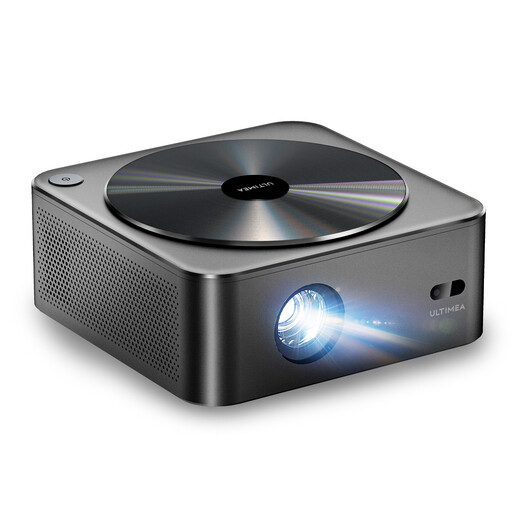
Ultimea Apollo P40 HDR10 1080p Projector
Why this product suits this profile: The Apollo P40 combines native Full HD resolution with Wi-Fi, Bluetooth and automatic picture setup. It is a good fit for families who move between the living room, bedroom and occasional outdoor use.
Native 1080p resolution, 700 ANSI lumens, HDR10 and 4K decoding are listed separately. This makes it easier to assess the product compared with broad 4K advertising claims.
700 ANSI lumens, dual-band Wi-Fi, Bluetooth, autofocus, 6D keystone correction and integrated 2 × 5 W speakers.
Practical Tips for Operation and Longevity
A projector needs sufficient airflow. The ventilation openings must not be covered by curtains, cushions or furniture. After switching the device off, allow the fan to finish running before unplugging it from the mains. The lens can be cleaned with a soft, dry cloth; harsh cleaning products are unsuitable.
For gaming, input lag, picture mode and connection type are just as important as resolution. An HDMI connection is generally more predictable than wireless mirroring. If you use the device in the garden, protect it from moisture and only use it once it is dark enough.
1080p Projector FAQ
Is a 1080p projector good enough for films and gaming?
For many home cinema and console applications, native 1920 × 1080 pixels is sufficient. With fast-paced games, input mode, signal processing and the HDMI connection are also important. Some devices can process a 4K signal, but output it at 1080p.
How bright should a 1080p projector be?
Lower ANSI lumen figures may be sufficient for darkened rooms. In a living room with some ambient light, models offering around 700 to 1000 ANSI lumens provide more headroom. For large images or daylight use, however, the surroundings should still be darkened as much as possible.
How long does an LED projector last?
Actual lifespan depends on operating hours, cooling, dust exposure and how the projector is used. LED projectors generally do not require regular lamp replacement in the same way as traditional projectors. Before buying, check the manufacturer’s specific information about the light source and maintenance.